TL;DR: 10 Best Alternatives to Zendesk Talk in [cgv actual_year]
| # | Platform | Best for | Starting Price (annual billing) |
G2 Rating |
|---|---|---|---|---|
| 1 | CloudTalk | Scaling, global SMB customer support & sales teams | $[cgv pricing_lite]/user/mo | [cgv rating_g2] |
| 2 | JustCall | SMS-heavy workflows & automation | $29/user/mo | 4.3/5 |
| 3 | Aircall | Rapid app ecosystem integrations | $30/user/mo | 4.4/5 |
| 4 | Dialpad | Enterprise-grade live AI coaching | $80/user/mo | 4.4/5 |
| 5 | Quo (OpenPhone) | Collaborative shared inboxes for startups | $15/user/mo | 4.7/5 |
| 6 | Nextiva | Stable unified internal communications | $15/user/mo | 4.5/5 |
| 7 | Zoom Phone | Simple voice lines within Zoom offices | $10.50/user/mo | 4.6/5 |
| 8 | Ringover | Visually driven outbound sales campaigns | $21/user/mo | 4.6/5 |
| 9 | Talkdesk | Complex compliance for massive enterprises | $85/user/mo | 4.4/5 |
| 10 | Freshdesk Contact Center | Direct lateral move within Freshworks | $17/user/mo | 4.4/5 |
Skip the reading. See it live.
Why Are Teams Searching for a Zendesk Talk Alternative?
Teams outgrow Zendesk Talk when they realize that its pay-per-minute system makes monthly phone bills highly unpredictable. Growing support offices usually look for a dedicated cloud phone system that integrates smoothly into their desk without draining their budgets through unexpected fees.
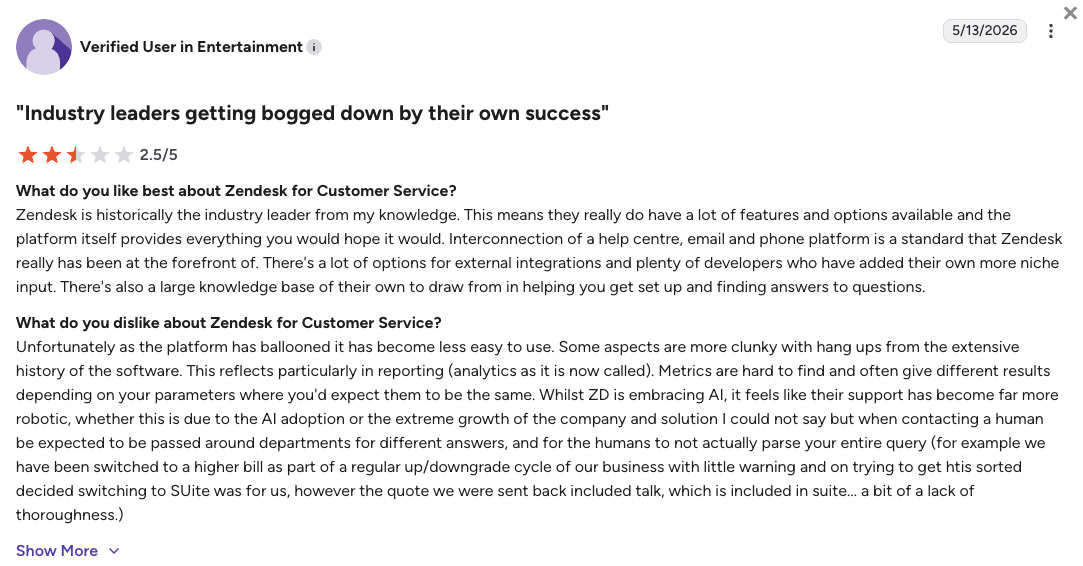
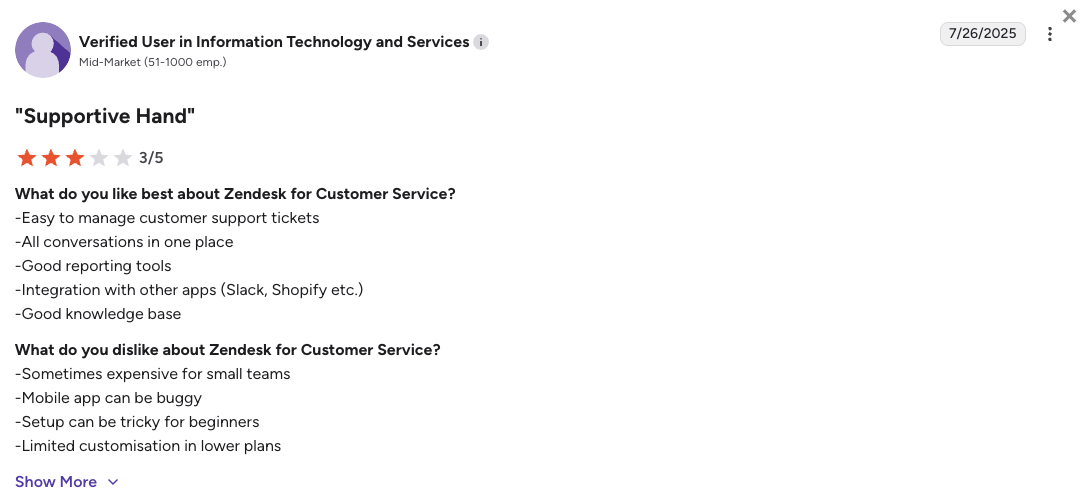
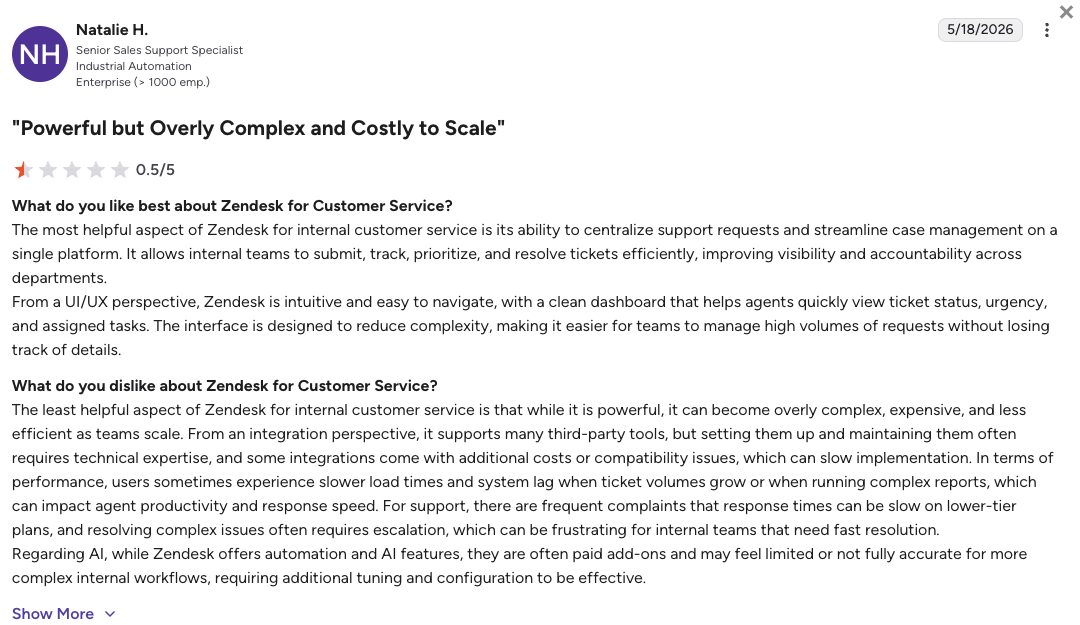
Keeping all your tools inside one platform sounds convenient at first, but the extra costs for per-minute usage and locked features quickly add up on your monthly invoice. Based on verified user reviews on G2 (where Zendesk scores 4.3/5 across its broader support suite), Trustpilot, Reddit, and Quora, growing customer support teams typically abandon the system due to five core functional landmines.
5 Main Cons of Zendesk Talk That Make Growing Teams Leave
-
The costly reality of the Twilio tax:Zendesk Talk is not a standalone telecom network but a white-labeled integration built on top of Twilio infrastructure. This means you are hit with double markups, paying mandatory per-minute fees for every single inbound call, outbound call, and received voicemail on top of your expensive base licenses.
-
Expensive paywalls for conversational AI:Unlocking essential generative features like automated call summarization, intent detection, and agent suggestions requires purchasing an expensive Copilot add-on. This add-on costs an extra $50/agent every month, and you are still forced to pay metered fees for live call transcriptions.
-
Frustrating callback caller ID logic:When agents initiate an outbound callback to a customer, the internal phone system frequently defaults to a generic routing line rather than your public-facing brand number. This technical glitch causes customers to ignore the incoming call as spam, which severely slows down your response times.
-
Rigid call routing limits:Zendesk Talk lacks a true simultaneous ring setup on standard plans, meaning incoming calls can only cycle through your agents one by one. This limitation forces customers to wait much longer in line and tires out your staff during busy peak hours.
-
Bad mobile connectivity for remote teams:The platform lacks a reliable, independent mobile application for voice calls, forcing field reps and remote workers to rely on unstable browser workarounds. This infrastructure gap leads to constant call drops, audio lag, and missed connections when agents step away from their computers.
What Is the Best Alternative to Zendesk Talk?
CloudTalk is the best alternative to Zendesk Talk for scaling customer support and outbound sales teams (SMB & mid-market). With transparent subscription plans starting at $[cgv pricing_lite]/user/month, CloudTalk serves as a dedicated, reliable voice platform designed to maximize your everyday agent efficiency.
The biggest reason why CloudTalk outperforms Zendesk Talk is that it bypasses the unpredictable consumption model by providing unmetered inbound bundles for North American markets.
Instead of managing a system that punishes your growth with per-minute fees for voicemails and call recordings, CloudTalk gives you a drag-and-drop call flow designer and virtual numbers in [cgv national_phone_numbers]+ countries. This means you can easily support your customers at scale from anywhere. Everything stays synced with your central helpdesk, keeping your essential ticketing data intact while slashing your overall telecom overhead.
Why Do Teams Consider CloudTalk the Best Zendesk Talk Alternative?
5 Main Pros of CloudTalk: Based on Real User Experience
-
Predictable unmetered domestic packages:CloudTalk completely removes the stress of per-minute tracking by offering flat-rate pricing tiers with unlimited inbound calls. This operational shift provides complete budgetary peace of mind for high-volume support centers that can’t afford fluctuating monthly carrier fees.
-
Flawless callback caller ID delivery:CloudTalk’s native infrastructure ensures that your verified corporate brand number displays perfectly on every outbound call. This simple fix instantly lifts customer answer rates, keeps your outreach campaigns on track, and prevents your numbers from getting flagged as spam.
-
Accessible pricing for advanced AI tools:CloudTalk provides automated transcripts and call scoring as a highly affordable $[cgv pricing_ai]/mo Conversation Intelligence add-on. The platform also offers scalable, predictable AI voice agent bundles, bypassing the expensive pay-per-minute upgrades required by legacy software.
-
Massive international number coverage:While Zendesk limits its virtual lines to roughly 70 countries, CloudTalk connects your business to local, mobile, and toll-free numbers in [cgv national_phone_numbers]+ countries. That’s why CloudTalk is the best international Zendesk Talk alternative for teams expanding across Europe, Canada, and global territories.
-
Embedded single pane of glass workflow:You don’t have to abandon your existing ticketing ecosystem to save money on voice infrastructure. CloudTalk features a native marketplace app that embeds an intelligent, lightweight phone dialer directly inside your Zendesk dashboard, logging every interaction automatically.
Ready to leave unexpected fees and broken routing behind?
How We Evaluated The Best Zendesk Talk Alternatives [cgv actual_year]
To pinpoint the top alternatives to Zendesk Talk, we looked into comprehensive market data and unfiltered threads on Reddit, Quora, and G2. We focused specifically on VoIP phone systems for scaling teams that directly solve the core structural flaws of Zendesk Talk like high usage markups, rigid single-line queues, and weak mobile performance.
Our research assessed each system across six pillars essential for growing businesses:
- Network Quality & Stability: We verified carrier backbone infrastructure and system uptime guarantees to eliminate dropped customer calls and unexpected audio delays.
- AI Accessibility: We prioritized platforms that build call summaries, live sentiments, and virtual assistants into accessible pricing structures instead of relying on expensive enterprise paywalls.
- Ticketing & CRM Integration: We looked for native, two-way software syncing that logs call records and text messages instantly without requiring tedious manual data entry.
- Global Carrier Footprint: We checked the availability and onboarding speed for securing high-quality local and toll-free virtual lines across multiple global regions.
- Customer Care Support: We favored comms providers that give you direct access to live, human technical support rather than relying on automated community forums.
- Total Operational Cost: We audited pricing documents to expose hidden multi-year contract traps, mandatory seat requirements, and surprise usage fees.
The Top 10 Alternatives to Zendesk Talk for [cgv actual_year]
Before we analyze the individual tools, here is a quick overview of how the top Zendesk Talk alternatives compare across pricing structures, seat rules, and core calling features.
Zendesk Talk Competitors Compared
| Feature | Zendesk Talk | CloudTalk | JustCall | Aircall | Dialpad |
|---|---|---|---|---|---|
| Starting Price (annual billing) | $49/user/mo | $[cgv pricing_lite]/mo | $29/mo | $30/mo | $80/mo |
| Minimum Seats | 1 User | 1 User | 2 Users | 3 Users | 1 User |
| Included Inbound Calling | Pay-per-minute fees | Unmetered domestic (US/CA) | Bundled minute allowances | Pay-per-minute fees | Pay-per-minute fees |
| Global Coverage | 70+ Countries | 160+ Countries | 70+ Countries | 100+ Countries | 70+ Countries |
| Advanced Outbound Dialers | None (Manual only) | Native Preview, Smart, Power & Parallel dialers | Native Power dialer | Basic Power dialer | Native Power dialer (Requires Sales tier) |
| Drag-and-Drop Call Routing | No | Yes | Yes | Yes | Yes |
| Free Trial | N/A | 14 Days | 14 Days | 14 Days | 14 Days |
Extra corporate overhead explained:
Zendesk Talk seems simple because it sits inside your current helpdesk, but its white-labeled infrastructure wastes thousands of dollars in carrier markups. CloudTalk acts as a specialized telecom network, giving your reps parallel outbound dialers and smart routing while cutting down your total cost of software ownership.
1. CloudTalk: Best Zendesk Talk Alternative for Scaling Support & Sales Teams (SMB to Mid-Market)
What Is CloudTalk?
CloudTalk is an AI-powered business phone system, and the overall best Zendesk Talk alternative for fast-growing support and sales teams. The platform replaces Zendesk Talk’s messy, metered phone infrastructure with a highly stable calling hub that fits perfectly into your daily business operations.
CloudTalk serves expanding SMB and mid-market companies that need advanced call handling without heavy IT setup costs. [cgv customers_around_the_world]+ scaling offices use CloudTalk globally to automate their workflows and keep call quality crystal clear. Read on and learn why.
Why Is CloudTalk a Strong Zendesk Talk Alternative?
-
Complete escape from the Twilio tax: Zendesk Talk marks up raw telecom consumption, charging you for every single incoming minute, outgoing minute, and voicemail. CloudTalk completely removes this variable overhead by offering predictable flat-rate tiers with unmetered calling across the US and Canada.
-
Flawless caller ID on customer callbacks: Agents making outbound callbacks through Zendesk Talk frequently get ignored because the platform displays a random routing line instead of your main brand number. CloudTalk uses a dedicated network architecture that secures your official business number on every outgoing dial to protect your connection rates.
-
Highly affordable conversation intelligence: Zendesk locks helpful automated summaries, live customer sentiment analysis, and agent talking ratios behind an expensive $50 monthly upgrade. CloudTalk makes these tools accessible to any budget, giving your team a full AI conversation suite as a flat-rate $[cgv pricing_ai]/mo add-on.
-
Deeper global line footprint: While Zendesk caps its virtual telephone lines at roughly 70 countries, CloudTalk opens up your international ops immediately. You can easily buy and deploy local, mobile, and toll-free numbers in over [cgv national_phone_numbers] countries to build immediate trust with regional buyers.
-
Unbroken visual workflows inside your helpdesk: Moving away from Zendesk Talk doesn’t mean you have to leave your primary workspace. CloudTalk features a native sidebar dialer that pops right into your regular ticket screen, letting reps handle calls, click to dial, and view history without constantly switching tabs.
What Are the Pros & Cons of CloudTalk?
| Pros | Cons |
|---|---|
| Predictable flat-rate billing: Unmetered domestic calling prevents surprise overages. | No native video: The platform focuses strictly on phone, text, and AI voice channels. |
| Auto two-way sync: Calls, texts, and voicemails automatically log into your CRM to save time. | Lite tier limits: The Lite plan is limited to NA & LATAM regions. |
| Advanced outbound dialers: Power and parallel dialers help you maximize live conversations. | Parallel dialing add-on: Launching multiple lines at once requires a premium add-on. |
| Visual call routing: Drag-and-drop menus let you build smart flows without coding. | |
| Responsive customer care: Live support is available 24/7 to keep your system running smoothly. |
What Are CloudTalk’s Plans & Pricing?
CloudTalk pricing starts at $[cgv pricing_lite]/user/month (billed annually), with the following plans:
- Lite – $[cgv pricing_lite]/user/month
- Starter – $[cgv pricing_starter]/user/month
- Essential – $[cgv pricing_essential]/user/month
- Expert – $[cgv pricing_expert]/user/month
- Custom – Quote-based pricings
Pro tip for growing teams:
The Essential plan is the sweet spot for support floors because it unlocks over 100 two-way integrations (including Zendesk) and advanced call routing. If your team is handling high-volume outbound prospecting, consider the Expert plan to utilize the automated dialers, Salesforce integration, and live manager call whispering features.
What Are CloudTalk Customers Saying?
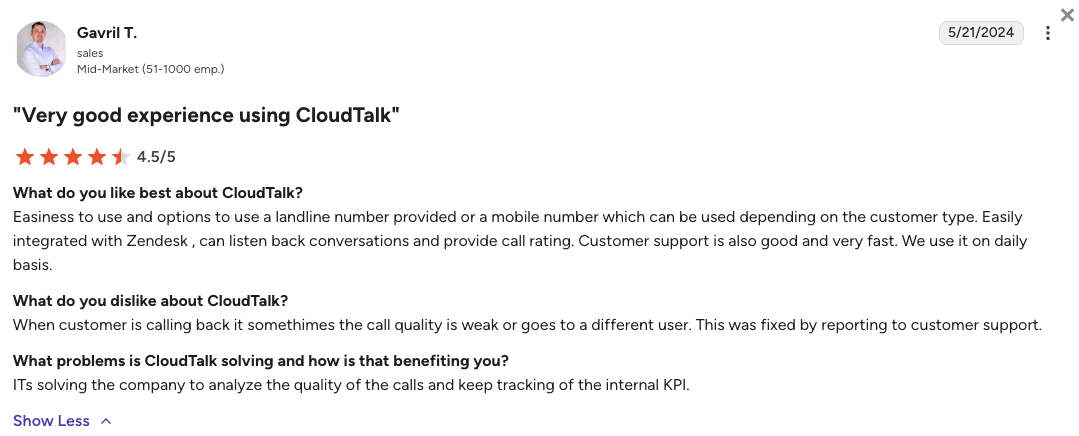
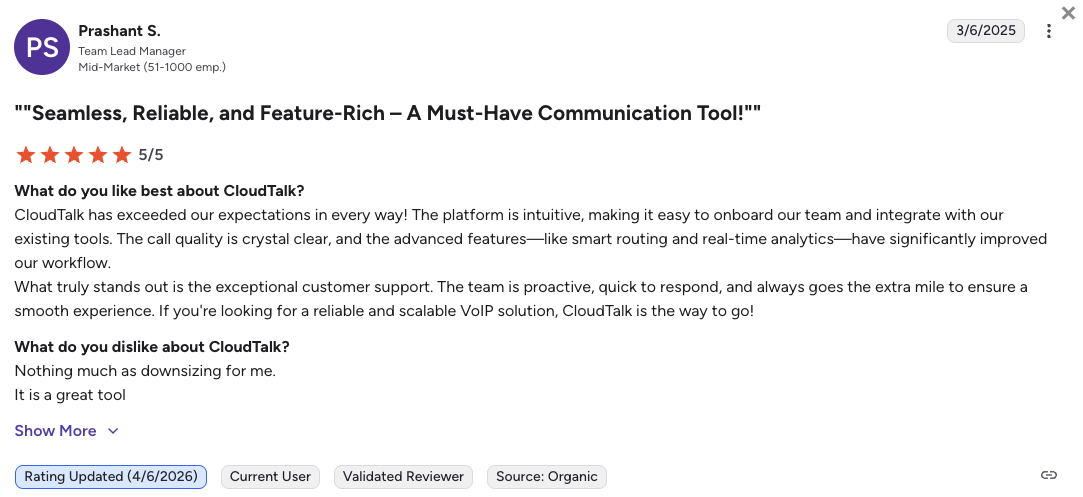
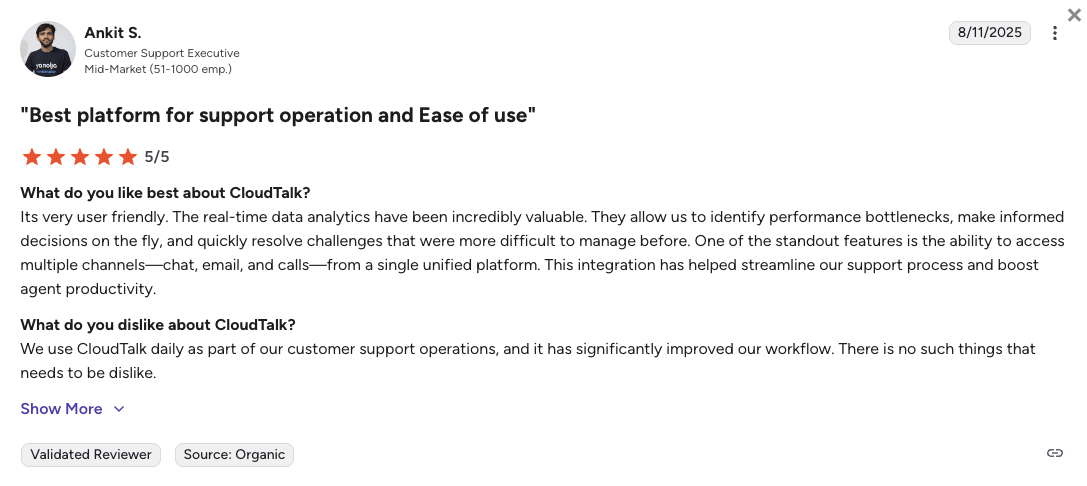
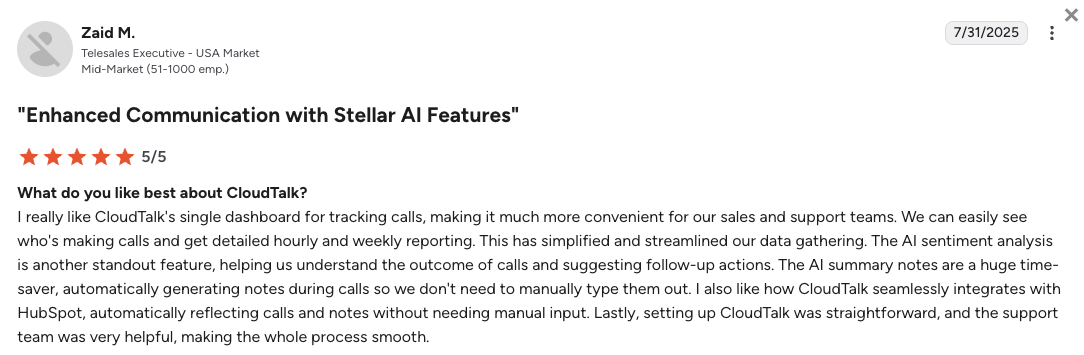
Support directors and tech administrators consistently point out how much administrative time they win back after switching to CloudTalk from legacy helpdesk calling.
- Crystal clear audio: Users say that moving to CloudTalk’s multi-carrier network completely resolved the clipping, echo, and dropped connections they dealt with on basic apps.
- Effortless data management: Managers appreciate that call logs and audio links land perfectly inside customer profiles, letting them track performance without tracking down spreadsheets.
- Minor peak hour customer care delays: A small group of users noted that getting a hold of a live chat support agent during the absolute busiest hours can occasionally take a few extra minutes.
How G2 Users Rate CloudTalk?
CloudTalk’s current G2 rating is 4.4/5, out of 1,800+ verified user reviews.
Ready to trade operational landmines for actual growth?
2. JustCall: Best for SMS-Heavy Workflows & Automation
What Is JustCall?
JustCall is an integrated cloud phone that serves sales floors and customer success teams that rely heavily on bulk texting campaigns alongside their phone outreach. JustCall’s software fits well in the small business to lower mid-market space, giving lean offices the ability to scale their client communication fast.
Why Is JustCall a Strong Zendesk Talk Alternative?
-
Deep automated text message sequences: Zendesk Talk treats text messaging like an isolated afterthought, requiring manual execution for every notification. JustCall lets you link automated text messages directly to call events, sending instant follow-ups the second your agent hangs up the line.
-
Faster outbound dialing throughput: Instead of forcing reps to click individual tickets to find phone numbers, JustCall’s automated dialers run through lead lists rapidly to keep agents talking. This setup drastically reduces agent idle time and increases daily outbound conversations.
-
Centralized customer message databases: JustCall breaks down data silos by pushing every outbound text segment, inbound reply, and call detail straight to your customer cards, keeping records aligned across your business tools.
What Are the Pros & Cons of JustCall?
| Pros | Cons |
|---|---|
| Multi-channel text flows: Connects voice calls to bulk messaging to keep customers engaged. | Seat minimums: A 2-user minimum doubles the starting cost for solo workers. |
| Direct CRM logging: Automatically records text interactions inside your database. | Feature gating: Core connections like Salesforce are blocked on the entry plan. |
| Fast voice menus: Visual setups make it easy to configure routing rules. | High AI fees: Virtual voice agents cost nearly $1 per minute outside premium tiers. |
What Are JustCall’s Plans & Pricing?
JustCall pricing starts at $29/user/month (billed annually, 2-user minimum), with the following plans:
- Team – $29/user/month
- Pro – $49/user/month
- Pro Plus – $89/user/month
- Business – Custom quote-based pricing
Pro tip for growing teams:
Watch out for the text segment caps on the lower plans, which range from 500 to 1,000 text segments per user. If your office runs high-volume automated notification campaigns, text overage fees can add up fast on your end-of-month invoice.
What Are JustCall Customers Saying?
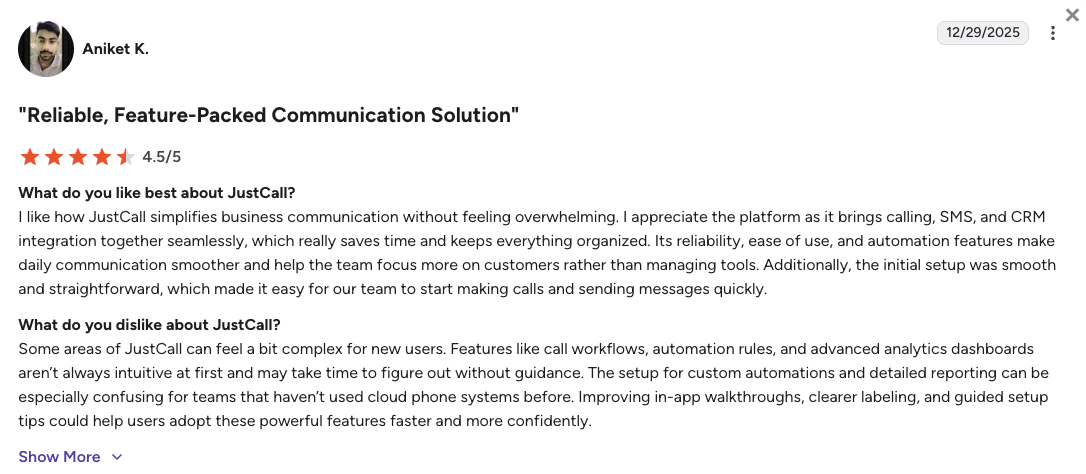
Active users value the speed of the outbound automation tools but warn that the interface can lag when running massive text blasts.
- Great campaign velocity: Sales managers like that their representatives can move through long call lists without manual fatigue.
- Simple software tracking: Users note that the system logs data accurately, making performance tracking easy across basic dashboards.
- Occasional interface glitches: Technical users note that the system can sometimes freeze when multiple agents try to run complex campaigns at the exact same time.
How G2 Users Rate JustCall?
JustCall’s current G2 rating is 4.3/5, out of 2,300+ verified user reviews.
3. Aircall: Best for Rapid App Ecosystem Integrations
What Is Aircall?
Aircall is a highly polished business phone system known for its incredibly clean design and app marketplace. Rather than acting as a standalone system, Aircall is built to slide perfectly on top of the CRM or helpdesk your team is already using, making it a favorite for modern IT managers.
Why Is Aircall a Strong Zendesk Talk Alternative?
-
Huge software marketplace: Zendesk Talk restricts your operational connection options to keep you locked inside their stack. Aircall offers native links to 200+ external tools, making it easy to sync call information across multiple databases.
-
Instant context sidebars for agents: Aircall cures agent blind spots by surfacing live customer records from your linked apps the second the phone rings. This gives your staff immediate access to purchase histories and shipping statuses before they even say hello.
-
User friendly administrative control panels: Aircall replaces old, confusing system menus with a clean visual interface that allows managers to re-route calls or provision new numbers in minutes without IT help.
What Are the Pros & Cons of Aircall?
| Pros | Cons |
|---|---|
| Clean interface: The layout requires almost zero training time for new hires. | Price floor: A 3-seat minimum applies across standard subscriptions. |
| Rapid deployment: Buy international numbers and set up call handling in an afternoon. | Gated data sync: Automated notes and CRM syncing require premium upgrades. |
| E-commerce widgets: Live sidebar cards show customer details during active calls. | Siloed AI pricing: AI tools and transcriptions require a separate monthly fee. |
What Are Aircall’s Plans & Pricing?
Aircall pricing starts at $30/user/month (billed annually, 3-user minimum), with the following plans:
- Essentials – $30/user/month
- Professional – $50/user/month
- Custom – Quote-based pricing
Pro tip for growing teams:
The $30 starting price floor is misleading for small operations because you are forced to purchase at least three lines to create an account. This means your absolute minimum baseline commitment will be $90 every single month from day one.
What Are Aircall Customers Saying?
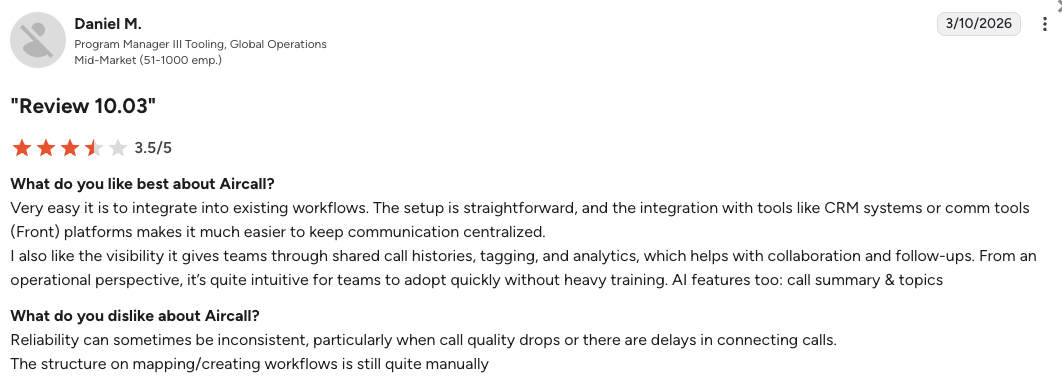
E-commerce businesses praise Aircall’s visual design but flag occasional infrastructure drops during peak calling hours.
- Extremely simple onboarding: Support leads enjoy how quickly they can add fresh international telephone lines during seasonal volume spikes.
- Excellent context visibility: Representatives appreciate seeing open support history records instantly when answering incoming phone calls.
- Frustrating voice lag spikes: Tech administrators point out occasional network dropouts and clipping audio when call volumes peak globally.
How G2 Users Rate Aircall?
Aircall’s current G2 rating is 4.4/5, out of 1,500+ verified user reviews.
4. Dialpad: Best for Enterprise-Grade Live AI Coaching
What Is Dialpad?
Dialpad is a modern UCaaS (Unified Communications as a Service) platform operating on a proprietary language model known as DialpadGPT. As the model has been trained on over 8 billion minutes of business conversation data, Dialpad is able to provide very accurate real-time transcription, sentiment analysis, and conversational intelligence.
Why Is Dialpad a Strong Zendesk Talk Alternative?
-
Live on-screen agent recommendations: Zendesk Talk can only summarize customer calls after you hang up the line. Dialpad listens to live audio strings and instantly serves up helpful cheat sheets on the agent’s screen if a customer brings up a tough question.
-
Default real-time call transcription: Dialpad replaces standard voicemail reading with an advanced engine that transcribes calls as they happen, ensuring complete operational transparency across every active line.
-
Intelligent quality assurance sheets: Dialpad automates agent scoring by scanning entire call volumes for compliance markers and sentiment flags, saving managers from manual auditing.
What Are the Pros & Cons of Dialpad?
| Pros | Cons |
|---|---|
| Accurate voice transcription: Captures spoken business details with high accuracy. | Expensive contact center: Advanced support workflows require tiers starting at $80. |
| Native video tools: Combines phones, team chat, and video meetings in one app. | Gated CRM links: Standard CRM connections are excluded from entry plans. |
| Unique AI pricing: Virtual assistants are billed per successful task, not per minute. | Restricted support: Baseline users lack access to 24/7 live human support. |
What Are Dialpad’s Plans & Pricing?
Dialpad Support suite pricing starts at $80/user/month (billed annually), with the following tiers:
- Support Essentials – $80/user/month
- Support Advanced – $115/user/month
- Support Premium – $150/user/month
Pro tip for growing teams:
While Dialpad markets cheap unified office plans for $15, those lines lack basic customer support tools like advanced queues and helpdesk data syncing. Growing service teams must buy the Support tiers to replace Zendesk Talk effectively, which sharply raises your software overhead.
What Are Dialpad Customers Saying?
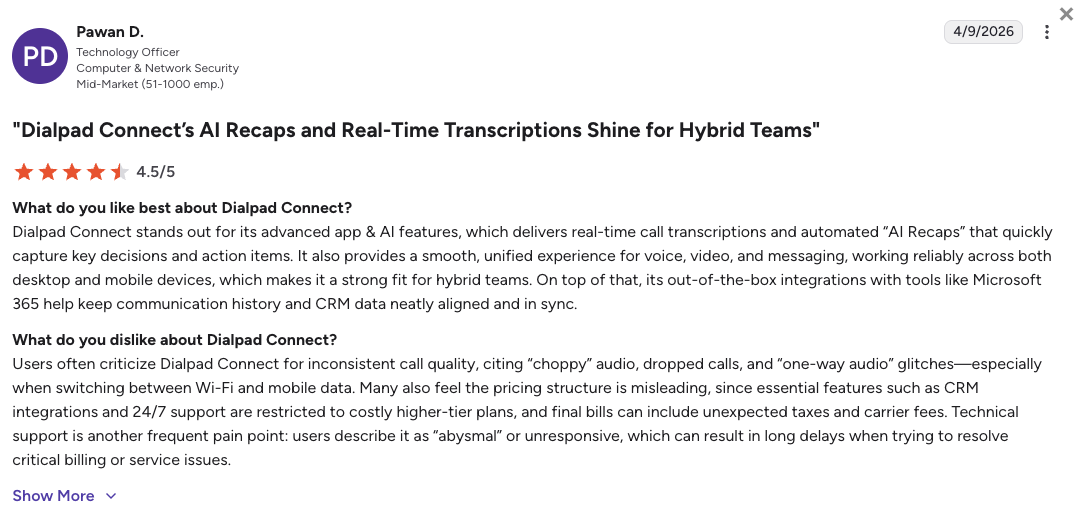
Enterprise managers rate Dialpad’s conversational AI software highly but point out that the pricing model can strain smaller operating budgets.
- Amazing automated call notes: Quality leads love receiving accurate recaps, sentiment indicators, and actionable items instantly after every call.
- All-in-one system convenience: Staff appreciate having their internal direct messaging threads and external phone lines running inside one app.
- Expensive system expansion costs: Growing mid-market teams feel trapped when they hit steep upgrade walls just to unlock basic helpdesk syncing.
How G2 Users Rate Dialpad?
Dialpad’s current G2 rating is 4.4/5, out of 4,000+ verified user reviews.
5. Quo (OpenPhone): Best for Collaborative Shared Inboxes for Startups
What Is Quo?
Quo (previously known as OpenPhone) is a mobile-first business phone app that turns traditional telephone numbers into shared digital communication feeds. The system focuses heavily on early-stage startups, local agencies (especially real estate), and lean micro-teams with fewer than ten workers. It changes traditional office routing by letting multiple workers text and call from a single number simultaneously.
Why Is Quo a Strong Zendesk Talk Alternative?
-
True collaborative team inboxes: Zendesk Talk ties numbers to strict single-user configurations, causing messy blind spots when agents step away. Quo creates a shared workspace where multiple reps can view, tag, and answer incoming customer message blocks together.
-
Familiar text message style app design: Quo replaces heavy enterprise admin panels with a clean interface that feels exactly like a personal texting feed. This removes employee training hurdles and allows small groups to launch operations instantly.
-
Clean personal data protection: The app divides business lines from personal cell networks on your smartphone, letting mobile founders keep their personal numbers private without carrying two physical devices.
What Are the Pros & Cons of Quo?
| Pros | Cons |
|---|---|
| Shared workspaces: Multiple staff can manage the same number to prevent missed messages. | Strict spam limits: Algorithms monitor usage and can freeze lines doing cold campaigns. |
| Predictable regional pricing: Includes unmetered calls and texts in the US and Canada. | Restricted international reach: Out-of-region calls require extra prepaid credits. |
| No user minimums: Solo owners can sign up without multi-seat requirements. | No hardware links: The app is digital only and does not support desk phones. |
What Are Quo’s Plans & Pricing?
Quo pricing starts at $15/user/month (billed annually), with the following plans:
- Starter – $15/user/month
- Business – $23/user/month
- Enterprise – Custom quote-based pricing
Pro tip for growing teams:
Quo’s basic plans include a lightweight assistant that handles standard voicemail transcriptions and text templates. However, this feature is capped at only 10 free actions per month, so you will need to buy extra credit packages to keep it active for everyday client interactions.
What Are Quo Customers Saying?
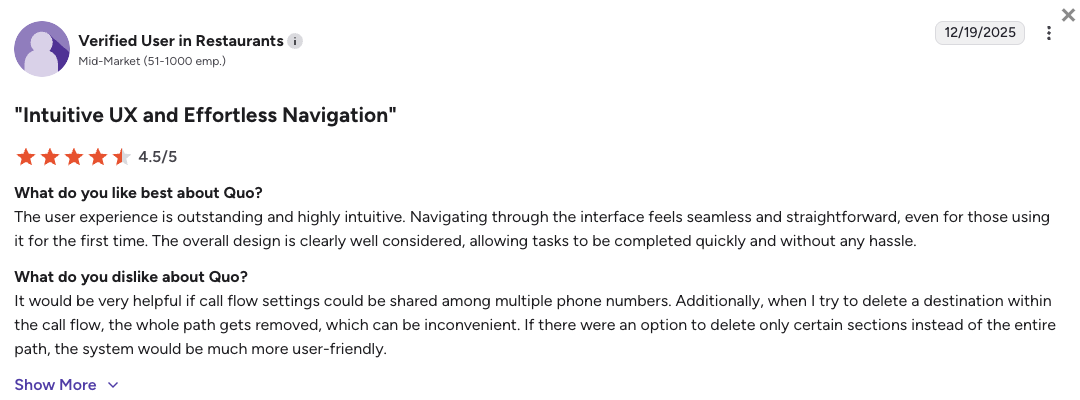
Early-stage business owners enjoy Quo’s simple interface but note that the app is not built to run high-volume customer service desks.
- Incredibly beautiful design: Small business teams appreciate having a voice application that looks modern and works natively on personal smartphones.
- Smooth tag team texting: Coworkers value being able to see when a teammate is actively typing a response to a client message.
- Abrupt automated line suspensions: Active users on Reddit note that the platform’s anti-spam filters can sometimes misinterpret standard update texts as bulk spam and freeze lines.
How G2 Users Rate Quo?
OpenPhone’s current G2 rating is 4.7/5, out of 3,000+ verified user reviews.
6. Nextiva: Best for Stable Unified Internal Communications
What Is Nextiva?
Nextiva is a large, enterprise-grade UCaaS provider that consolidates corporate phone networks, internal team chat feeds, and video meetings into a single application. The platform matches the needs of remote corporate offices and mid-market service operations centered within North America. Nextiva focuses heavily on infrastructure reliability and high uptime guarantees for companies looking to unify their corporate communication.
Why Is Nextiva a Strong Zendesk Talk Alternative?
-
Highly stable carrier network uptime: Zendesk Talk users often complain about dropped connections and unexplained voice delays caused by nested software layers. Nextiva backs its platform with a stable 99.999% uptime structure to eliminate connection failures.
-
All-in-one internal collaboration tools: Nextiva removes platform fragmentation by bundling external office phone networks, screen sharing widgets, and team spaces together, saving you from purchasing separate meeting software.
-
Predictable domestic operating budgets: Nextiva offers flat-rate subscription structures that include standard office calls and text messaging right out of the box, preventing surprise overage invoices.
What Are the Pros & Cons of Nextiva?
| Pros | Cons |
|---|---|
| Elite system stability: The reliable carrier network prevents unexpected call drops. | Clunky admin screens: The backend settings feel old and take longer to configure. |
| Responsive support: Live specialists stay on the line to resolve complex routing issues. | Massive upgrade steps: Advanced helpdesk routing requires moving to the $75 plan. |
| Generous text packages: Flat-rate limits prevent sudden freezes during heavy texting. | Limited global numbering: Getting lines outside the US and Canada is restricted. |
What Are Nextiva’s Plans & Pricing?
Nextiva pricing starts at $15/user/month (billed annually), but to get even basic call center capabilities, you’ll need the $25/mo Engage plan. Here’s the full breakdown:
- Core – $15/user/month
- Engage – $25/user/month
- Scale – $75/user/month (Contact center features)
- Professional – Quote-based (Enterprise plans)
Pro tip for growing teams:
Nextiva’s entry-level plan is an affordable option for standard internal team lines, but it lacks critical helpdesk connections and advanced customer contact settings. To get true omnichannel routing and contact metrics, you will need to budget for the premium tiers.
What Are Nextiva Customers Saying?
Corporate tech leads praise Nextiva’s day-to-day stability but admit that the administrative interfaces feel a bit outdated.
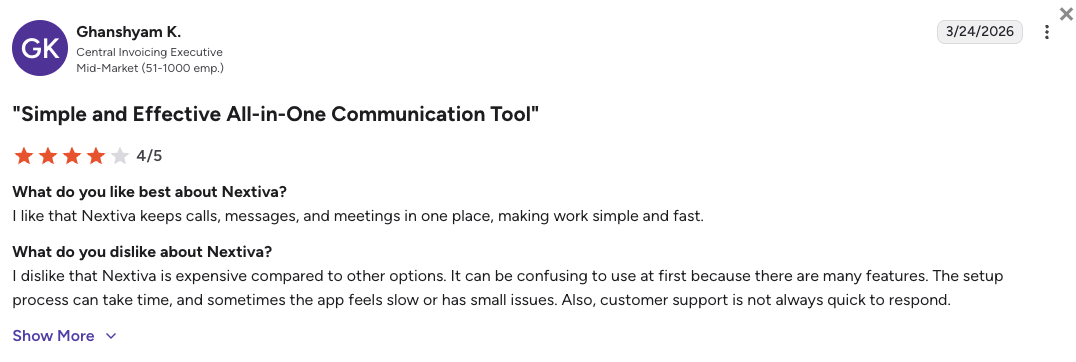
- Rock-solid system reliability: Reviewers consistently mention that they never have to worry about the calling network dropping out during important customer calls.
- Excellent human customer care: Admins appreciate being able to call a responsive tech specialist when setting up deep system lines.
- Overwhelming administrative settings: Some managers point out that changing simple call handling rules requires navigating too many complex menus.
How G2 Users Rate Nextiva?
Nextiva’s current G2 rating is 4.5/5, out of 3,400+ verified user reviews.
7. Zoom Phone: Best for Teams inside the Zoom Ecosystem
What Is Zoom Phone?
Zoom Phone is a cloud voice add-on module built directly into the familiar Zoom software interface. The application targets companies that run their everyday workflows inside the broader Zoom Workplace stack and want to add corporate phone routing. Zoom Phone offers an affordable way for corporate offices to add voice functionality without rolling out an entirely new piece of software.
Why Is Zoom Phone a Strong Zendesk Talk Alternative?
-
Zero new software to learn: Instead of forcing your team to navigate a complex ticketing dashboard just to make a call, Zoom Phone simply adds a dialer to the Zoom meeting app they already use every day.
-
Instant call to video escalations: It removes collaboration friction by letting an agent convert a standard customer call into a full screen-share meeting with a single click.
-
Consolidated software billing systems: Zoom Phone system helps IT managers reduce costs by combining video links, team channels, and external phone billing under one software license.
What Are the Pros & Cons of Zoom Phone?
| Pros | Cons |
|---|---|
| Zero training barriers: Employees use the same familiar interface as their everyday team calls. | Lacks deep sales tools: Misses high-volume dialers and complex CRM workflows. |
| Low cost of entry: Extremely cheap to add if you already use Zoom Workplace. | Metered base plans: The cheapest tier charges per minute for outbound calls. |
| Stable international servers: A large global network ensures clean voice delivery. | Basic analytics: Calling metrics lack the depth needed for busy support desks. |
What Are Zoom Phone’s Plans & Pricing?
Zoom Phone pricing starts at $10.50/user/month (Metered, billed annually), with the following main plans:
- US & Canada Metered – $10.50/user/month (Phone, pay-per-minute for outgoing calls)
- US & Canada Unlimited – $16/user/month (Phone, flat rate)
- Pro Plus – $20.50/user/month (Workplace)
- Business Plus – $24.50/user/month (Workplace)
Pro tip for growing teams:
While Zoom Phone’s $10.50 metered option looks like a bargain for light use, active customer support teams will rapidly trigger expensive per-minute overages. Moving to the Unlimited tier is usually the more cost-effective choice for active offices.
What Are Zoom Phone Customers Saying?
Corporate managers enjoy Zoom Phone’s simplicity but flag that the software lacks the power required to drive active sales floors.
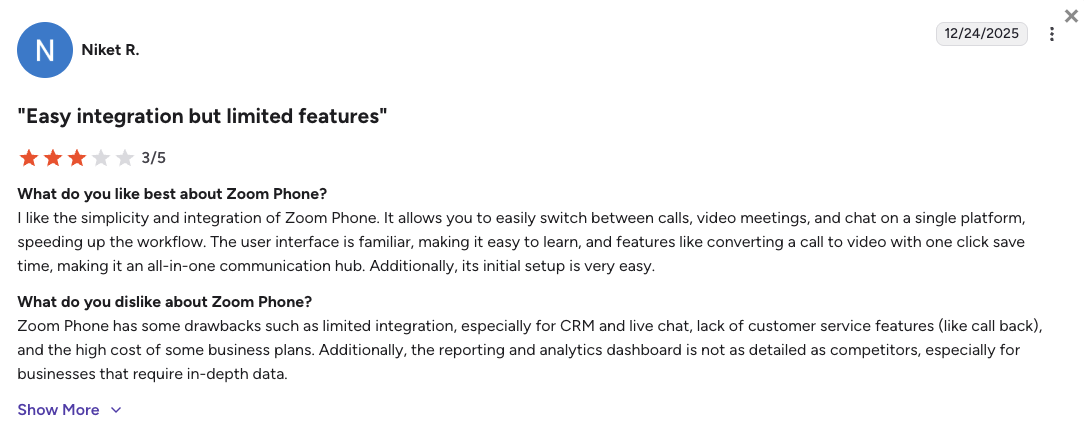
- Super convenient application layout: Staff appreciate handling their chats, virtual meetings, and external calls inside one window.
- Clear voice audio quality: Users note that the global carrier backbone provides steady, reliable voice paths with near-zero clipping.
- Terrible CRM data logging: Outbound sales leads complain that the platform refuses to sync call tracking logs and text data automatically to external CRMs.
How G2 Users Rate Zoom Phone?
Zoom Phone’s current G2 rating is 4.6/5, out of 2,600+ verified user reviews.
8. Ringover: Best for Visually Driven Outbound Sales Campaigns
What Is Ringover?
Ringover is a visual cloud communications platform designed with an emphasis on performance dashboards and sales prospecting widgets. The software targets outbound sales floors and European mid-market growth teams that need close visual monitoring of team metrics. Ringover also features a simplified interface that aims to help agents stay focused during active outreach campaigns.
Why Is Ringover a Strong Zendesk Talk Alternative?
-
Visual live performance scorecards: Zendesk Talk buries call center data inside heavy text reports that are difficult to scan. Ringover uses clear, visual call sheets that give managers real-time insights into active queues.
-
Simplified outbound call logging: Ringover helps sales teams capture call histories quickly, reducing the administrative typing required after an agent disconnects an outbound dial.
-
Integrated supervisor monitoring tools: Ringover includes simple buttons for managers to listen in on calls, whisper advice to agents, or step into active customer conversations.
What Are the Pros & Cons of Ringover?
| Pros | Cons |
|---|---|
| Visual dashboards: Clean layouts give managers quick insights into live lines. | Add-on pricing traps: Critical tools require stacking expensive monthly surcharges. |
| Predictable calling routes: Base plans feature flat-rate paths to over 110 regions. | Capped software links: Low-tier plans restrict connections to just two accounts. |
| Agent tracking tools: Built-in tracking makes it easy to spot coaching needs. | Basic AI capabilities: Voice and conversation analysis trail behind dedicated AI platforms. |
What Are Ringover’s Plans & Pricing?
Ringover pricing starts at $21/user/month (billed annually), with the following plans:
- Smart – $21/user/month
- Business – $44/user/month
- Advanced – $54/user/month
Pro tip for growing teams:
Be aware of Ringover’s add-on structures when pricing your setup. While the entry-level plan looks affordable, essential tools like parallel auto-dialers cost an extra $49 per user every month, which can quickly double your expected software overhead.
What Are Ringover Customers Saying?
Outbound sales groups enjoy Ringover’s visual layout but warn that configuring advanced workflows requires paying for high-tier upgrades.
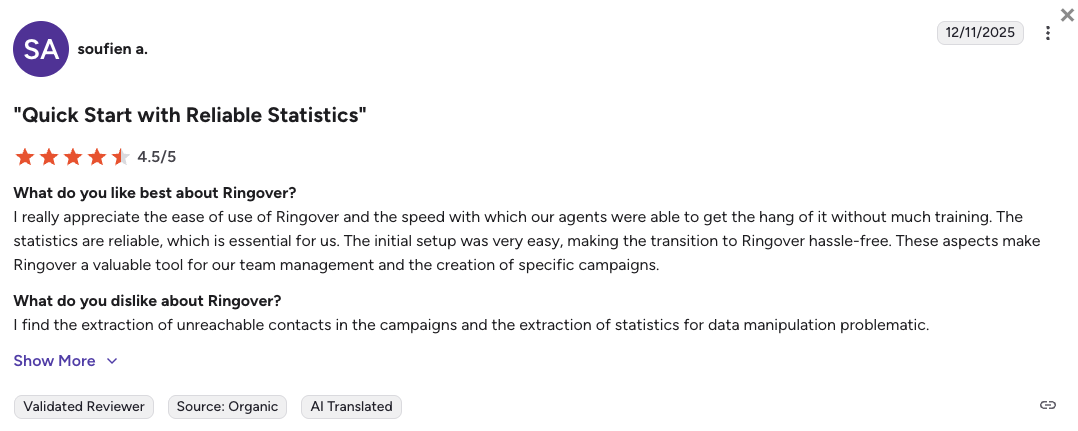
- Simple visual interface: Representative review logs point out that the application is easy to navigate during long outbound calling shifts.
- Steady line performance: Customer support users state that standard domestic call routes remain clear with steady audio tracking.
- Frustrating billing surprises: Admins note frustration when discovering that basic software connections require moving to high-tier plans.
How G2 Users Rate Ringover?
Ringover’s current G2 rating is 4.6/5, out of 450+ verified user reviews.
9. Talkdesk: Best for Complex Compliance for Massive Enterprises
What Is Talkdesk?
Talkdesk is a heavy enterprise-tier CCaaS (Contact Center as a Service) platform built to manage complex customer service operations. The platform focuses strictly on large multinational corporations, multi-department bank networks, and large healthcare operations that require strict security compliance.
Why Is Talkdesk a Strong Zendesk Talk Alternative?
-
True global call capacity: Zendesk Talk starts to drop connections and lag when forced to route hundreds of calls at the exact same moment. Talkdesk runs on a multi-tenant enterprise network engine engineered to support thousands of active global agents simultaneously.
-
Advanced visual routing flows: The platform replaces linear call queues with an intelligent system that routes incoming customers based on agent skills, regional data, and direct database records.
-
Rigid industry compliance frameworks: Talkdesk builds enterprise security standards directly into its platform core, giving healthcare and financial businesses complete peace of mind.
What Are the Pros & Cons of Talkdesk?
| Pros | Cons |
|---|---|
| Massive call limits: The corporate engine manages heavy call volumes easily. | Expensive entry costs: Baseline support lines start at a steep $105 per seat. |
| Multi-skill routing: Ensures complex requests reach the exact right department. | Contract traps: Procurement forces teams into mandatory multi-year commitments. |
| Deep quality metrics: High tiers capture screen recordings to evaluate agent quality. | Siloed lines: Entry plans force you to choose between digital and voice routes. |
What Are Talkdesk’s Plans & Pricing?
Talkdesk pricing starts at $85/user/month (billed annually), with the following main plans:
- CX Cloud Digital Essentials – $85/user/month
- CX Cloud Voice Essentials – $105/user/month
- CX Cloud Elite – $165/user/month
- Industry Experience Clouds – Up to $225/user/month
Pro tip for growing teams:
Talkdesk enforces a strict boundary between voice and digital paths on their entry plans. If your team needs to handle both phone calls and digital text messages inside the same screen, you are forced to leap to their premium plans, which cost an expensive $165 per user.
What Are Talkdesk Customers Saying?
Enterprise tech directors value Talkdesk’s stability but note that the deployment timeline is too slow for agile companies.
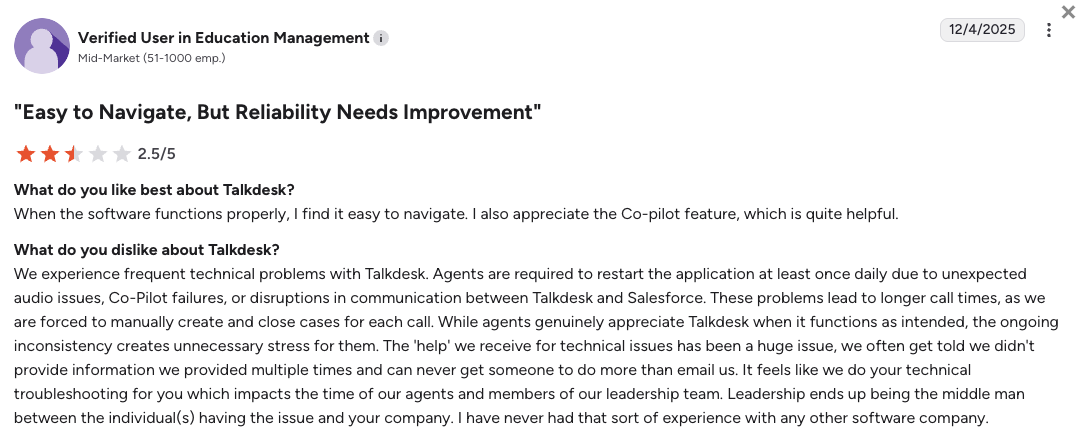
- Incredibly network scale capacity: Global call directors appreciate that the routing network can handle thousands of concurrent calls without any drops.
- Rigid system security rules: Compliance managers like having deep logging tools that match strict international financial security guidelines.
- Extremely slow setup times: System deployment reviews mention that launching simple updates can take weeks and requires specialized technical help.
How G2 Users Rate Talkdesk?
Talkdesk’s current G2 rating is 4.4/5, out of 2,500+ verified user reviews.
10. Freshdesk Contact Center: Best for a Direct Lateral Move Within Freshworks
What Is Freshdesk Contact Center?
Freshdesk Contact Center (formerly known as Freshcaller) is an omnichannel voice platform built to run alongside the Freshworks helpdesk ecosystem. The software targets mid-sized inbound support offices that want to transition away from Zendesk’s ecosystem into a similar lateral interface. Freshdesk matches the needs of small to mid-sized businesses looking for a centralized ticketing and calling setup.
Why Is Freshdesk Contact Center a Strong Zendesk Talk Alternative?
-
Native helpdesk alignment: Zendesk Talk punishes teams with a disconnected layout that splits customer history across separate systems. Freshdesk embeds your voice records, caller IDs, and text timelines into a matching ticketing interface.
-
Affordable base plan options: It provides a cheap entry point for small teams looking to establish basic phone routing queues without deep enterprise software commitments.
-
Simple agent dashboard layouts: The user interface replaces complex telecom terminology with clear business language, making it easy for agents to update customer profiles after a call.
What Are the Pros & Cons of Freshdesk Contact Center?
| Pros | Cons |
|---|---|
| Native helpdesk matching: Calling connects natively with Freshdesk to unify customer data. | Account-wide minute pooling: Pooled minute caps easily trigger overage fees. |
| Clean mobile apps: Stable smartphone apps help remote workers handle queues on the go. | Split contact systems: Records do not sync natively between the app and helpdesk. |
| Accessible basics: Small offices can easily set up phone menus and basic recordings. | Gated AI assists: Conversational auto-summaries require a separate monthly fee. |
What Are Freshdesk Contact Center’s Plans & Pricing?
Freshdesk Contact Center pricing starts at $17/user/month (billed annually), with the following plan levels:
- Growth – $17/user/month (Includes 2,000 minutes)
- Pro – $52/user/month (Includes 3,000 minutes)
- Enterprise – $84/user/month (Includes 5,000 minutes)
Pro tip for growing teams:
Pay close attention to the minute allocations across Freshdesk’s tiers. The included calling minutes are pooled across your entire account rather than assigned to individual reps, meaning an active support desk can easily burn through the allowance in a few days and face unexpected overage charges.
What Are Freshdesk Contact Center Customers Saying?
Support teams moving from Zendesk appreciate the familiar layout but note that database syncing can feel clunky during peak hours.
- Familiar workspace design: Representatives feel at ease navigating the calling tabs because the software design mirrors standard helpdesk tools.
- Stable mobile performance: Field representatives note that the mobile app handles queue transfers reliably when they step away from office computers.
- Frustrating double entry work: Users state that the platform occasionally fails to share contact records, forcing agents to manually re-type customer names.
How G2 Users Rate Freshdesk Contact Center?
Freshdesk’s current G2 rating is 4.4/5, out of 3,700+ verified user reviews.
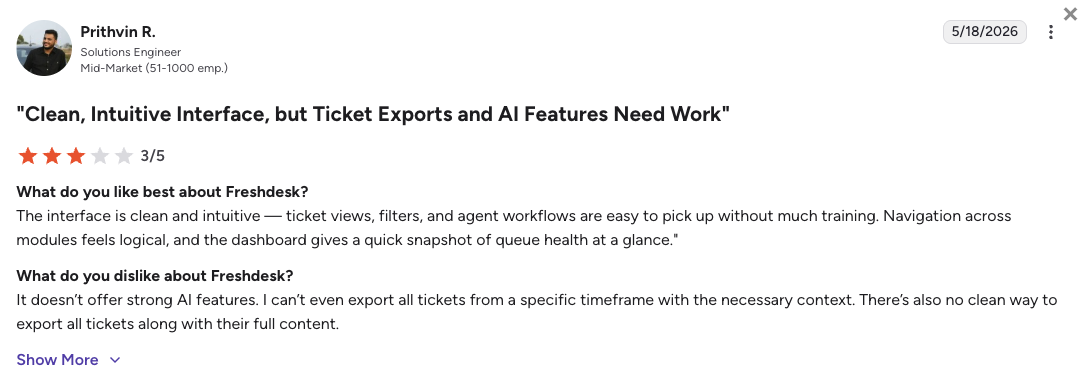
What Users Are Really Saying About Zendesk Talk Alternatives and Competitors
We looked into major peer-to-peer communities to find honest, raw feedback from real business owners and tech administrators. While managers appreciate how well the main Zendesk ecosystem organizes text tickets, public threads reveal a common consensus that the voice module becomes a major financial and operational bottleneck as call volumes grow.
What Redditors Are Asking and Saying about Zendesk Talk Alternatives
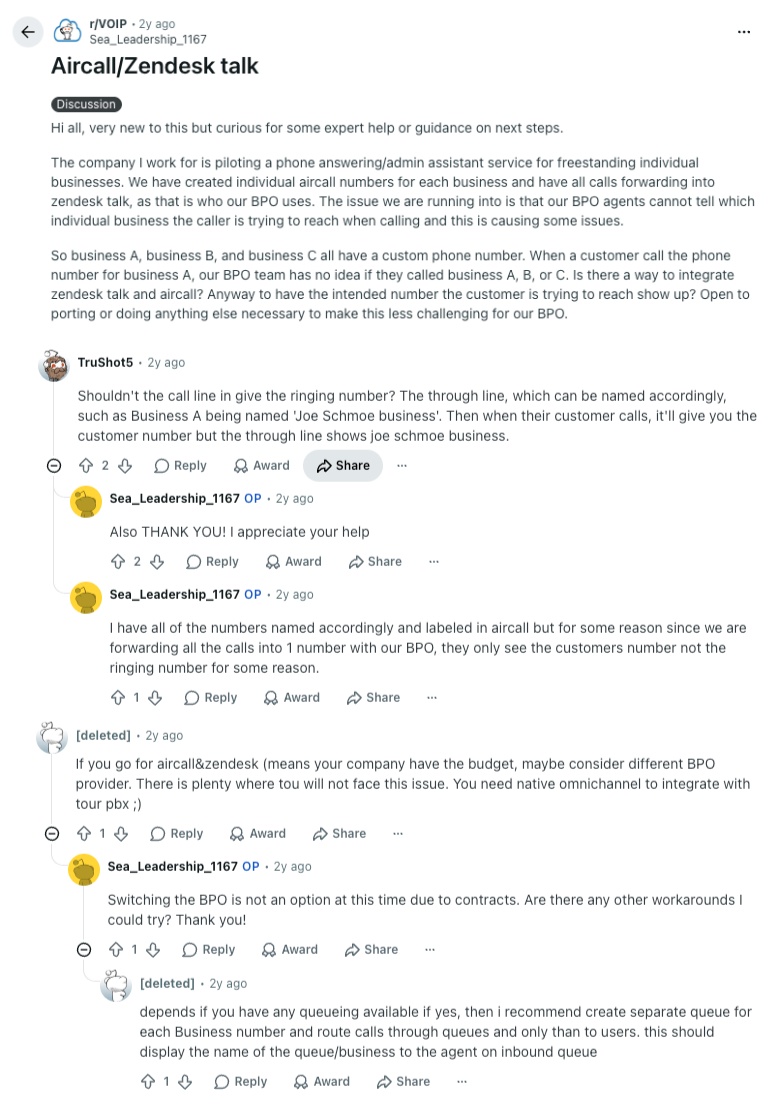
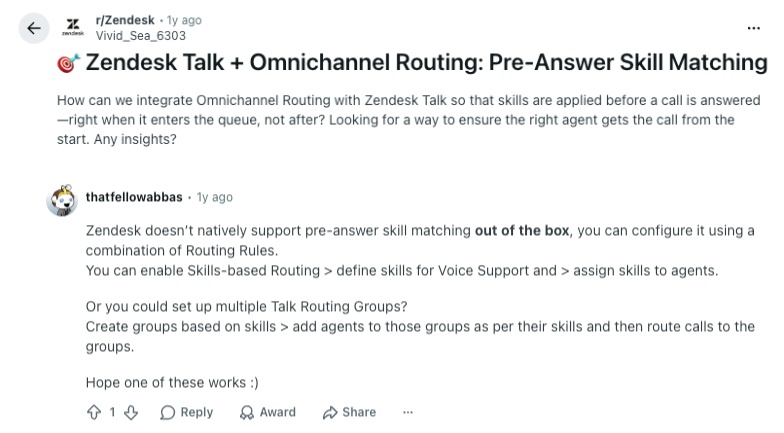
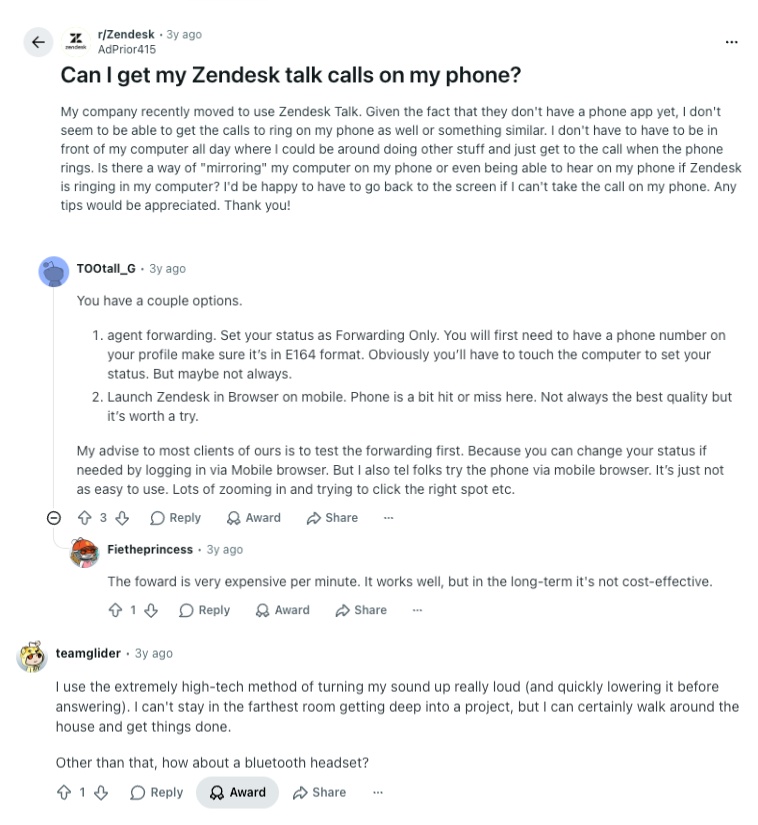
On popular subreddits like r/Zendesk, r/VOIP, and r/smallbusiness, system admins and customer service supervisors openly discuss the everyday operational friction they face with their phone setups. The threads referenced below focus on Zendesk Talk’s missing native call routing capabilities, mobile system instability, and the extra costs of forwarding calls.
-
The routing and layout puzzle: In r/VOIP, users point out that trying to forward distinct business numbers from outside apps like Aircall into Zendesk Talk creates mass confusion for outsourced teams. Because the interface fails to show which specific brand number the customer is trying to reach, commenters explain that you need a provider with native, multi-tenant call queuing to keep incoming lines organized.
-
Missing out-of-the-box skill matching: A common complaint in r/Zendesk highlights that the platform lacks the ability to match customer needs to specific agent skills right when a call enters the queue. Technical users explain that setting this up requires constructing messy routing groups, leading the community to suggest switching to dedicated voice engines built for advanced call routing.
-
The expensive mobile forwarding workaround: Remote support reps frequently ask how to receive calls on their smartphones because the platform lacks a reliable mobile app. As discussed in r/Zendesk, the official recommendation is to turn on standard phone forwarding, but agents quickly warn that this workaround triggers expensive per-minute carrier fees that destroy your budget over time.
What Quora Users Are Asking about Zendesk Talk Alternatives
On Quora, the conversations centered on customer experience software focus heavily on budget efficiency, workflow automation, and how to maximize your return on investment. Tech buyers frequently ask how to eliminate tedious manual admin without spending thousands on enterprise upgrades.
-
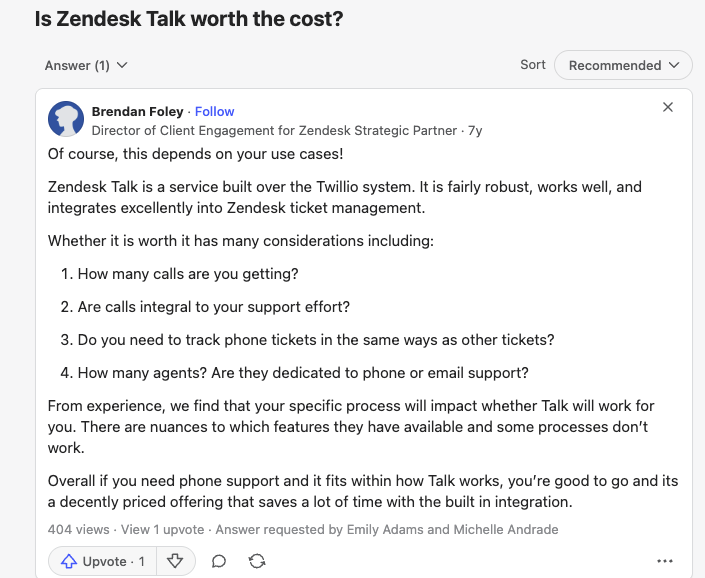
Grounding the underlying platform costs: Industry experts on Quora point out that because the voice module is built directly over the Twilio network, its price value depends entirely on your exact support volume. For teams whose daily workflows revolve around the phone, consultants explain that pay-as-you-go minute models can quickly become a financial liability compared to flat-rate providers.
-
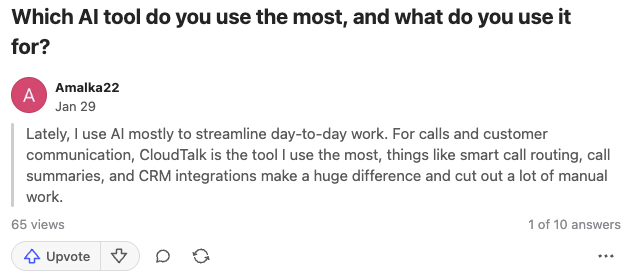
The demand for intelligent calling workflows: When business owners ask which tools they use most to streamline customer communication, active practitioners highlight dedicated platforms like CloudTalk. Users emphasize that having native call summaries, smart routing menus, and CRM syncing available out of the box cuts out hours of manual labor every week.
-
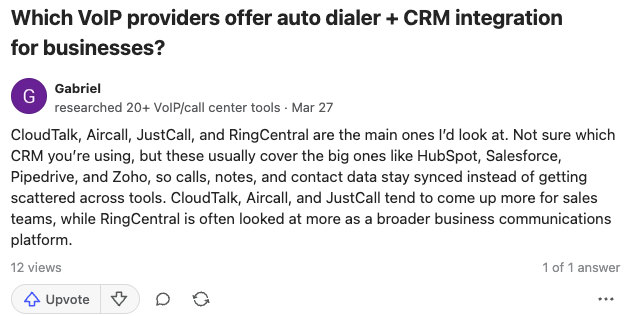
Eliminating data silos with deep syncing: In threads discussing automated outbound dialing, sales reps emphasize that your phone system must connect natively to your main database. Reviewers note that pairing tools like CloudTalk, Aircall, or JustCall with your favorite CRM ensures that client records, notes, and call links stay perfectly synchronized across your entire business.
How Verified G2 Reviewers Compare Zendesk Talk to Its Alternatives
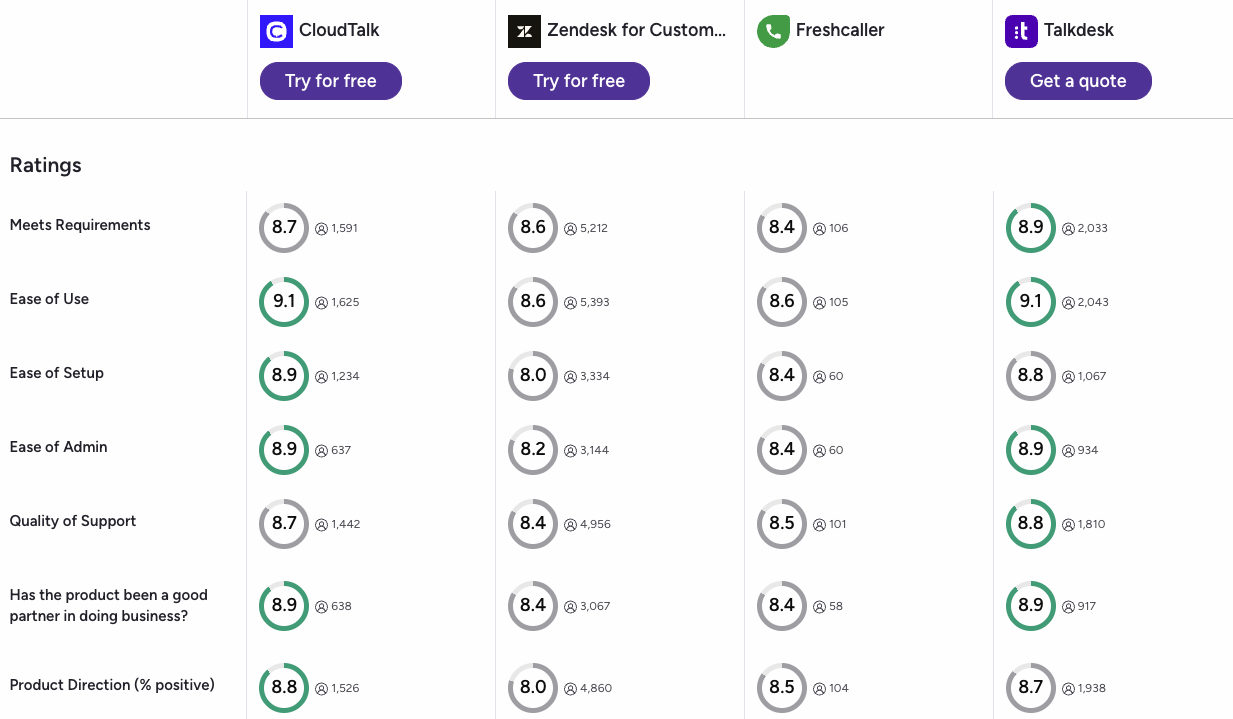
The head-to-head G2 comparison shows that specialized communication systems outpace legacy helpdesks across every core usability score. In the matchup between CloudTalk, Zendesk for Customer Service, Freshcaller, and Talkdesk, the ratings highlight a clear pattern:
-
Ease of use and setup victory: CloudTalk leads the usability matrix with a 9.1/5 for Ease of Use and an 8.9/5 for Ease of Setup. This beats Zendesk’s scores of 8.6/5 and 8.0/5, proving that support managers prefer systems that launch fast without complex development delays.
-
Smoother day-to-day administration: Managing your phone infrastructure should not require an engineering degree. CloudTalk scores an 8.9/5 for Ease of Admin, outpacing Zendesk’s 8.2/5 markup and showing that growing teams save hours of backend layout work when updating their call routing trees.
-
Better long-term product direction: When asked if the vendor serves as a trusted partner in doing business, buyers gave CloudTalk an 8.9/5 and positioned its product direction score at 8.8/5. This outscores older helpdesk options, indicating that modern offices prefer agile telecom partners that roll out innovative AI tools without massive price increases.
CloudTalk vs. Zendesk Talk: Final Head-to-Head Comparison
Choosing between Zendesk Talk and CloudTalk comes down to whether you want a basic telephone wrapper or an automated growth engine. Zendesk Talk acts as a basic add-on for picking up incoming calls inside your ticket feed, while CloudTalk serves as a dedicated, high-performance voice system designed to maximize your team’s daily capacity and eliminate variable carrier costs.
Zendesk Talk vs CloudTalk: Head-to-Head Comparison
| Category | CloudTalk | Zendesk Talk | Winner |
|---|---|---|---|
| Starting Price (annual billing) | $[cgv pricing_lite]/user/mo | $49/user/mo | CloudTalk |
| Minimum Users | 1 User | 1 User | Tie |
| Inbound Call Cost | Unmetered domestic bundles | Pay-per-minute carrier fees | CloudTalk |
| Outbound Calling Cost | Unmetered domestic bundles | Pay-per-minute carrier fees | CloudTalk |
| Native Auto Dialers | Preview, Smart, Power, and Parallel modes | None (Manual click-to-dial only) | CloudTalk |
| Call Flow Builder | Visual drag-and-drop workflow screen | Text-based dropdown menus | CloudTalk |
| Conversational AI Cost | $[cgv pricing_ai]/user/mo add-on | $50/user/mo Copilot fee | CloudTalk |
| Live Call Transcripts | Included in $[cgv pricing_ai]/mo AI add-on | Extra $0.027 per minute fee | CloudTalk |
| Global Line Availability | 160+ Countries | 70+ Countries | CloudTalk |
| Native Ticketing Synergy | Embedded marketplace widget | Built-in native tab | Zendesk Talk |
| Uptime Reliability SLA | 99.999% guarantee | No public voice SLA | CloudTalk |
| G2 Rating | [cgv rating_g2] (1,800+ reviews) | 4.3/5 (6,900+ reviews) | Zendesk Talk |
| Free Trial | 14 Days | None (Requires full Suite trial) | CloudTalk |
Understanding the simultaneous routing advantage:
If you run an active customer service desk, call queuing dictates your daily success. On CloudTalk, your inbound phone calls route using advanced parallel logic, meaning the system can ring every available agent at the exact same moment to slash customer wait times.
On Zendesk Talk, standard plans restrict you to linear routing rules that force incoming calls to move through your staff one by one. This limitation means callers sit on hold much longer while the system cycles through busy or away desks. Switching to CloudTalk fixes this bottleneck completely, letting you scale your team’s capacity without dropping customers.
How to Choose the Right Zendesk Talk Alternative for Your Team?
When choosing the right virtual phone system, think specifically about the daily roadblocks holding your team back. Review these common business scenarios below to match your workflow, budget, and exact team size to the perfect Zendesk Talk alternative.
1. What Is the Best Zendesk Talk Alternative for Predictable Billing?
If you want to protect your support budget from fluctuating per-minute invoices, you need a system that offers flat-rate calling structures.
CloudTalk is the best Zendesk Talk alternative for predictable billing because its plans include unmetered inbound lines for North American users. Nextiva is another reliable alternative if you want flat-rate domestic calling combined with standard internal office tools.
2. Which Zendesk Talk Alternative Has the Best Automated Sales Tools?
If your main goal is running high-speed outbound prospecting campaigns, manual click-to-dial tools will hold your representatives back.
CloudTalk is the best Zendesk Talk alternative for sales as it gives your reps native power and parallel dialers that run through lead sheets automatically while filtering out busy lines. JustCall is also a strong choice for outbound offices that need to trigger text marketing campaigns alongside their voice outreach.
3. What Is the Top Zendesk Talk Competitor for Advanced Conversational AI?
If you want to save your support staff from hours of manual note-taking after every call, you need a platform built around automated voice intelligence.
CloudTalk is the best Zendesk Talk competitor for conversational AI, offering an accessible $[cgv pricing_ai]/mo Conversation Intelligence add-on that handles multi-language transcripts, call summaries, and live customer sentiment trends. For heavy enterprise operations with massive budgets, Dialpad is another excellent option for real-time live agent coaching.
4. What Is an Ideal Alternative for Small Teams Focused on Shared Texting?
If you run a lean startup with fewer than ten workers and prefer text communication over complex interactive call menus, enterprise contact software is over-engineered for your desk.
Quo (OpenPhone) is the smartest option for small teams because it turns your business lines into a collaborative team inbox. Multiple representatives can view, tag, and respond to incoming customer messages from a shared smartphone interface.
5. Which Alternative Is Best for Corporate Offices Requiring Physical Hardware?
If your customer service desk sits inside a physical brick-and-mortar storefront, a medical clinic, or a traditional local office, computer-only softphone applications will not work.
Nextiva is the definitive alternative on our list for hybrid offices that require extensive physical desk phone compatibility and enterprise hardware deployment. It delivers rock-solid corporate communication features and an elite 99.999% network uptime structure, ensuring your on-premise office lines and traditional phone setups remain completely stable.
6. Overall, What Is the Best Zendesk Talk Alternative for Growing Teams?
If you run a rapidly growing business that needs to escape unpredictable pay-per-minute charges without losing your helpdesk ticket workflow, CloudTalk is the best Zendesk Talk alternative for growing teams.
CloudTalk gives your expanding support desk the perfect balance of flat-rate domestic calling plans, automated parallel dialers, and zero-touch syncing with your central database. You get all the advanced routing and automation features you need to stay organized as you scale, without the bloated enterprise software premium or additional carrier costs.
How CloudTalk x HubSpot saved Revolut 40+ hours/week:
When global fintech Revolut expanded its outbound sales team, their previous VoIP provider lacked the agent oversight and deep CRM syncing they needed to grow. This is exactly where systems with limited global footprints or rigid routing fall short, and why scaling teams often choose CloudTalk over disconnected systems like Zendesk Talk.
Ready to Make the Switch from Zendesk Talk?
Separating your voice lines from your main helpdesk is the easiest way to cut software costs and take back control of your daily operations. When you migrate your numbers from Zendesk Talk to CloudTalk, you secure immediate benefits from your very first call:
- Predictable Monthly Bills: Stop paying Zendesk double carrier markups and surprise fees for simple voicemails. CloudTalk gives you clear flat-rate tiers with unlimited domestic inbound calls.
- Higher Customer Answer Rates: Fix the frustrating Zendesk callback glitch permanently. CloudTalk ensures your verified brand number displays perfectly on every outbound dial so customers actually pick up the phone.
- Affordable Modern AI: Unlock automated call summaries and live sentiment tracking with a simple monthly add-on. You can also deploy multi-language virtual assistants in predictable bundles instead of paying massive enterprise premiums.
- Unbreakable Network Stability: Keep your support team online using a proprietary multi-carrier network. CloudTalk delivers crystal-clear audio and a guaranteed 99.999% uptime.
- Flawless Software Integrations: Stop forcing your agents to do tedious manual data entry. CloudTalk syncs your call logs and recordings instantly with your favorite CRM tools like HubSpot, Salesforce, and even your existing Zendesk ticket dashboard.
Lower your telecom spend, not your support quality
Frequently Asked Questions
about Zendesk Talk Alternatives
Find quick answers to the most common questions businesses have about Zendesk Talk and its competitors.