TL;DR: 10 Best Alternatives to Google Voice in [cgv actual_year]
| # | Platform | Best for | Starting Price (annual billing) |
G2 Rating |
|---|---|---|---|---|
| 1 | CloudTalk | Scaling, global SMB sales & support teams | $[cgv pricing_lite]/user/mo | [cgv rating_g2] |
| 2 | Dialpad | AI-centric mid-market teams | $15/user/mo | 4.4/5 |
| 3 | JustCall | High-volume outbound sales | $29/user/mo | 4.3/5 |
| 4 | Aircall | App ecosystem integrations | $30/user/mo | 4.4/5 |
| 5 | Quo (OpenPhone) | Shared inboxes for micro-teams | $15/user/mo | 4.7/5 |
| 6 | Nextiva | Reliable unified communications | $15/user/mo | 4.6/5 |
| 7 | Zoom Phone | Teams inside the Zoom ecosystem | $10.50/user/mo | 4.6/5 |
| 8 | RingCentral | Heavy enterprise deployments | $20/user/mo | 4.2/5 |
| 9 | Grasshopper | Solopreneurs needing unlimited users | $14/mo (Flat) | 3.9/5 |
| 10 | Ooma Office | Hybrid setups with physical hardware | $19.95/user/mo | 4.6/5 |
Skip the reading. See it live.
Why Are Teams Searching for a Google Voice Alternative?
Teams outgrow Google Voice when they realize its basic consumer spam filters and total lack of software connections actively hurt their daily workflows. That’s why a top priority for scaling offices should be finding a service like Google Voice that actually supports business growth.
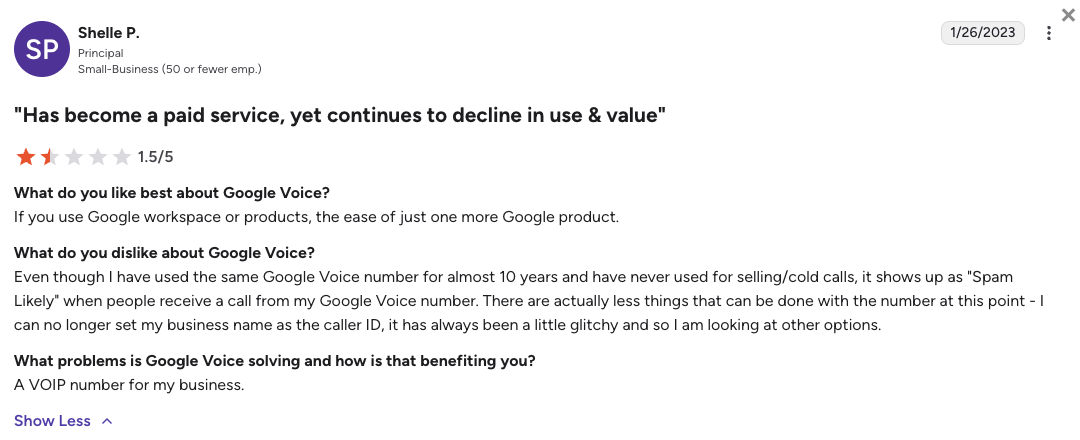
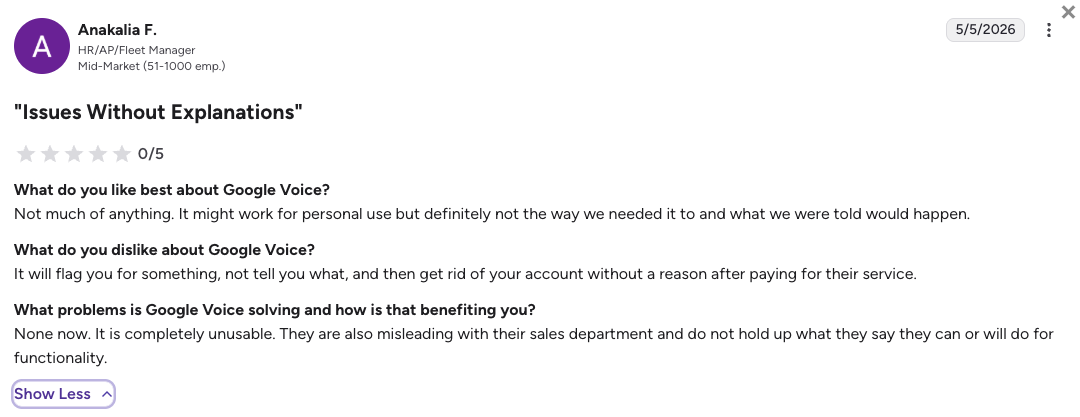
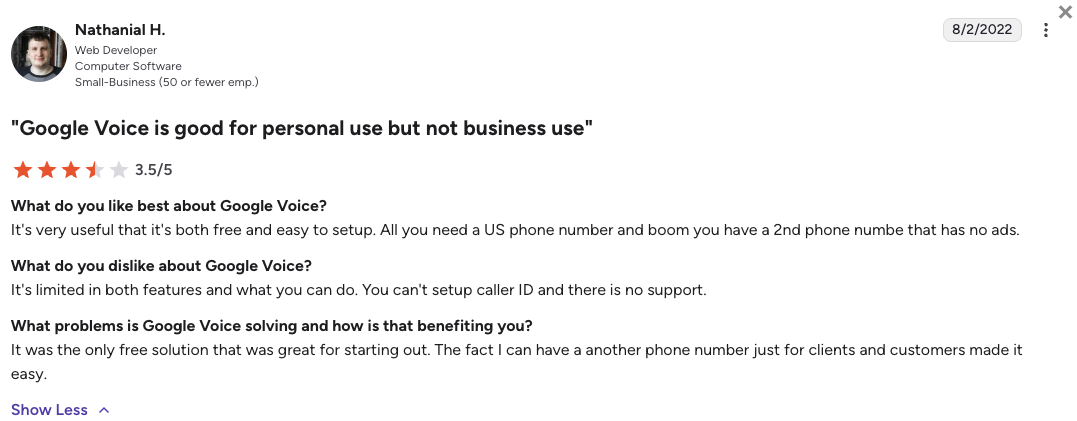
While Google Voice entry price looks highly appealing for a solo founder (just $10/mo for businesses), the unavoidable costs of dropped calls, lost customer messages, and locked accounts quickly catch up with you. Based on verified reviews from G2 (where Google Voice scores 4.1/5 out of 150+ reviews), Trustpilot, Reddit, and Quora, growing businesses typically abandon the platform due to five massive operational landmines.
5 Main Cons of Google Voice That Make Growing Teams Leave
-
The sudden account suspension nightmare:Google relies on highly sensitive spam filters that frequently mistake standard business texts like appointment reminders or schedule updates for malicious spam. If your account gets flagged, you lose access to your business lines instantly with almost zero chance of a human appeal.
-
Phone trees permanently break your SMS channel:Turning your main business line into a routing menu (auto-attendant) instantly disables that specific number’s ability to send or receive text messages. Your clients will try to text you, but their messages will fail silently without giving them any bounce-back warnings.
-
Total isolation from modern CRMs:Google Voice is locked entirely inside the Google Workspace, meaning it refuses to sync natively with standard tools like Salesforce, Zendesk, or HubSpot. Your reps are forced into hours of manual data entry just to keep customer records up to date.
-
Restrictive limits and poor call quality:Google Voice users often report connection instability, where incoming calls simply fail to ring on their mobile devices. The platform also places hard walls on your growth, enforcing strict three-hour call limits and severely compressing the quality of picture messages.
-
Zero human technical support:When your Google Voice phone lines go down or a number gets suspended, you can’t call a live support engineer to get your business back online. You are left completely dependent on community forums or automated help pages to fix critical infrastructure failures.
What Is the Best Alternative to Google Voice?
CloudTalk is the best alternative to Google Voice for scaling sales and support teams. With transparent plans starting at $[cgv pricing_lite]/user/month, CloudTalk acts as a highly stable, intelligent engine for your daily operations.
The main reason why CloudTalk is better than Google Voice is that it completely eliminates the risk of automated account bans by providing true enterprise-grade telecom stability. Instead of managing isolated phone numbers that break when you add a phone menu, CloudTalk gives you a visual call flow builder and deep CRM syncing (available on mid-tier plans and above). Every call, text message, and voicemail automatically logs into your existing database, saving your team hours of frustrating administrative work.
Why Do Teams Consider CloudTalk the Best Google Voice Alternative?
5 Main Pros of CloudTalk: Based on Real User Experience
-
Massive Global Reach:Google Voice heavily restricts its availability to North America and a tiny fraction of Europe. CloudTalk allows you to easily buy local, mobile, and toll-free numbers in [cgv national_phone_numbers]+ countries. It’s the perfect Google Voice alternative Europe, Canada, and Australia teams rely on to establish a trusted local presence.
-
Painless Onboarding & Live Support:Say goodbye to automated dead-ends and ignored appeal tickets. CloudTalk offers fast onboarding and responsive, live human support, meaning you always have a real expert ready to help keep your business running smoothly.
-
Bi-directional CRM Sync:CloudTalk destroys the data silos created by Google Voice. Every single interaction including calls, texts, and AI transcripts is automatically logged directly into tools like HubSpot (available from the Essential plan) or Salesforce (Expert plan) in real time.
-
Native AI Analytics:While Google Voice stops at basic voicemail reading, CloudTalk leads the market in AI productivity. You can easily add real-time call transcription and smart sentiment analysis (via a flat-rate Conversation Intelligence add-on), or even deploy autonomous AI Voice Agents to handle routine customer questions 24/7.
-
Reliable SMS & Routing Together:You no longer have to choose between having an interactive phone menu and texting your customers. CloudTalk seamlessly blends advanced inbound call routing with reliable SMS capabilities, keeping your communication channels unified and intact.
Ready to leave sudden service lockouts and broken workflows behind?
How We Tested & Rated the Best Google Voice Alternatives [cgv actual_year]
To find the best alternatives to Google Voice, we dove into market data and unfiltered user discussions across Reddit, Quora, G2, and Trustpilot. We focused specifically on VoIP systems for growing teams that fix the exact pain points Google Voice users complain about most: losing access to their business lines, broken texting, and isolated data.
Our research focused on six areas essential for a growing business:
- Network Stability: We checked for highly stable carrier networks and uptime guarantees that prevent dropped calls and silent delivery failures.
- AI Productivity: We looked for platforms offering modern call transcription, automated summaries, and AI agents, rather than just basic voicemail tools.
- CRM Deep-Sync: Our focus was on direct, two-way connections to major helpdesks and CRMs, completely eliminating manual data entry for your reps.
- Global Footprint: We prioritized providers that allow you to quickly buy and assign international phone numbers across multiple continents.
- Support Response: We heavily favored platforms that offer live, dedicated human support engineers over automated help centers.
- Total Cost of Ownership (TCO): We audited pricing pages to find hidden fees, strict texting limits, or forced user minimums that artificially inflate your monthly bill.
The Top 10 Alternatives to Google Voice for [cgv actual_year]
Before we dive into the individual breakdowns, here’s a quick look at how our top Google Voice competitors compare when it comes to entry pricing, text messaging rules, and smart features.
Google Voice Competitors Compared
| Feature | Google Voice | CloudTalk | Dialpad | JustCall | RingCentral |
|---|---|---|---|---|---|
| Starting Price (Annual) | $10/user/mo | $[cgv pricing_lite]/mo | $15/mo | $29/mo | $20/mo |
| Minimum Seats | 1 User | 1 User | 1 User | 2 Users | 1 User |
| SMS Capability | Basic (High suspension risk) | Plan dependent | Unlimited (US/CA) | 500 outbound segments | Highly restricted (25 msgs) |
| Local Numbers | US/CA & select EU | 160+ Countries | 70+ Countries | 70+ Countries | 110+ Countries |
| AI Transcription Model | Voicemail only | Native flat-rate add-on | Bundled natively | Native on basic tier | Requires expensive add-on |
| Visual Call Flow Builder | No | Yes | Yes | Yes | Yes (but basic and clunky) |
| Free Trial | N/A (free consumer tier available) | 14 Days | 14 Days | 14 Days | 14 Days |
The extra costs of basic setups:
Google Voice seems incredibly cheap at $10 a month, but that low price tag comes at the cost of your team’s time. Without native CRM syncing, your highly paid sales reps spend hours every week doing tedious manual data entry. CloudTalk’s pricing focuses on total workflow automation, ensuring you get maximum ROI by letting your team focus strictly on talking to customers.
1. CloudTalk: The Ultimate Pick for Scaling SMB Sales & Support Teams
What Is CloudTalk?
CloudTalk is an AI-powered business phone system built specifically for fast-growing sales and customer support floors. The platform replaces the fragmented, risky setup of Google Workspace telecom with a highly stable, unified communication hub.
Perfectly designed for the SMB to mid-market tier, CloudTalk gives your team the advanced tools they need to close deals and help customers, without the heavy IT headaches of older enterprise software. Read on and learn why CloudTalk is trusted by [cgv customers_around_the_world]+ businesses worldwide.
Why Is CloudTalk a Strong Google Voice Alternative?
-
Safe from automated account bans: CloudTalk offers a streamlined onboarding process and live, 24/7 human support (incl. phone support for Expert users). If you send a batch of appointment reminders, you never have to worry about a robot randomly deleting your business number without warning.
-
Visual call flows that don’t break your texts: With CloudTalk’s drag-and-drop call flow builder, you can set up smart routing menus in minutes. Best of all, adding a phone tree doesn’t disable your SMS channel like it does on Google Voice.
-
Automatic CRM Deep-Sync: Eliminate isolated data. Every call, text, and voicemail logs automatically into Salesforce, HubSpot, and 100+ other popular CRM tools, completely saving your reps from hours of manual typing.
-
Massive global reach: Google Voice restricts you mostly to North America. CloudTalk uses a multi-carrier network to let you instantly buy local, mobile, and toll-free numbers in 160+ countries with crystal-clear audio.
-
Native AI that actually works: While Google Voice stops at basic voicemail reading, CloudTalk offers you access to its $[cgv pricing_ai]/mo Conversation Intelligence (real-time call transcription, AI call scoring, talk/listen ration, sentiment analysis), and easy-to-deploy voice AI solutions to handle your routine calls (both AI voice agents and AI receptionists are available as flexible add-ons).
What Are the Pros & Cons of CloudTalk?
| Pros | Cons |
|---|---|
| Superior international coverage: Local numbers in 160+ countries outpace Google’s limited reach. | No native video meetings: You will need a separate app like Google Meet or Zoom for video calls. |
| 100+ CRM integrations: True two-way data syncing, no manual logging (from Essential plan up). | Base plan limits: The entry-level Lite plan restricts calling mostly to the NA & LATAM regions. |
| Clear AI Add-ons: Add AI tools for a flat monthly rate instead of paying surprise per-minute fees. | Parallel Dialing Add-on: Calling multiple numbers at the exact same time requires an extra paid add-on. |
| Advanced Dialing: Power, Preview, and Smart dialers (included on the Expert plan) automatically maximize your team’s outbound reach. | |
| Enterprise-grade Reliability: A proprietary multi-carrier network prevents the dropped calls common to basic apps. |
What Are CloudTalk’s Plans & Pricing?
CloudTalk pricing starts at $[cgv pricing_lite]/user/month (billed annually), with the following plans:
- Lite – $[cgv pricing_lite]/user/month
- Starter – $[cgv pricing_starter]/user/month
- Essential – $[cgv pricing_essential]/user/month
- Expert – $[cgv pricing_expert]/user/month
- Custom – Quote-based pricings
The value of automated workflows:
Google Voice looks cheap at $10 a month, but it costs your business thousands in wasted labor. Because CloudTalk’s Essential plan natively syncs with your CRM, your sales reps get hours of their week back to actually sell, rather than acting as expensive data-entry clerks.
What Are CloudTalk Customers Saying?
Customers switching to CloudTalk note how much time they save and frequently highlight the massive improvement in audio quality over older telecom tools.
- Crystal clear audio: Reviews consistently point out that the multi-carrier network stops calls from dropping or lagging during important meetings.
- Zero admin friction: Sales managers appreciate that all calls and texts land perfectly in their CRMs, making team performance tracking effortless.
- Minor peak hour delays: A small subset of users noted that getting a hold of support during the absolute busiest hours of the day can sometimes take a few extra minutes.
How G2 Users Rate CloudTalk?
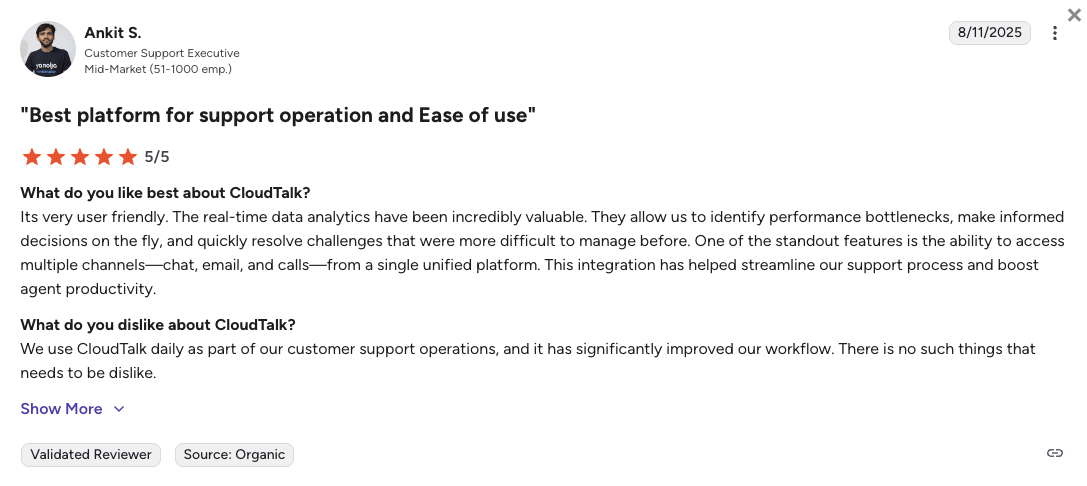
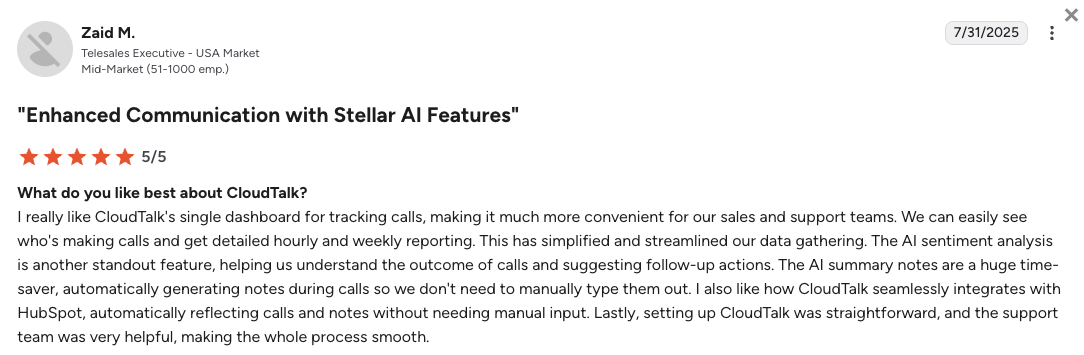
CloudTalk’s current G2 rating is 4.4/5, out of 1,800+ verified user reviews.
Scale your revenue, not your admin work
2. Dialpad: Best for Real-Time AI Transcription and Live Agent Coaching
What Is Dialpad?
Dialpad is a modern UCaaS (Unified Communications as a Service) platform built from the ground up around artificial intelligence. Dialpad caters mainly to mid-market teams that want smart software actively helping their agents while they are on the phone, rather than just reading a summary after they hang up. If you need apps similar to Google Voice but with a heavy focus on coaching, Dialpad is a great option.
Why Is Dialpad a Strong Google Voice Alternative?
-
Live agent coaching: Dialpad reads conversations in real time and pops up helpful cheat sheets on your agent’s screen if a customer asks a tough question.
-
Built-in AI foundation: It builds live call transcription directly into its base plans, providing far more value than Google Voice’s simple voicemail-to-text feature.
-
Unbroken team texting: Dialpad allows you to set up proper routing rules and ring groups without sacrificing your ability to text clients on the same numbers.
What Are the Pros & Cons of Dialpad?
| Pros | Cons |
|---|---|
| Real-time transcripts: Pop-up coaching tips appear live during conversations to help reps. | 24/7 support requires upgrades: Baseline users do not get round-the-clock help. |
| AI features are native: Included in foundation plans rather than acting as expensive add-ons. | Contact center tools are separated: True call queues require moving to a much more expensive tier. |
| No mandatory minimums: Single users can sign up without being forced into seat minimums. | Toll-free bundles get expensive: High-volume inbound queues can quickly inflate your monthly bills. |
What Are Dialpad’s Plans & Pricing?
Dialpad pricing starts at $15/user/month (billed annually), with the following plans:
- Standard – $15/user/month
- Pro – $25/user/month
- Essentials – $39/user/month
- Advanced – $95/agent/month (ideal for contact centers)
The Contact Center trap:
While the $15 starting price is great, features like structured call queues, priority routing, and deep analytics are locked behind Dialpad’s separate Support or Sell products. Moving to these tiers pushes your cost closer to $80 to $100 per user.
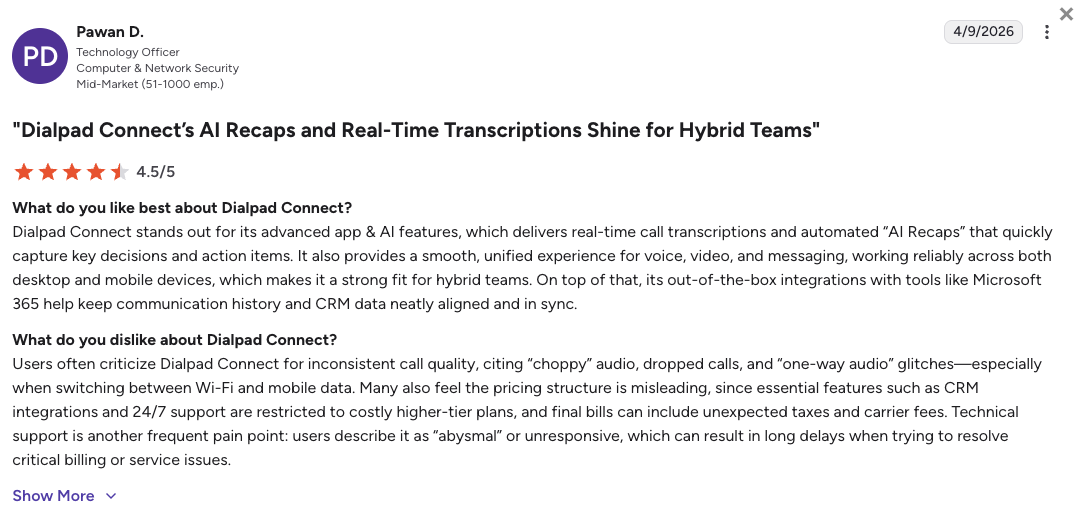
What Are Dialpad Customers Saying?
Dialpad users praise the accuracy of the live transcriptions but often express frustration over how the company segments its pricing tiers.
- Incredible AI notes: Teams value the automated recaps and how well the system captures action items during calls.
- Unified app experience: The transition between texting, calling, and video works flawlessly across phones and laptops.
- Expensive upgrades: Growing support teams report being frustrated when they have to drastically increase their budget just to unlock basic call queuing.
How G2 Users Rate Dialpad?
Dialpad’s current G2 rating is 4.4/5, out of 4,000+ verified user reviews.
3. JustCall: Best for High-Velocity Outbound Sales
What Is JustCall?
JustCall is a cloud phone system built strictly for high-speed sales floors and aggressive support teams. Instead of functioning as a basic office phone, it focuses heavily on giving your reps fast auto-dialers and heavy SMS workflows to drastically increase how many people they reach each day.
Why Is JustCall a Strong Google Voice Alternative?
-
Bundled texting plans: As a reliable Google Voice alternative for texting, JustCall includes a generous allowance of SMS segments in its core plans. This protects you from the strict anti-spam bans that plague basic text campaigns.
-
Built-in auto dialers: Instead of your reps manually typing out every single phone number, JustCall’s automated dialers run through lead lists rapidly to keep agents talking.
-
Direct CRM connections: JustCall automatically logs every dial and text message into your customer database, ensuring nothing gets lost when an agent moves to the next call.
What Are the Pros & Cons of JustCall?
| Pros | Cons |
|---|---|
| Powerful auto dialers: Automates outreach to keep your sales reps on the phone talking to live prospects. | Seat minimums: A strict 2-user minimum makes the starting price twice as expensive for solo workers. |
| Generous SMS bundling: Includes bulk text message allowances right out of the box. | Hard SMS caps: High-volume texting teams can hit their monthly limits and face surprise overage fees. |
| Deep CRM syncing: Logs calls and messages to keep your team aligned automatically. | Expensive AI agents: Fully autonomous AI Voice Agents cost nearly $1 per minute of talk time. |
What Are JustCall’s Plans & Pricing?
JustCall pricing starts at $29/user/month (billed annually, 2-user minimum), with the following plans:
- Team – $29/user/month
- Pro – $49/user/month
- Pro Plus – $89/user/month
- Business – Custom quote-based pricing
AI costs down the road:
Be cautious with JustCall’s lower tiers. While the software offers great AI voice agents, they are often billed separately on a pay-as-you-go basis (like $0.99 per minute), creating highly unpredictable monthly invoice.
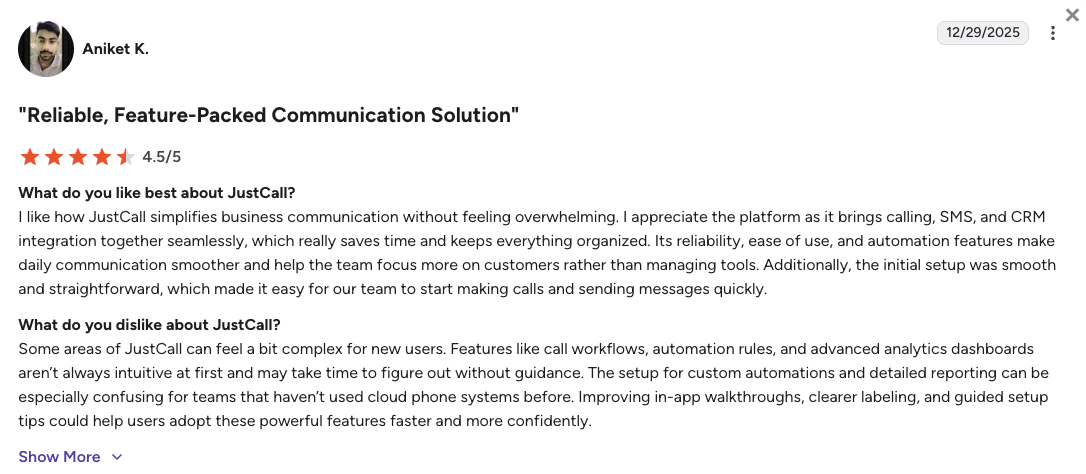
What Are JustCall Customers Saying?
JustCall users heavily value the speed of the outbound tools but warn about technical glitches when too many people use the same workflow.
- High dialing speed: Sales managers appreciate that the automated dialers keep their reps consistently connected to prospects.
- Easy logging: Native connections to tools like Pipedrive and HubSpot save teams a massive amount of manual entry.
- Occasional interface glitches: Technical users note that the system can sometimes freeze when multiple agents try to run complex campaigns at the exact same time.
How G2 Users Rate JustCall?
JustCall’s current G2 rating is 4.3/5, out of 2,300+ verified user reviews.
4. Aircall: Best for App Ecosystem Integrations
What Is Aircall?
Aircall is a highly polished business voice tool famous for its incredibly clean design and massive app marketplace. Rather than acting as a standalone system, Aircall is built to slide perfectly on top of the CRM or helpdesk your team is already using, making it a favorite for modern IT managers.
Why Is Aircall a Strong Google Voice Alternative?
-
Seamless software connections: Aircall connects to almost every major business app, easily fixing Google Voice’s terrible data isolation problem.
-
Lightning-fast setup: You can get your entire team set up, buy virtual numbers, and build routing rules without getting bogged down in endless identity verification steps.
-
Beautifully simple app: Aircall replaces older, confusing menus with a clean design that new hires can learn how to use on their first day.
What Are the Pros & Cons of Aircall?
| Pros | Cons |
|---|---|
| Native software embedding: Spot-on CRM data sync without having to type in notes manually. | Strict 3-user minimum: The $90/mo starting floor completely prices out solo operators and tiny startups. |
| Intuitive interface: Clean app design that requires near-zero training for new hires. | Extra costs for numbers: Teams are limited to one shared number; additional lines cost extra every month. |
| Fast Onboarding: Teams can set up routing rules and new numbers fast without IT help. | Premium AI upgrades: Features like AI summaries require an extra $9/mo add-on fee per user. |
What Are Aircall’s Plans & Pricing?
Aircall pricing starts at $30/user/month (billed annually, 3-user minimum), with the following plans:
- Essentials – $30/user/month
- Professional – $50/user/month
- Custom – Quote-based pricing
The 3-license floor:
Aircall markets a $30 starting price, but you must buy at least 3 licenses to open an account. This means you will not spend less than $90 a month to use the platform, regardless of your actual team size.
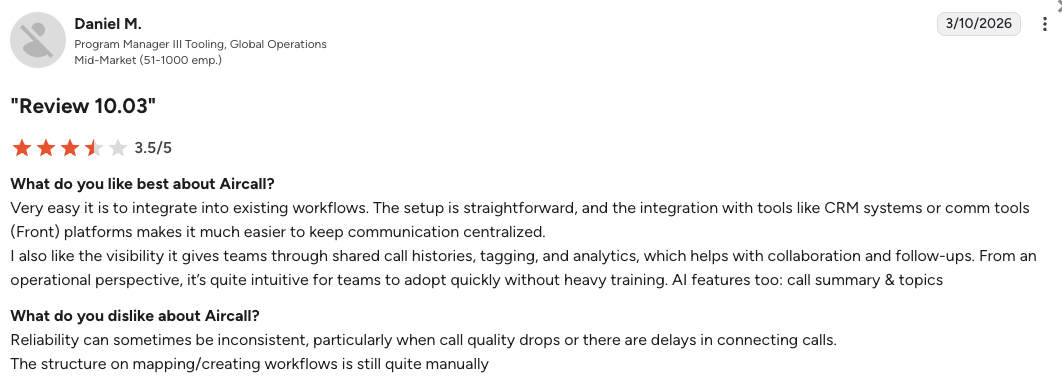
What Are Aircall Customers Saying?
Users frequently note how easy Aircall is to connect to their daily tools, though some IT admins flag issues with call reliability.
- Fast tool connections: Teams mention that integrating the phone with Zendesk or HubSpot takes just a few clicks.
- Simple to use: The mobile and desktop apps are widely considered some of the most user-friendly on the market.
- Dropped connections: Some users on Reddit and G2 report frustrating audio lag or calls randomly disconnecting during peak business hours.
How G2 Users Rate Aircall?
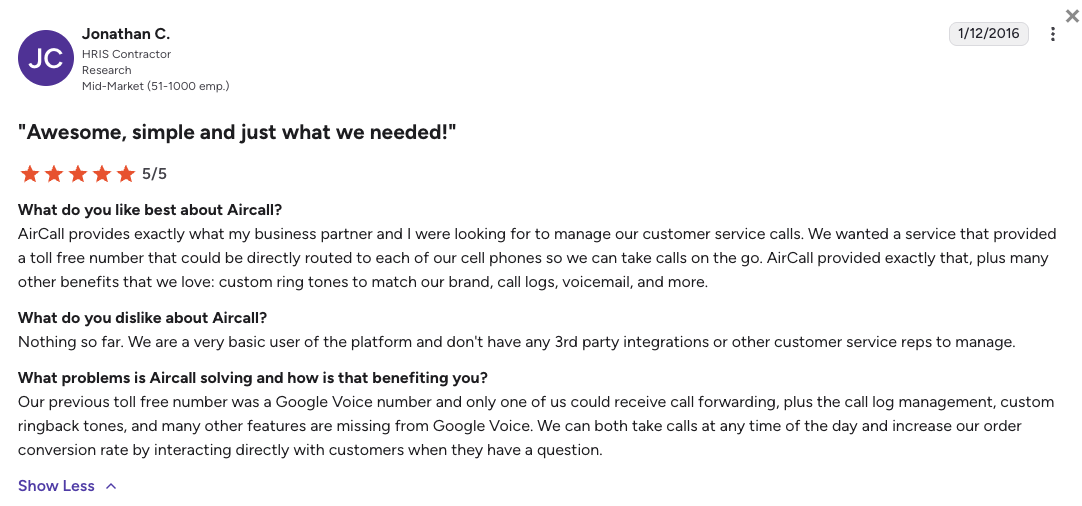
Aircall’s current G2 rating is 4.4/5, out of 1,500+ verified user reviews.
5. Quo (OpenPhone): Best for Shared Inboxes and Micro-Teams
What Is Quo?
Quo (formerly OpenPhone) reimagines the traditional business phone by making it look and function exactly like a modern texting app. OpenPhone is incredibly popular among startups, local agencies, and real estate groups who prefer texting clients from a shared collaborative inbox rather than dealing with hold music and complex call queues. If you need a Google Voice alternative for iPhone or personal use, Quo feels incredibly familiar.
Why Is Quo a Strong Google Voice Alternative?
-
The shared team inbox: Multiple teammates can view, text, and call from the exact same phone number simultaneously, fixing Google Voice’s rigid single-user limits.
-
Separates work and life: Quo’s mobile app clearly separates your personal cell calls from business calls, maintaining your privacy without needing two phones.
What Are the Pros & Cons of Quo?
| Pros | Cons |
|---|---|
| Shared inbox: Eliminates duplicate text responses and improves team collaboration. | Strict outbound limits: The system heavily monitors for spam and will ban accounts doing cold-call marketing. |
| Mobile app UX: Seamless design feels just like iMessage, requiring zero team training to adopt. | Limited international reach: Numbers and calling outside of North America are restricted and cost extra. |
| Zero seat minimums: Single founders can sign up without being forced into expensive multi-user packages. | No video or desk phones: Lacks native video meetings and does not support traditional physical office phones. |
What Are Quo’s Plans & Pricing?
Quo pricing starts at $15/user/month (billed annually), with the following plans:
- Starter – $15/user/month
- Business – $23/user/month
- Enterprise – Custom quote-based pricing
Geographic limits:
Quo works exceptionally well for North American teams, but if you have a global customer base, be aware that international calling is not included. You will need to buy prepaid, per-minute credits to dial overseas.
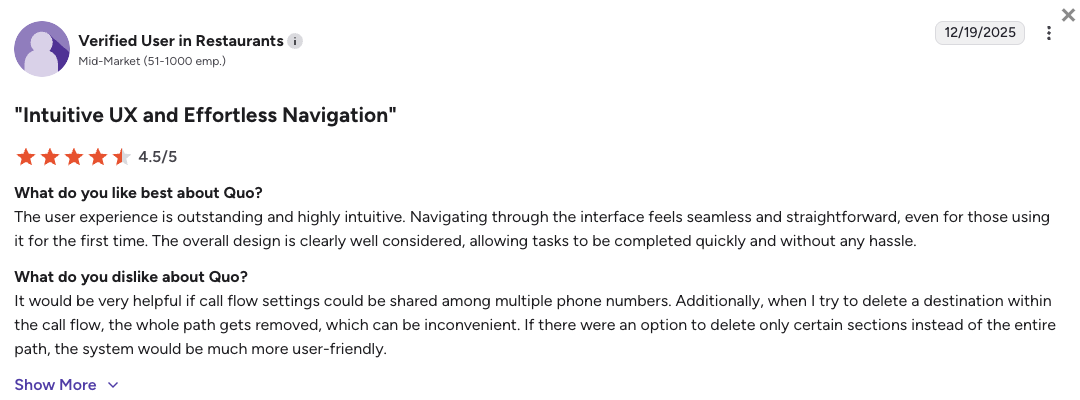
What Are Quo Customers Saying?
Quo customers highly rate the app’s texting interface but heavily warn against trying to use it for mass marketing.
- Beautiful design: Users frequently mention that the app is easy to navigate and looks far better than standard corporate software.
- Great for tag-teaming: Support teams value being able to see when a coworker is currently typing a reply to a customer.
- Sudden account bans: Similar to Google Voice, several users report having their accounts abruptly suspended if the system thinks their normal texting looks like bulk spam.
How G2 Users Rate Quo?
OpenPhone’s current G2 rating is 4.7/5, out of 3,000+ verified user reviews.
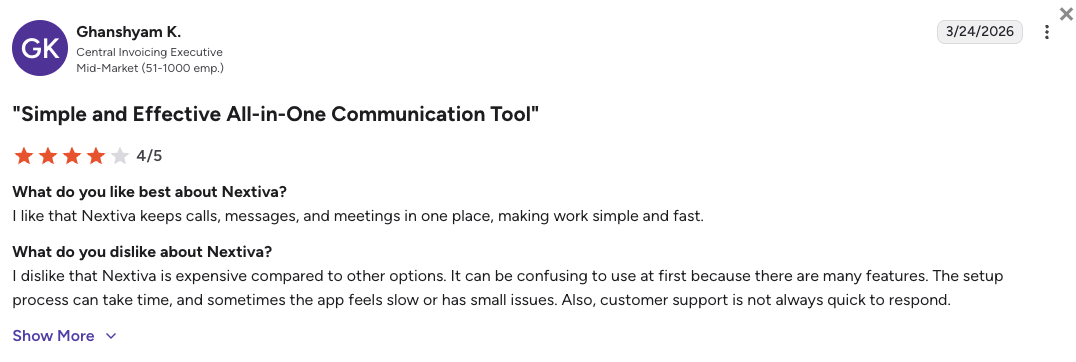
6. Nextiva: Best for Reliable Unified Communications
What Is Nextiva?
Nextiva is a popular Google Voice competitor in the enterprise space. It provides an all-in-one platform that blends highly reliable voice calling, video conferencing, and team messaging. Nextiva is heavily favored by mid- to large-sized businesses that refuse to tolerate Google Voice’s network drops or unstable connections.
Why Is Nextiva a Strong Google Voice Alternative?
-
Flawless network stability: Backed by a 99.999% uptime guarantee, Nextiva cures the random connection failures and mobile ringing issues common on Google Voice.
-
24/7 support: Instead of begging automated help pages to reinstate your suspended number, Nextiva provides fast, human technical support around the clock.
-
Generous core features: Nextiva includes solid text messaging limits and advanced routing rules right in its base tier, preventing you from having to choose between texting and call menus.
What Are the Pros & Cons of Nextiva?
| Pros | Cons |
|---|---|
| All-in-one platform: Combines voice, video, and internal team chat natively in one place. | Cluttered dashboard: The backend administrative settings can feel a bit overwhelming and outdated. |
| Helpful support: Highly responsive customer service teams that resolve issues quickly. | Pricing jumps for advanced tools: Getting full contact center capabilities requires a massive tier upgrade. |
| Eliminates SMS limits: Generous text message allowances prevent mid-month texting freezes. | Slower setup: Initial implementation takes longer than lightweight, mobile-first apps. |
What Are Nextiva’s Plans & Pricing?
Nextiva pricing starts at $15/user/month (billed annually), but to get even basic call center capabilities, you’ll need the $25/mo Engage plan. Here’s the full breakdown:
- Core – $15/user/month
- Engage – $25/user/month
- Scale – $75/user/month (Contact center features)
- Professional – Quote-based (Enterprise plans)
A steeper learning curve:
Because Nextiva gives you true enterprise-grade tools, setting up your routing rules and managing users takes a bit more time and tech-savvy than a simple app like Google Voice.
What Are Nextiva Customers Saying?
Nextiva users prioritize the platform’s reliability and their support team, though some admit the backend takes getting used to.
- Rock-solid uptime: Reviewers frequently praise the fact that the system remains stable throughout the entire business day.
- Helpful phone support: Customers highlight the support team for staying on the line until a complex routing problem is completely solved.
- Legacy interface: Users note that the administrative portals can feel clunky and older compared to modern startups.
How G2 Users Rate Nextiva?
Nextiva’s current G2 rating is 4.5/5, out of 3,400+ verified user reviews.
7. Zoom Phone: Best for Teams inside the Zoom Ecosystem
What Is Zoom Phone?
Zoom Phone takes the familiar infrastructure of Zoom video meetings and adds a highly capable cloud phone system right inside the same app. Zoom Phone is an excellent alternative to Google Voice for offices whose employees already spend half their day inside the Zoom Workspace and want a simple voice upgrade.
Why Is Zoom Phone a Strong Google Voice Alternative?
-
Zero learning curve: Your team doesn’t have to learn a new interface; the phone dialer simply appears inside the Zoom app they already use every day.
-
Highly stable corporate routing: Zoom’s global network completely fixes the audio delays and dropped calls experienced on basic free tiers.
-
Consolidated billing: It allows IT managers to manage video, chat, and external phone lines under one single, budget-friendly software bill.
What Are the Pros & Cons of Zoom Phone?
| Pros | Cons |
|---|---|
| Frictionless adoption: Built directly into the existing Zoom app, requiring zero employee training. | Lacks deep sales tools: Not built for high-volume outbound dialing or complex CRM workflows. |
| Low cost of entry: Exceptionally cheap to add on if you already pay for Zoom Workplace. | Metered base plans: The cheapest tier charges you per minute for all outbound calls. |
| Stable video ecosystem: Flawlessly transitions a voice call into a video meeting with one click. | Basic analytics: Reporting lacks the depth required to manage a busy customer support floor. |
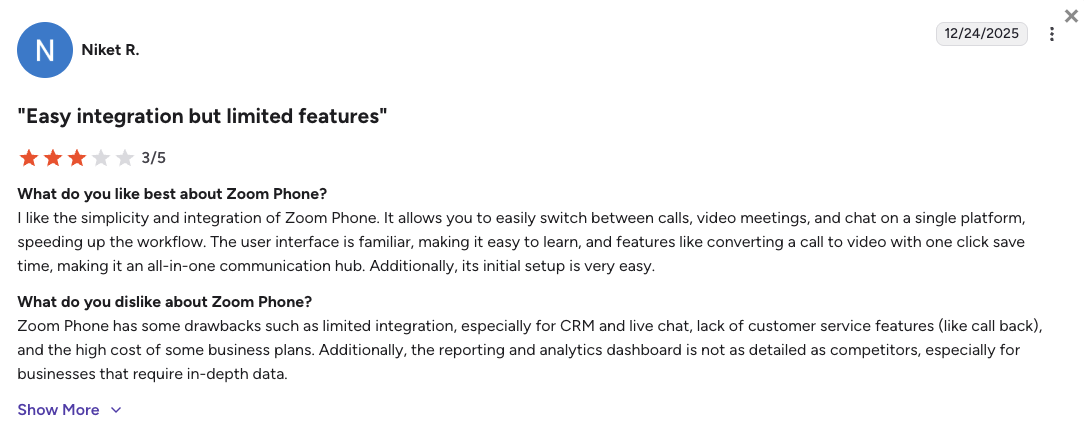
What Are Zoom Phone’s Plans & Pricing?
Zoom Phone pricing starts at $10.50/user/month (Metered, billed annually), with the following main plans:
- US & Canada Metered – $10.50/user/month (Phone, pay-per-minute for outgoing calls)
- US & Canada Unlimited – $16/user/month (Phone, flat rate)
- Pro Plus – $20.50/user/month (Workplace)
- Business Plus – $24.50/user/month (Workplace)
Metered vs. unlimited plans:
Zoom Phone’s $10.50 starting price is highly attractive, but it means you are billed per minute for every call you make. If your team is frequently on the phone, the $16 Unlimited plan is actually much cheaper in the long run.
What Are Zoom Phone Customers Saying?
Zoom Phone users appreciate the convenience of the app but note it isn’t built for heavy call centers.
- Incredibly convenient: Employees value having their team chats, video links, and phone dialer in one single window.
- Great audio foundation: Users rate the voice quality highly, using Zoom’s massive global servers.
- Too simple for sales: Sales managers note that the platform lacks the complex auto-dialers and deep CRM tracking they need to hit high targets.
How G2 Users Rate Zoom Phone?
Zoom Phone’s current G2 rating is 4.6/5, out of 2,600+ verified user reviews.
8. RingCentral: Best for Heavy Enterprise Deployments
What Is RingCentral?
RingCentral (often branded as RingEX) is the legacy giant of cloud communications. Built over decades to handle the massive complexity of multi-site global corporations, RingCentral’s suite offers an incredibly dense feature set that makes it one of the largest Google Voice competitors on the market.
Why Is RingCentral a Strong Google Voice Alternative?
-
Made for enterprise scale: RingCentral runs on a patented global network that handles thousands of users, fixing the infrastructure limits of Google Voice.
-
Huge integration matrix: While Google Voice isolates your data, RingCentral connects deeply with over 300 business apps, including many ERPs and CRMs.
-
Hardware flexibility: It allows smooth transitions between modern desktop apps, mobile devices, and traditional physical desk phones.
What Are the Pros & Cons of RingCentral?
| Pros | Cons |
|---|---|
| All-in-one ecosystem: Combines enterprise voice, video, team chat, and fax in one app. | Strict SMS caps: The base entry plan limits users to a frustrating 25 text messages per month. |
| Elite reliability: Supported by an incredibly stable, patented global voice network. | Steep learning curve: The backend administration is famously dense and requires dedicated IT staff. |
| Advanced compliance: Top-tier security protocols for healthcare and finance sectors. | Expensive AI add-ons: Unlocking conversational AI requires a costly $60/user/month upgrade. |
What Are RingCentral’s Plans & Pricing?
RingCentral pricing starts at $20/user/month (billed annually), with the following plans:
- Core – $20/user/month
- Advanced – $25/user/month
- Ultra – $35/user/month
The 25-message texting limit:
RingCentral’s $20 base plan acts more like a trial for modern teams because it strictly limits users to sending just 25 text messages per month. If your team texts clients regularly, you will be forced to upgrade immediately.
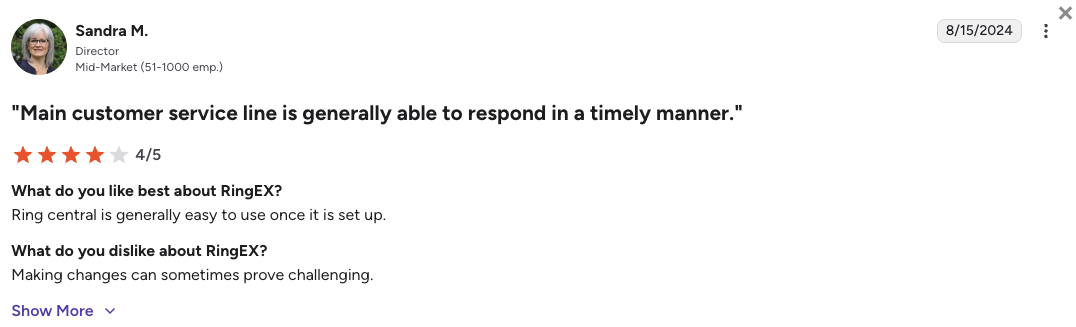
What Are RingCentral Customers Saying?
RingCentral customers value the extreme stability of the platform but often complain about how complicated it is to use.
- Built for massive scale: IT directors appreciate the network uptime and the fact that it supports massive, multi-country deployments effortlessly.
- Connects to old software: Users like that it integrates with niche, legacy software that modern startups ignore.
- Clunky admin and support: Admins frequently point out that simple routing changes take too many clicks, and getting help from support can be a slow process.
How G2 Users Rate RingCentral?
RingCentral’s current G2 rating for its RingEX suite is 4.2/5, out of 1,350+ verified user reviews.
9. Grasshopper: Best for Solopreneurs Needing Unlimited Users
What Is Grasshopper?
Grasshopper is a legacy virtual phone system built specifically for solopreneurs, freelancers, and highly mobile micro-businesses. It functions beautifully as an advanced call-forwarding app mapped to your existing cell phone. If you need a simple Google Voice number alternative, Grasshopper keeps your personal life separate from your business without complex tech setups.
Why Is Grasshopper a Strong Google Voice Alternative?
-
Flat-rate pricing: Grasshopper charges a flat monthly rate based on the number of phone lines you need, rather than charging per human, making it incredibly cheap for tiny teams.
-
Simple work/life separation: The platform clearly identifies incoming business calls on your personal smartphone, solving a major headache for solo founders.
-
Reliable basic routing: Grasshopper offers simple, highly stable virtual receptionists to route callers to different cell phones, without breaking your ability to text.
What Are the Pros & Cons of Grasshopper?
| Pros | Cons |
|---|---|
| Flat monthly pricing: Incredible cost efficiency for micro-teams needing multiple users on one bill. | Zero modern tech: Completely lacks AI features, call recording, or video tools. |
| Very simple setup: Mimics a basic smartphone dialer, meaning you can set it up in five minutes. | No CRM integrations: Does not sync data natively with standard CRMs like HubSpot or Salesforce. |
| Included SMS: Base plans include text messaging without hiding it behind expensive paywalls. | North America only: Cannot support international routing or numbers outside of the US and Canada. |
What Are Grasshopper’s Plans & Pricing?
Grasshopper pricing starts at $14/month (billed annually), regardless of how many users you add on higher tiers:
- True Solo – $14/month (1 user, 1 number)
- Solo Plus – $25/month (Unlimited users, 1 number)
- Small Business – $55/month (Unlimited users, 4 numbers)
A basic stepping stone:
Grasshopper provides immense cost value for tiny teams, but it is strictly a basic phone app. If you need to track sales performance or automate CRM data entry, you will outgrow Grasshopper almost immediately.
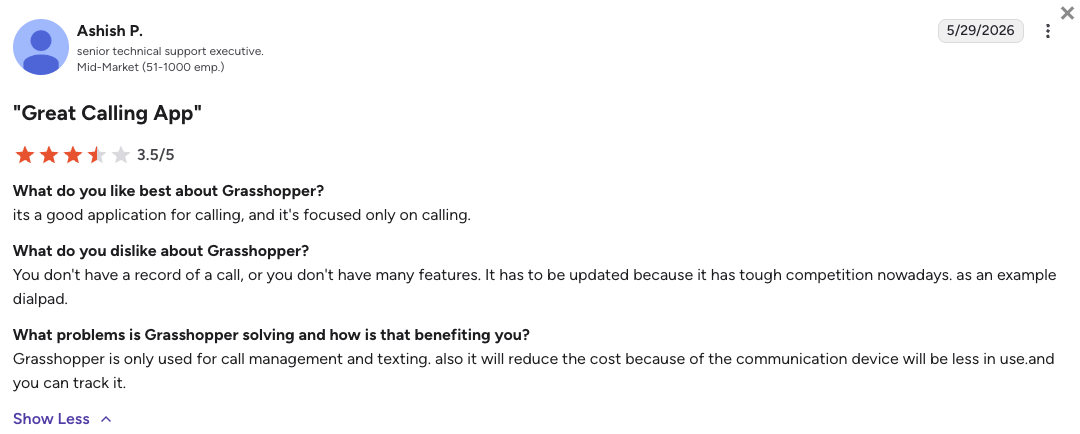
What Are Grasshopper Customers Saying?
Grasshopper users love the flat-rate pricing but widely acknowledge the software hasn’t updated its features in years.
- Cheap for a whole team: Small business owners love the Solo Plus plan because five employees can share a line for just $25 total per month.
- Easy mobile app: Users mention that the mobile app is incredibly simple and reliable for answering calls on the go.
- Zero modern integrations: Growing teams frequently note that they have to switch providers because Grasshopper refuses to integrate with modern software.
How G2 Users Rate Grasshopper?
Grasshopper’s current G2 rating is 3.9/5, , out of 150+ verified user reviews
10. Ooma Office: Best for Hybrid Setups with Physical Hardware
What Is Ooma Office?
Ooma Office specializes in bridging the gap between sophisticated cloud routing and traditional, physical office hardware. While many modern teams use computer apps, Ooma is built for brick-and-mortar retail stores, medical clinics, and manufacturing floors that still critically require reliable physical desk phones.
Why Is Ooma Office a Strong Google Voice Alternative?
-
Plug-and-play desk phones: Ooma supplies proprietary, pre-configured physical phones and base stations that work immediately, entirely bypassing Google Voice’s app-only limits.
-
Stable physical routing: The platform retains essential physical capabilities like overhead paging systems and virtual faxing that modern apps have abandoned.
-
No long-term contracts: Ooma offers a highly straightforward, contract-free pricing structure that appeals heavily to traditional business models.
What Are the Pros & Cons of Ooma?
| Pros | Cons |
|---|---|
| Physical hardware support: The best choice for offices requiring real desk phones and paging systems. | SMS costs extra: Text messaging is heavily restricted on base plans and requires an upgrade. |
| Easy hardware setup: Pre-configured devices mean you just plug them in and start calling. | Lacks AI features: No advanced conversational intelligence or live coaching tools. |
| Contract-free billing: Simple monthly pricing without locking small businesses into rigid annual terms. | Not for remote teams: The lack of deep software syncing makes it a poor choice for digital-first sales floors. |
What Are Ooma’s Plans & Pricing?
Ooma Office pricing starts at $19.99/user/month (billed monthly), but scales quickly based on add-ons:
- Essentials – $19.95/user/month
- Pro – $24.95/user/month
- Pro Plus – $29.95/user/month
Texting costs extra:
If you run a modern clinic or store that wants to text clients, be aware that the $19.95 base plan does not include SMS. You must upgrade to the Pro plan to unlock texting, and even then, it is capped at 250 messages per month.
What Are Ooma Customers Saying?
Ooma customers value the reliability of the physical phones but note the software side is fairly basic.
- Easy physical setup: IT admins appreciate how simple it is to deploy physical handsets across a sprawling retail or medical office.
- Reliable clear audio: Users consistently rate the voice quality as excellent, citing the stability of the physical hardware.
- Limited digital tools: Reviewers note that if you try to use the system purely as a mobile or desktop app, it feels clunky compared to modern competitors.
How G2 Users Rate Ooma Office?
Ooma’s current G2 rating is 4.5/5, out of 100+ verified user reviews.
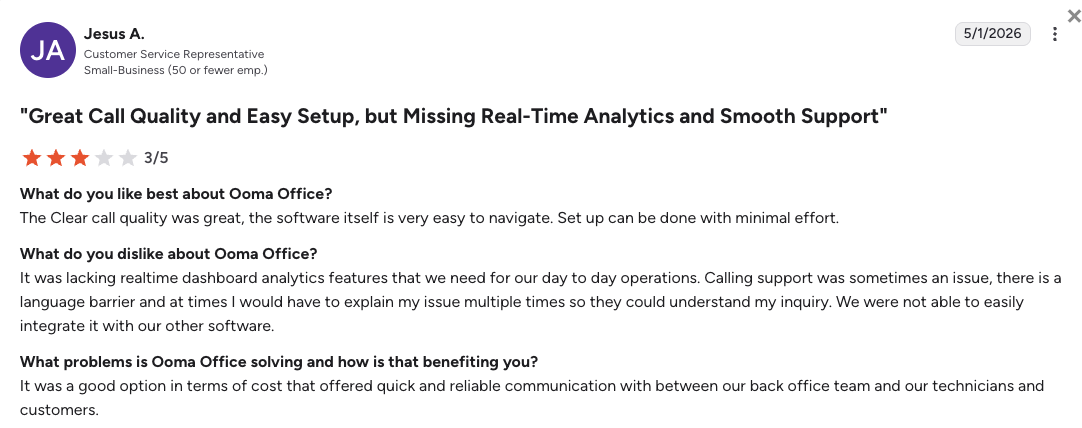
What Users Are Really Saying About Google Voice Alternatives and Competitors
To give you a clearer picture, we dug into what real users are saying about Google Voice and its top competitors. We looked into unfiltered conversations on Reddit, Quora, and G2 to understand exactly why growing teams decide it is time to move on.
What we found is a clear trend. While Google Voice works fine for isolated freelancers looking for a cheap virtual number, scaling businesses quickly hit a wall of broken text messages, isolated data, and locked accounts.
What Redditors Are Asking and Saying about Google Voice Alternatives
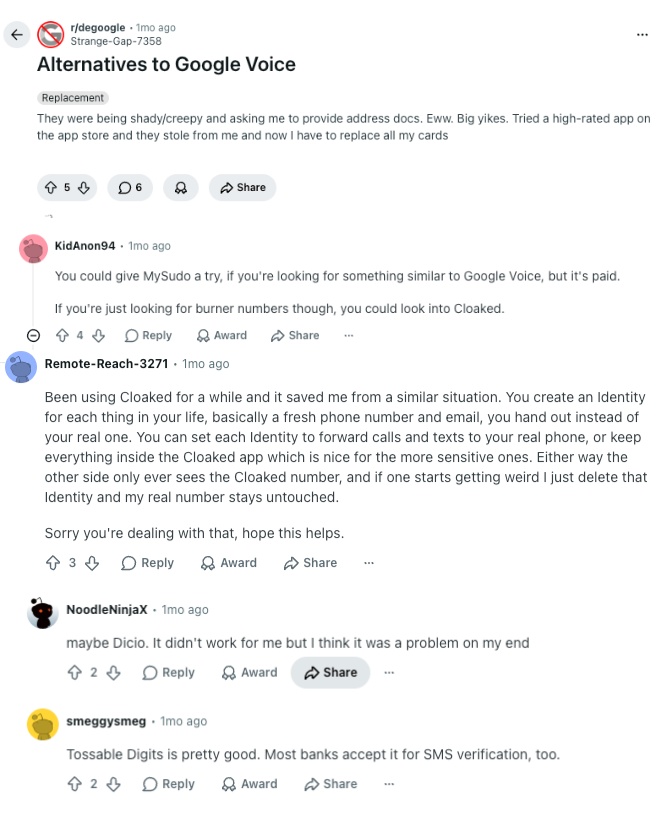
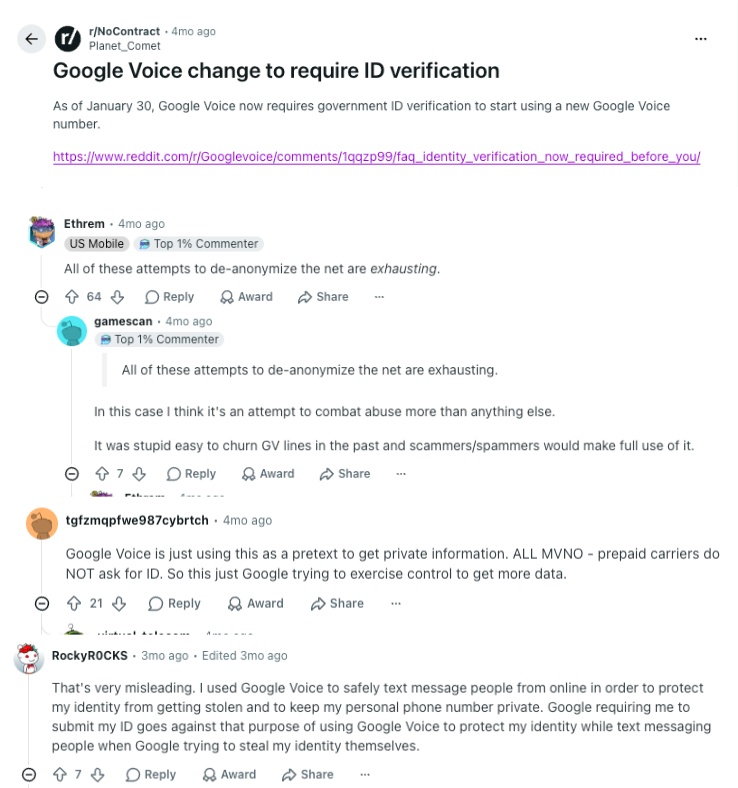
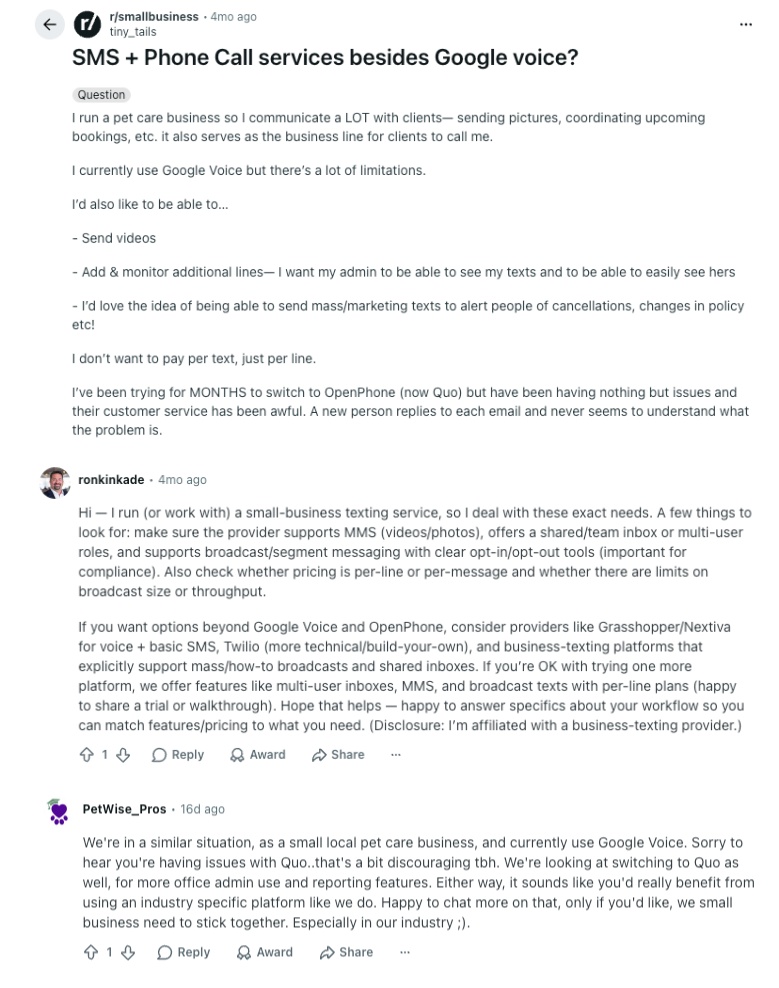
Reddit is a great place to find unfiltered technical opinions. On subreddits like r/degoogle, r/NoContract, and r/smallbusiness, users frequently discuss the painful transition away from Google Voice’s bare-bones service. Here is what they are saying:
-
Escaping the Google Ecosystem: Users in privacy-focused threads actively look for a Google Voice alternative Reddit recommends to move away from unexpected account bans. Commenters frequently suggest migrating to dedicated, secure VoIP alternatives like Quo (OpenPhone) to regain control over their business lines.
-
Frustrating ID Verification Changes: Threads highlight massive frustration over Google rolling out mandatory, invasive ID verification. Legitimate users feel blocked by the rigid system, leading the community to suggest standard, paid VoIP providers that offer professional, transparent onboarding.
-
Overwhelmed by Business Volume: Small business owners openly share their struggles with Google Voice failing to handle hundreds of client text messages. When texts hit strict limits or get flagged as spam, the community strongly recommends upgrading to robust tools like Dialpad, RingCentral, or Zoom Phone to handle real business volume safely.
What Quora Users Are Asking about Google Voice Alternatives
While Quora might not have as many deep technical threads as Reddit, the sentiment from small business owners is incredibly clear. When discussing alternative Google Voice platforms, two major themes stand out:
-
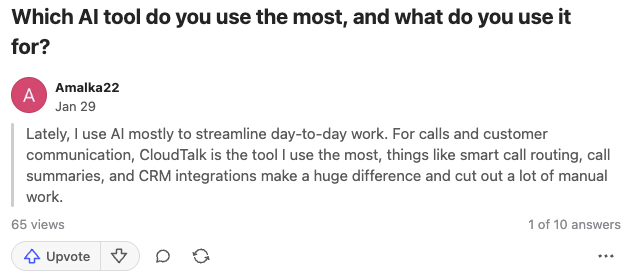
Looking for AI Workflows: Users frequently ask how to use artificial intelligence to summarize client meetings and automate phone workflows. Because Google Voice only offers basic voicemail reading, experts point them toward VoIP platforms like CloudTalk, offering native AI voice agents and live transcriptions at a reasonable, flat-rate monthly fee.
-
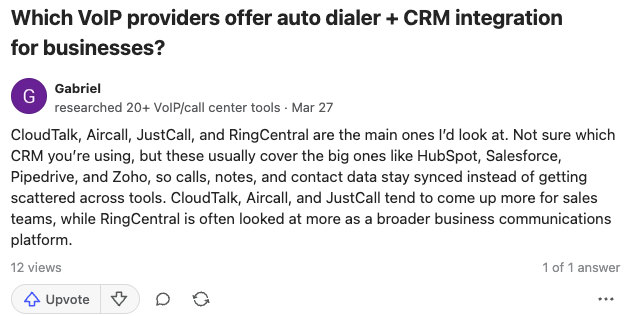
The Need for Auto-Dialers and CRMs: When teams outgrow manually dialing phone numbers, they ask Quora for tools that include smart dialers and CRM syncing. Experts actively recommend CloudTalk, Nextiva, and RingCentral because they provide automatic power dialers and integrate natively with Salesforce and HubSpot.
What Verified G2 Reviewers Say about Switching from Google Voice
When looking at verified software buyers on G2 who actually switched away from Google Voice, their reasons for leaving are incredibly consistent. They want their time back, and they want their phones to work reliably.
-
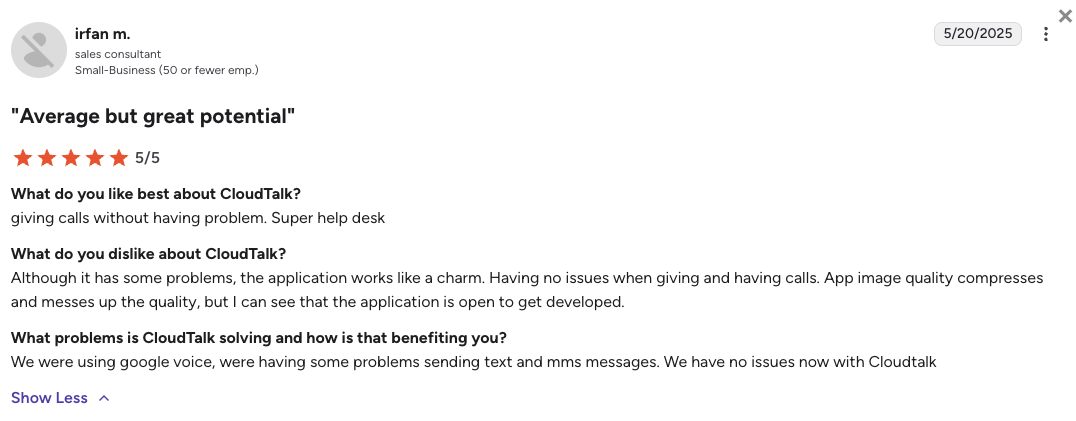
Saving Hours on Data Entry: Users who moved from Google Voice to CloudTalk highlight the massive reduction in manual admin work. Reviewers specifically praise the flawless HubSpot integration, noting that switching away from Google’s basic app finally gave them a way to track calls and manage text messaging at scale.
-
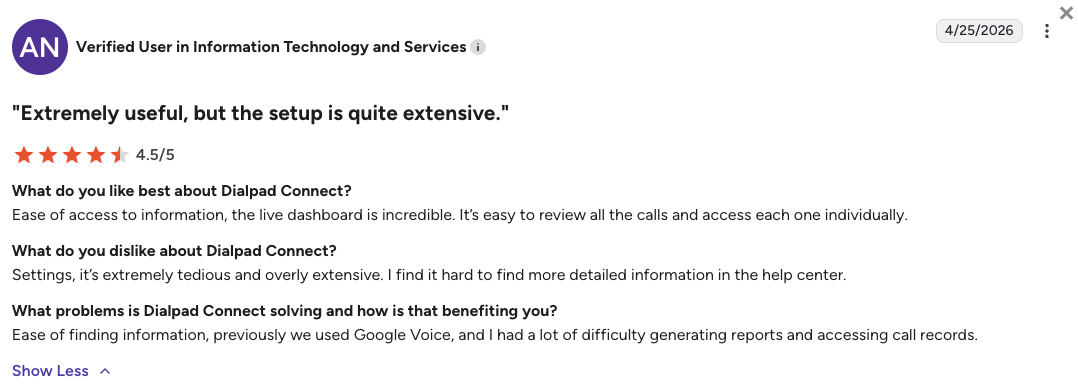
Gaining Call Stability and AI: Teams leaving Google Voice for Dialpad frequently point out the huge upgrade in call stability and audio clarity. They never look back, deeply valuing the real-time AI transcriptions that pop up during calls, a professional feature Google simply does not offer.
-
Easier Team Collaboration: Businesses that abandon Google Voice for Aircall constantly call the switch a major upgrade. They appreciate being able to share a common call inbox and smoothly connect their daily helpdesk tools to build a better support floor.
CloudTalk vs. Google Voice: Which Is Better?
Choosing between CloudTalk and Google Voice comes down to how much you value your team’s time and business stability. Google Voice acts as a basic utility for making isolated phone calls, while CloudTalk is purpose-built to act as a highly stable, automated engine for your daily sales and customer support operations.
Google Voice vs CloudTalk: Head-to-Head Comparison
| Category | CloudTalk | Google Voice | Winner |
|---|---|---|---|
| Starting Price (annual billing) | $[cgv pricing_lite]/user/mo | $10/user/mo | Google Voice |
| Minimum Users | 1 User | 1 User | Tie |
| Network Reliability SLA | 99.999% uptime guarantee | Frequent reports of missed calls | CloudTalk |
| Global Coverage | 160+ countries | US/CA & select EU only | CloudTalk |
| Text Messaging (SMS) | Reliable business text bundling | High risk of automated spam bans | CloudTalk |
| Call Routing & SMS | Works perfectly together, powered by excellent workflow automation | Adding a phone menu breaks SMS | CloudTalk |
| CRM Integrations | Native deep-sync to Salesforce, HubSpot, etc. | Zero native CRM syncing | CloudTalk |
| Conversation AI | Native flat-rate add-on ($[cgv pricing_ai]/mo) | Voicemail transcription only | CloudTalk |
| Outbound Dialers | Smart, Preview, Power, and Parallel modes available on Expert plan and as flat-rate add-ons | Manual dialing only | CloudTalk |
| Native Google Workspace Synergy | Standard calendar/email invites | Perfect native integration | Google Voice |
| Free Tier | No | Yes (for consumers) | Google Voice |
| Support Quality | 24/7 fast, human support (incl. phone on Expert plan) | Automated help centers | CloudTalk |
| G2 Rating | [cgv rating_g2] (1,800+ reviews) | 4.1/5 (600+ reviews) | CloudTalk |
| Free Trial | 14-day fully functional trial | No free trial available | CloudTalk |
The call routing and SMS paradox explained:
If you run a growing local business, you eventually need a phone menu (like “Press 1 for Sales, 2 for Support”). On CloudTalk, you can easily build this menu visually and still text your customers from your main business number.
On Google Voice, the exact moment you turn your number into a routing menu, the system permanently disables your ability to send or receive text messages on that line. Your customers will try to text you, and the messages will just disappear. CloudTalk fixes this completely, letting you scale your routing without breaking your communication.
How to Choose the Right Google Voice Alternative for Your Business?
When choosing the right Google Voice alternative, mainly think about your specific business roadblocks rather than just looking at a feature list. Based on community questions and search trends, here is how to match your business needs to the right platform:
1. What Is the Best Google Voice Alternative for Predictable Billing?
If you want to avoid surprise texting limits and unexpected account blocks, you need a platform with transparent subscription plans.
- Top Picks: CloudTalk is the best Google Voice alternative for cost predictability because it safely bundles your essential tools and offers clear flat-rate AI add-ons. Nextiva is also a solid choice if you want generous text message allowances included in your base plan.
2. Which Google Voice Alternative Has the Best CRM Sync?
If your team is losing time manually typing notes because Google Voice refuses to connect to your database, you need a system with true two-way software syncing.
- Top Picks: CloudTalk is fantastic here, using deep-sync technology to ensure every call and text logs perfectly into the best CRMs like HubSpot or Salesforce. Aircall is another strong option for teams that want a highly reliable software ecosystem.
How CloudTalk x HubSpot saved Revolut 40+ hours/week:
When global fintech Revolut expanded its outbound sales team, their previous VoIP provider lacked the agent oversight and deep CRM syncing they needed to grow. This is exactly where systems with limited global footprints or rigid routing fall short, and why scaling teams often choose CloudTalk over competitors like Google Voice.
3. What’s a Google Voice Competitor Ideal for Consultants Working Internationally?
If you are trying to expand globally, Google Voice’s heavy regional restrictions will hold your sales team back. You need a platform that supports a real global presence.
- Top Picks: CloudTalk wins this category easily, providing high-quality virtual numbers in over 160 countries backed by a multi-carrier network that guarantees clear audio.
4. What’s the Most Reliable Google Voice Alternative with 24/7 support?
When your phone lines go down, you can’t afford to wait days for an automated email reply from a help center. You need real human engineers available immediately.
- Top Picks: CloudTalk and Nextiva are the absolute best choices for customer service. Both providers offer fast, live human support around the clock to ensure your business stays connected (note: phone support is available only on select plans).
5. Are There Google Voice Alternatives without Heavy Verification Delays?
Google Voice is notorious for freezing accounts and demanding highly invasive document uploads before you can even make a call.
- Top Picks: CloudTalk completely replaces that bureaucratic nightmare with a streamlined, professional onboarding process. For tiny startups, Quo (OpenPhone) also offers a very fast, modern setup.
6. Which Google Voice Alternative is Best for Outbound Sales?
If your main goal is aggressive outbound prospecting, you need a tool built for speed and automation.
- Top Picks: While Dialpad is a solid tool for AI coaching, CloudTalk offers the best overall value for SMB-to-mid-market sales teams. It easily beats Google Voice’s manual dialing by offering native power dialers and flawless CRM integrations. JustCall is another leading choice for high-velocity sales floors.
7. Overall, What is the Best Google Voice Alternative for Growing Businesses?
If you run a growing business looking to replace Google Voice’s dropped calls, broken text messages, and slow support with a reliable phone system, CloudTalk is the definitive choice.
- Top Pick: CloudTalk stands out as the ultimate upgrade for small and mid-sized businesses. It gives your scaling team the perfect mix of enterprise-grade reliability, transparent pricing, and smart automation without the bloated enterprise costs.
What Will I Get if I Switch from Google Voice?
Scaling shouldn’t mean fighting your phone system. Teams leave Google Voice because they can’t afford AI-triggered lockouts, lost text messages, and hours wasted on manual data entry.
Here’s exactly what you get from day one when you switch from Google Voice to CloudTalk:
- Connect Globally: Say goodbye to dropped calls and connection anxiety. Establish a trusted local presence in 160+ countries with crystal-clear audio and a guaranteed 99.999% uptime.
- Ditch IT Bottlenecks: Skip automated help desks with lightning-fast onboarding and 24/7 access to real human experts.
- Automate manual work: Reclaim your team’s time. Every call, text, and recording syncs seamlessly to 100+ CRM tools in the background, so your reps can focus on selling, not admin.
- Unlock Conversation Intelligence: Move beyond basic voicemail. Instantly generate automated call summaries, live transcriptions, and sentiment analysis for every customer interaction.
- Scale your capacity: Offload routine calls to 24/7 AI Receptionists and Voice Agents fluent in 60+ languages, so your reps can focus on closing deals.
Your business outgrew Google Voice months ago
Frequently Asked Questions
about Google Voice Alternatives
Find quick answers to the most common questions businesses have about Google Voice and its competitors.