10 Best Zapier Integrations for Business Automation in [cgv actual_year]
SUMMARY:
We reviewed 30+ Zapier-compatible tools and chose the 10 best Zapier integrations for sales, support, and operations teams in [cgv actual_year], based on automation depth, trigger/action flexibility, CRM connectivity, ease of setup, and real-world business impact.
10 best Zapier integrations by use case:
-
01
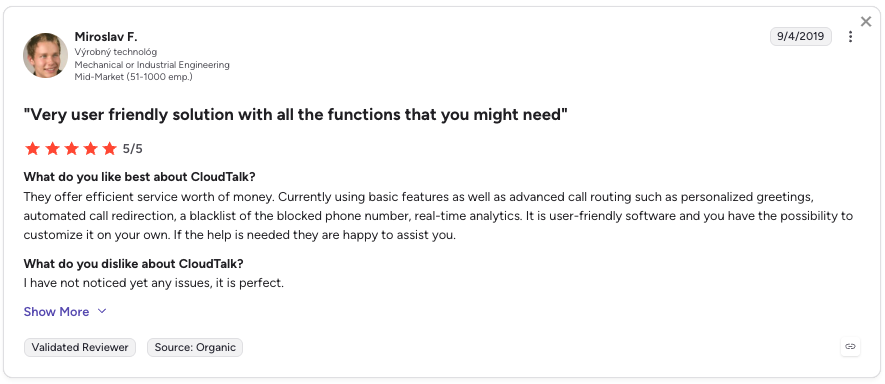
CloudTalk—best overall for voice-first teams automating call logs, ticket creation, and CRM sync via Zapier
-
02
Salesforce—best for enterprise teams syncing leads, cases, and deal stages across sales and service
-
03
Zendesk—best for support teams auto-creating and updating tickets from any trigger event
-
04
Gorgias—best for ecommerce helpdesks routing orders and tagging messages automatically
-
05
Pipedrive—best for sales teams syncing deal stages and lead activity from forms or marketing tools
-
06
HubSpot—best all-in-one platform for automating workflows across email, calling, and marketing
-
07
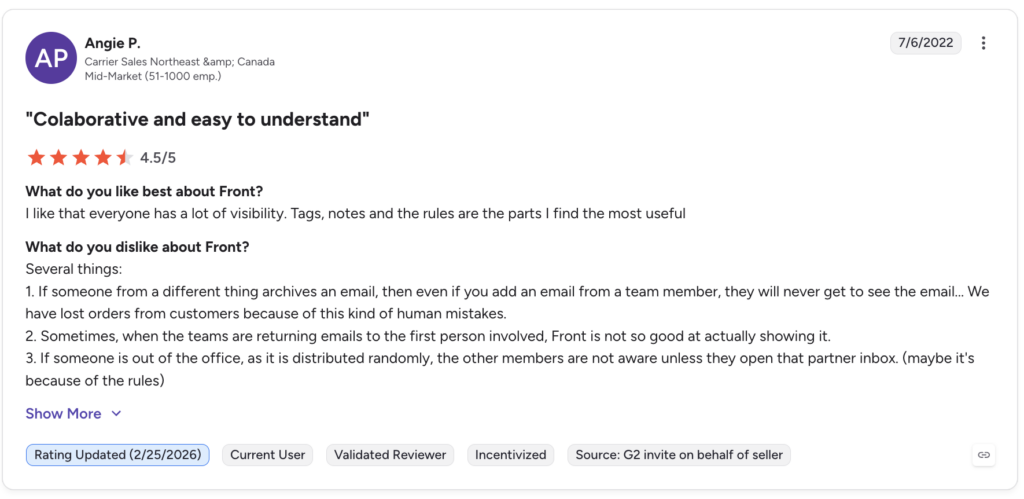
Front—best for shared-inbox teams routing, tagging, and following up on conversations automatically
-
08
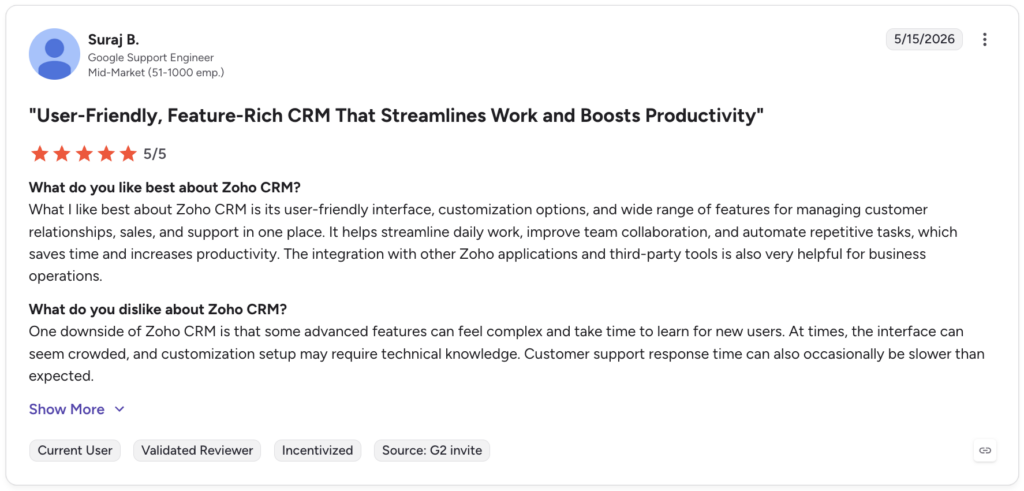
Zoho CRM—best for budget-conscious teams that need reliable contact syncing and follow-up automation
-
09
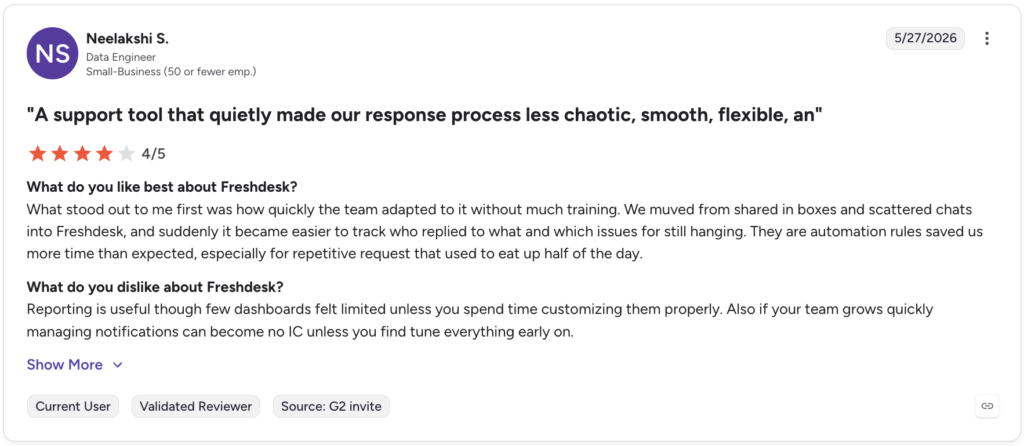
Freshdesk—best for support teams streamlining ticket routing, SLA alerts, and escalation workflows
-
10
ActiveCampaign—best for marketing teams triggering campaigns from support, sales, or ecommerce events
Discover how CloudTalk can streamline your workflows and enhance your team’s productivity

Quick Comparison Table of Best Zapier Integrations
| Platform | Key Features | Best for | G2 Rating |
|---|---|---|---|
| CloudTalk | Automated call logging, missed-call ticket creation, CRM sync, Slack alerts, 5,000+ app connections | Voice-first sales and support teams automating post-call workflows | 4.4/5 |
| Salesforce | Lead/case syncing, deal stage automation, event-based record creation | Enterprise sales and service teams managing complex pipelines | 4.4/5 |
| Zendesk | Ticket creation from any source, SLA notifications, cross-platform status sync | Support teams managing high ticket volume across channels | 4.3/5 |
| Gorgias | Order-triggered ticket routing, auto-tagging, VIP prioritization | Ecommerce brands centralizing support from Shopify or WooCommerce | 4.6/5 |
| Pipedrive | Deal syncing, automated task creation, lead handoff from forms | Sales teams needing visual pipeline tracking with zero CRM busywork | 4.3/5 |
| HubSpot | Contact lifecycle automation, email sequence triggers, multi-tool sync | SMBs unifying sales, marketing, and service in one platform | 4.4/5 |
| Front | Conversation routing, CRM sync from email/chat, auto-tagging | Support and success teams managing shared inboxes collaboratively | 4.7/5 |
| Zoho CRM | Contact auto-creation, follow-up task triggers, cross-stack data sharing | Growing teams needing affordable CRM automation with Zapier | 4.1/5 |
| Freshdesk | Ticket routing from missed calls or forms, SLA tracking, escalation alerts | IT and support teams handling high-volume inbound requests | 4.4/5 |
| ActiveCampaign | Campaign triggers from tickets or purchases, contact tagging, lifecycle automation | Marketing teams nurturing leads with behavior-based email sequences | 4.4/5 |
What Is a Zapier Integration?
A Zapier integration connects your favorite apps—like a CRM that integrates with Zapier, email tools, phone systems, or task managers—so they can talk to each other and automate work in the background.
Instead of manually updating spreadsheets or moving data between platforms, Zapier automates those steps for you. That means fewer delays, fewer errors, and way more time to focus on actual customer interactions.
Here’s what a Zapier integration can do:
- Automate workflows: trigger emails, assign tasks, or update records when someone takes action
- Sync data: make sure contact info, deal status, and activity history stay up to date everywhere
- Trigger actions: set off alerts, create follow-ups, or move pipeline stages based on what happens in other tools
One high-impact example is CloudTalk’s Zapier integration. It allows your team to:
- Log call activity directly into your CRM or helpdesk
- Trigger Slack alerts when a missed call comes in
- Route leads from form submissions to your dialer with zero manual effort
Most Zapier integrations are powered by prebuilt connectors (called Zaps), built-in triggers and actions, or the Zapier integrations API.
How We Chose the Best Zapier Integrations
To create this guide, we evaluated 30+ leading Zapier-compatible platforms using verified user reviews, product documentation, feature comparisons, and market research.
We assessed each tool against the following criteria:
- Automation depth—how many triggers, actions, and filters the integration supports
- Ease of setup—whether a non-technical user can go live in under 15 minutes
- CRM and helpdesk connectivity—how well the tool syncs with platforms like Salesforce, HubSpot, and Zendesk
- Real-world use cases—whether the Zaps actually solve common sales and support bottlenecks
- Pricing and scalability—total cost of ownership at 10, 50, and 200+ user counts
- User satisfaction—verified ratings and sentiment from G2, Capterra, TrustRadius, Reddit, and Quora
We prioritized tools with strong G2 ratings, active user communities, and documented ROI from Zapier-powered automation.
Why Trust Our Software Reviews?
For nearly a decade, we’ve helped over 30,000 professionals choose and implement better communication tools. We’ve reviewed 200+ products, analyzed 5,500+ verified reviews from G2 and Capterra, and drawn insights from real user discussions on platforms like Reddit or Quora.
In the past year alone, we’ve published 1,000+ articles, all written and reviewed by humans, for humans, to provide reliable, data-backed insights you can trust.
Learn how we keep our content integrity and our software review methodology.
Top 10 Best Zapier Integrations for Business Automation in [cgv actual_year]
Zapier is more than a connector—it’s an automation engine. The right Zapier integrations can eliminate manual tasks, sync data across your tools, and build workflows that run 24/7 without human intervention.
Below are the 10 best Zapier integrations for [cgv actual_year], each selected based on high-demand use cases like CRM syncing, sales enablement, customer support, and lead management.
1. CloudTalk: Best Zapier Phone System Integration for Voice-First Sales and Support Teams
What Is CloudTalk?
CloudTalk is a modern cloud-based phone system designed for voice-first teams. Its Zapier integration allows you to connect calling activity to over 5,000 other tools—automating everything from ticket creation to CRM updates.
CloudTalk Zapier Integration Use Cases
Use Zapier to trigger ticket creation when a missed call comes in (a core Zapier call integration feature), log call data to your CRM, or send call summaries to Slack—no manual steps required.
CloudTalk Zapier Integration’s Benefits
- Automate post-call workflows with no-code Zaps
- Give agents full customer context with synced data
- Eliminate swivel-chair tasks between phone and support tools
What Are CloudTalk’s Plans & Pricing?
CloudTalk pricing offers flexible plans tailored to team size and call volume:
- Lite: $[cgv pricing_lite]/user/month (Americas)
- Starter: $[cgv pricing_starter]/user/month
- Essential: $[cgv pricing_essential]/user/month
- Expert: $[cgv pricing_expert]/user/month
- Custom: Pricing available upon request
All plans include a free trial. No permanent free plan.
What Are CloudTalk’s Pros & Cons?
| Pros | Cons |
|---|---|
| Fast, no-code Zapier setup | No native video conferencing tools |
| Deep native CRM integrations reduce dependency on Zaps | No built-in email channel (email follow-ups require CRM or third-party integration) |
Discover the Future of Conversations
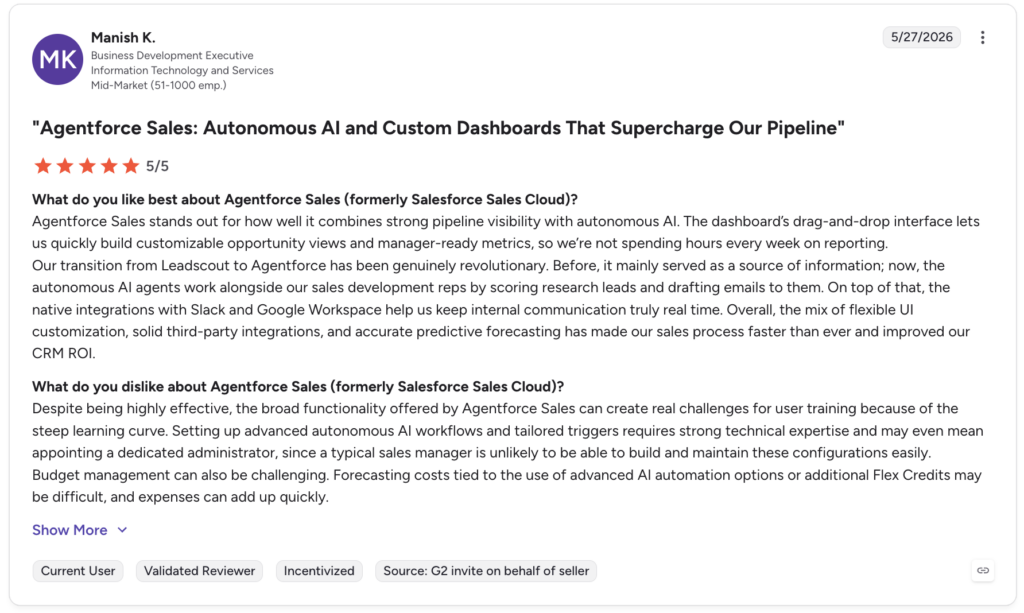
2. Salesforce: Best Zapier CRM Integration for Enterprise Sales and Service
What Is Salesforce?
Salesforce is a powerhouse CRM used to manage contacts, pipelines, and support. The Zapier Salesforce integration helps automate workflows across sales and service by syncing updates between tools.
Salesforce Zapier Integration Use Cases
Create or update Salesforce records when new support tickets are filed, form submissions are captured, or deals are moved in your marketing system.
Salesforce Zapier Integration’s Benefits
- Align sales and service data instantly across apps
- Reduce manual CRM entry with event-based syncing
- Improve lead management and case routing at scale
What Are Salesforce’s Plans & Pricing?
Salesforce pricing starts at $25/user/month on the Sales Cloud Starter plan:
- Starter Suite: $25/user/month
- Pro Suite: $100/user/month
- Enterprise: $175/user/month
- Unlimited: $350/user/month
- Agentforce 1 Sales: $550/user/month
A free trial is available. No permanent free plan.
What Are Salesforce’s Pros & Cons?
| Pros | Cons |
|---|---|
| Unmatched CRM depth and customization | Complex setup requires admin or developer time |
| Ease of use | Expensive at scale—add-ons increase cost quickly |
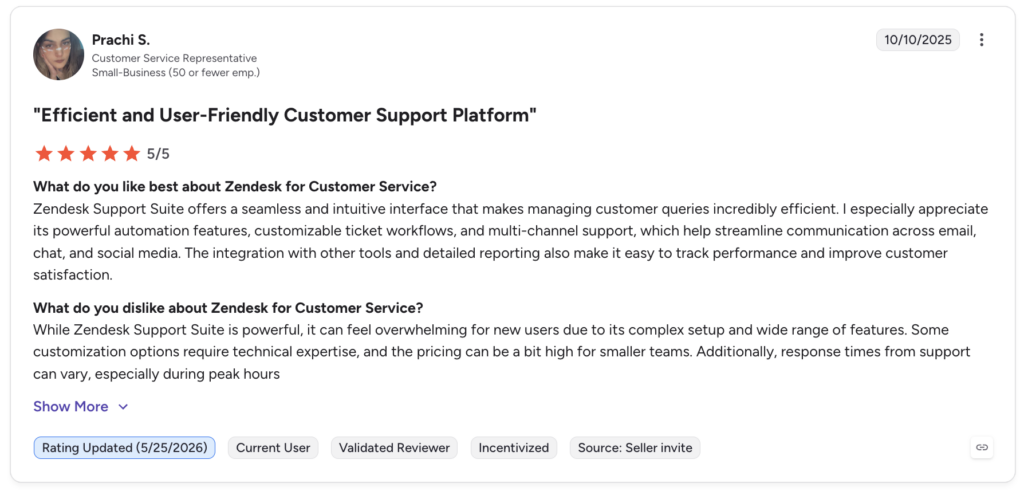
3. Zendesk: Best Zapier Integration for Automating Support Ticket Workflows
What Is Zendesk?
Zendesk is a trusted customer support tool for managing tickets and multichannel communication. The Zapier Zendesk integration automates support workflows across your stack—no code needed.
Zendesk Zapier Integration Use Cases
Create Zendesk tickets from form submissions, call logs, or CRM activity. Automatically update status or trigger alerts when tickets are escalated.
Zendesk Zapier Integration’s Benefits
- Automate ticket creation from any source app
- Keep teams updated with cross-platform status changes
- Improve SLA compliance with triggered notifications
What Are Zendesk’s Plans & Pricing?
Zendesk pricing starts at $19/agent/month on the Support Team plan:
- Support Team: $19/agent/month
- Support Professional: $55/agent/month
- Support Enterprise: $115/agent/month
A free trial is available. No permanent free plan.
What Are Zendesk’s Pros & Cons?
| Pros | Cons |
|---|---|
| Highly reliable ticket automation at scale | Lower-tier plans restrict automation rules |
| Ease of use | Restricted customization options |
Recommended Reads
4. Gorgias: Best Zapier Integration for Ecommerce Helpdesk Automation
What Is Gorgias?
Gorgias is built for ecommerce support teams looking to centralize tickets, orders, and messages. The Zapier Gorgias integration connects your store to customer service workflows without manual work.
Gorgias Zapier Integration Use Cases
Send order issues, returns, or customer chat data to Gorgias from platforms like Shopify or WooCommerce—and route tickets based on priority or tags.
Gorgias Zapier Integration’s Benefits
- Reduce ticket backlog by automating support creation
- Get full order context in every customer interaction
- Route VIP or urgent requests instantly
What Are Gorgias’s Plans & Pricing?
Gorgias pricing is usage-based, making it important to estimate ticket volume before committing:
- Basic: $10/month + usage
- Basic: $50/month + usage
- Advanced: $750/month
- Enterprise: Custom
A free trial is available. No permanent free plan.
What Are Gorgias’s Pros & Cons?
| Pros | Cons |
|---|---|
| Fast Zapier setup for common ecommerce flows | Steep learning curve |
| Seamless integrations | Lack of robust reporting features |
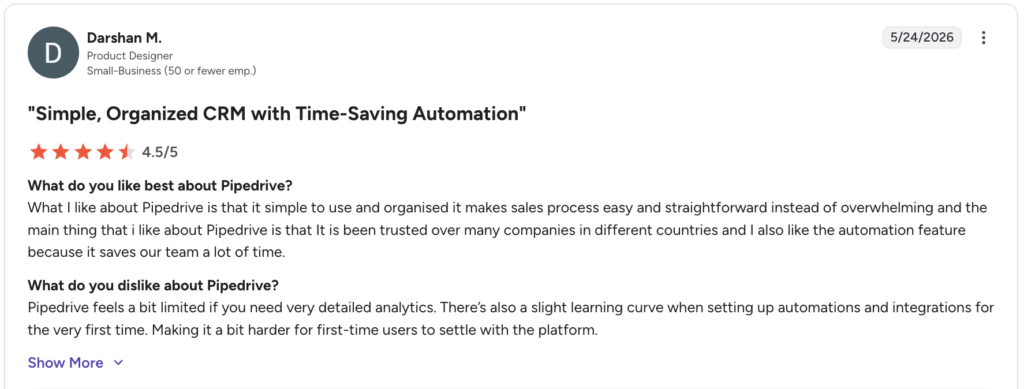
5. Pipedrive: Best Zapier CRM Integration for Sales Pipeline Automation
What Is Pipedrive?
Pipedrive is a CRM built for sales teams who need visual pipeline tracking and automation. The Zapier Pipedrive integration streamlines lead handoffs, follow-ups, and deal updates across your apps.
Pipedrive Zapier Integration Use Cases
Send new leads from web forms to Pipedrive, create tasks when tickets are opened, or move deals automatically based on external triggers.
Pipedrive Zapier Integration’s Benefits
- Eliminate CRM busywork with automated deal syncing
- Improve lead response times with triggered tasks
- Keep your pipeline updated across platforms
What Are Pipedrive’s Plans & Pricing?
Pipedrive pricing offers flexible plans based on team size and needs:
- Lite: $14/user/month
- Growth: $39/user/month
- Promium: $59/user/month
- Ultimate: $79/user/month
A free trial is available. No permanent free plan.
What Are Pipedrive’s Pros & Cons?
| Pros | Cons |
|---|---|
| Intuitive pipeline UI—easy for non-technical reps | Reporting lacks depth on lower plans |
| Affordable entry price for growing teams | Less customizable than Salesforce for complex orgs |
6. HubSpot: Best Zapier Integration for Sales and Marketing Alignment
What Is HubSpot?
HubSpot is an all-in-one platform for managing sales, marketing, and customer success. The Zapier HubSpot integration connects HubSpot to your entire stack—from email platforms to calling tools.
HubSpot Zapier Integration Use Cases
Automatically add new leads from forms or calls to HubSpot, trigger email sequences, or update contact lifecycle stages based on actions in other apps.
HubSpot Zapier Integration’s Benefits
- Sync sales and marketing efforts in real time
- Launch workflows from chats, calls, or purchases
- Eliminate manual contact creation across platforms
What Are HubSpot’s Plans & Pricing?
HubSpot pricing includes a free CRM with generous limits. Paid Sales Hub plans start at $20/user/month for Starter, scaling to custom Enterprise pricing based on contact volume and feature depth.
What Are HubSpot’s Pros & Cons?
| Pros | Cons |
|---|---|
| Free CRM tier to get started | Costs scale quickly with contacts and feature add-ons |
| Strong marketing and sales alignment out of the box | Steep learning curve |
7. Front: Best Zapier Integration for Shared Inbox and Collaborative Support
What Is Front?
Front blends shared inboxes with collaborative workflows. The Zapier Front integration lets you automate how emails, chats, and tickets are routed, tagged, and followed up on across your tools.
Front Zapier Integration Use Cases
Turn inbound messages into CRM entries, auto-tag conversations, or create support tickets based on keywords—without switching platforms.
Front Zapier Integration’s Benefits
- Route conversations automatically based on trigger rules
- Sync email activity to CRMs or support tools
- Improve team response time with automated alerts
What Are Front’s Plans & Pricing?
Front pricing is tiered by feature set and team size:
- Starter: $25/user/month
- Professional: $65/user/month
- Enterprise: $105/user/month
A free trial is available. No permanent free plan.
What Are Front’s Pros & Cons?
| Pros | Cons |
|---|---|
| Easy-to-use reporting and collaboration features | Duplicate or mixed-up emails creating inbox clutter |
| Shared inboxes that make team collaboration smoother | Setup and rule configuration requires admin investment |
8. Zoho CRM: Best Zapier Integration for Budget-Conscious Teams Automating Contact Workflows
What Is Zoho CRM?
Zoho CRM is a flexible, affordable platform for managing leads and deals. The Zapier Zoho CRM integration automates contact syncing, follow-up creation, and cross-platform data sharing.
Zoho CRM Zapier Integration Use Cases
Add new contacts to Zoho CRM from form submissions, phone calls, or support tickets. Trigger workflows when deals progress or when support needs sales input.
Zoho CRM Zapier Integration’s Benefits
- Maintain accurate records across your sales stack
- Improve follow-up speed with auto-assigned tasks
- Align support and sales via shared contact updates
What Are Zoho CRM’s Plans & Pricing?
Zoho CRM pricing is among the most affordable in this list:
- Standard: $14/user/month
- Professional: $23/user/month
- Enterprise: $40/user/month
- Ultimate: $52/user/month
A free trial is available.
What Are Zoho CRM’s Pros & Cons?
| Pros | Cons |
|---|---|
| Ease of use | Steep learning curve for more advanced features |
| Robust features and excellent customer support | Some users report integration issues |
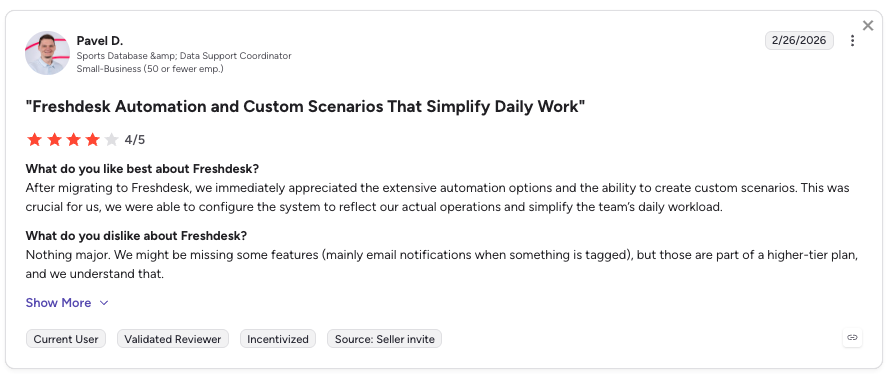
9. Freshdesk: Best Zapier Integration for Support Teams Managing High-Volume Ticket Queues
What Is Freshdesk?
Freshdesk helps teams manage tickets, automate responses, and deliver timely support. The Zapier Freshdesk integration connects your helpdesk with CRM, forms, and communication tools.
Freshdesk Zapier Integration Use Cases
Create tickets from forms, missed calls, or chat events. Route urgent requests to specific agents or trigger alerts based on priority levels.
Freshdesk Zapier Integration’s Benefits
- Automate ticket creation from any app or trigger
- Improve SLA tracking with real-time notifications
- Eliminate manual triage with rule-based workflows
What Are Freshdesk’s Plans & Pricing?
Freshdesk pricing offers multiple plans for growing support teams:
- Growth: $17/agent/month
- Pro: $52/agent/month
- Enterprise: $84/agent/month
A free trial is available.
What Are Freshdesk’s Pros & Cons?
| Pros | Cons |
|---|---|
| Clean, intuitive UI reduces agent onboarding time | Limited advanced features unless you upgrade to higher-tier plans |
| Strong automation features that reduce workload | Reporting and analytics can feel basic or restrictive |
Recommended Reads
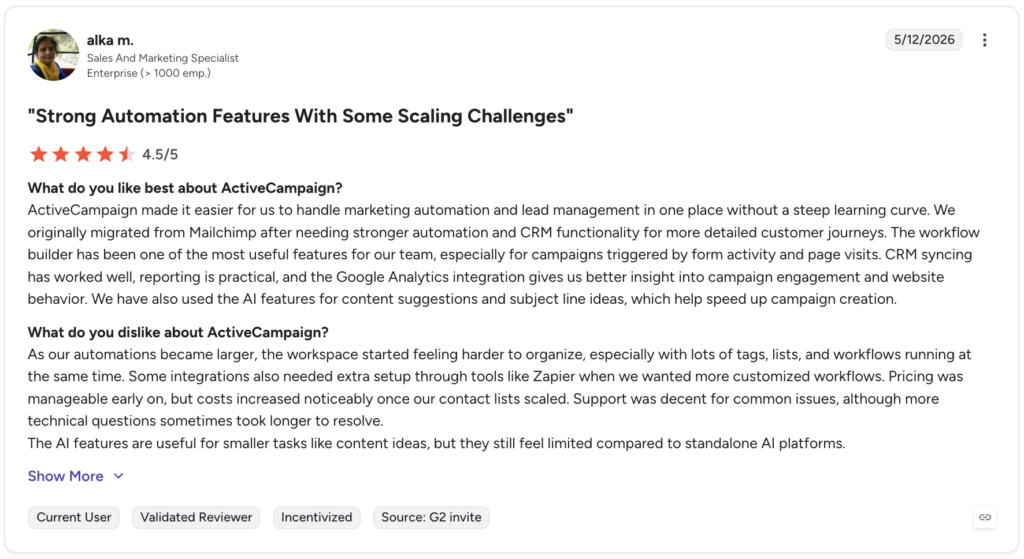
10. ActiveCampaign: Best Zapier Integration for Behavior-Based Marketing Automation
What Is ActiveCampaign?
ActiveCampaign is built for email marketing, lead nurturing, and customer engagement. The Zapier ActiveCampaign integration automates campaigns using triggers from your support, sales, or ecommerce tools.
ActiveCampaign Zapier Integration Use Cases
Send new leads from forms to ActiveCampaign, trigger email sequences after ticket resolution, or update tags based on customer behavior.
ActiveCampaign Zapier Integration’s Benefits
- Keep campaigns personalized with real-time CRM data
- Trigger automations from support or sales activity
- Eliminate manual contact imports and tagging
What Are ActiveCampaign’s Plans & Pricing?
ActiveCampaign pricing scales based on contact volume and features:
- Starter: $15/month
- Plus: $49/month
- Pro: $79/month
- Enterprise: $149/month
What Are ActiveCampaign’s Pros & Cons?
| Pros | Cons |
|---|---|
| Industry-leading marketing automation depth | Steeper learning curve than simpler email tools |
| Ease of use | Pricing jumps significantly as contact lists grow |
How Does a Zapier Integration Work?
Zapier works on a simple “if this, then that” logic. When something happens in one app (a trigger), Zapier performs a predefined action in another app.
These automated workflows are called Zaps.
For example, if a new lead fills out a form on your website, Zapier can instantly add that contact to your CRM, send a Slack notification, and create a follow-up task—no human input required.
Each Zapier integration includes:
- Triggers—the event that kicks off the automation (e.g., form submission, new ticket, call missed)
- Actions—the task Zapier completes in response (e.g., create contact, send email, update deal)
- Filters and Conditions—logic you can add to run workflows only when specific criteria are met
The result? Tasks get done instantly in the background, your apps stay in sync, and your team stays focused.
How to Choose the Right Zapier Integrations for Your Business
With thousands of apps available, it’s easy to get overwhelmed. The best Zapier integrations are the ones that solve real bottlenecks, scale with your team, and don’t require constant maintenance. Here’s how to choose wisely:
Identify Your Business Needs
Don’t chase features — solve problems. Are reps wasting time logging calls? Are leads slipping through the cracks? Start with your biggest friction points. If missed calls are hurting sales, CloudTalk’s Zapier integration can auto-create follow-ups and trigger alerts in real time.
Prioritize Ease of Setup
If an integration needs a developer to launch, it’s not automation — it’s another project. Look for plug-and-play Zaps with clear templates and built-in triggers. Workflow automation tools like Zapier can go live in minutes, not weeks.
Choose Scalable Zapier Automation Workflow Integration Software
The Zap that works for 5 users might break at 50. Make sure your integrations can handle more volume, new workflows, and multiple teams. CloudTalk’s smart dialer is designed to grow with you — no rework required.
Assess Security and Compliance
Every new Zap touches your customer data. Prioritize tools with role-based access, audit logs, and GDPR-friendly policies. CloudTalk’s VoIP integration is built with security from the ground up.
Evaluate Cost-Effectiveness
Zapier runs on task usage. More Zaps = more credits. Consider whether the automation saves time and money. CloudTalk’s Call Intelligence helps you track ROI from each workflow so you can double down on what works.
Look at Real Support, Not Just Features
Great features mean nothing if you’re left hanging when something breaks. Look for vendors who offer responsive support, not just docs. CloudTalk’s inbound support center is always one click away when your automations need backup.
How to Set Up a Zapier Integration
Setting up a Zapier integration takes just a few minutes—no coding required.
Start by picking a trigger app (like CloudTalk, Salesforce, or HubSpot), and choose the event that will kick off the workflow—such as a new lead, call, or form submission. Then, select your action app (like Slack, Trello, or your CRM) and define what you want it to do—send a message, create a task, or update a record.
Most Zapier integrations are built using:
- Pre-built Zap templates available in the app directory
- Custom Zaps—using drag-and-drop fields
- Filters and paths—to create branching logic for complex workflows
To get started, connect your apps, authorize access, and let Zapier do the rest.
Automate the Work You Hate. Scale What Matters.
Manual workflows slow you down. Missed follow-ups, duplicate data entry, siloed systems—they don’t just waste time, they cost you revenue.
With the right Zapier integrations, your tools finally start working together. Calls trigger tickets. Leads sync automatically. Emails get followed up—without anyone lifting a finger.
Whether you’re managing support, sales, or operations, automation isn’t a luxury—it’s a multiplier.
Ready to turn busywork into background work? Try CloudTalk’s Zapier integration and build your first workflow today.
Source:
CloudTalk’s Zapier integration turns every call into an automated workflow—no code required.