TL;DR: 10 Best Alternatives to 3CX [cgv actual_year]
| # | Platform | Best for | Starting Price (annual billing) |
G2 Rating |
|---|---|---|---|---|
| 1 | CloudTalk | Scaling sales & support teams (SMB to mid-market) | $[cgv pricing_lite]/user/mo | [cgv rating_g2] |
| 2 | Yeastar P-Series | Direct PBX replacement and Managed Service Providers | Flexible (Per-user or SC) | 4.8/5 |
| 3 | Nextiva | Customer-focused SMBs needing fully managed UCaaS | $15/user/mo | 4.5/5 |
| 4 | Dialpad | Tech-savvy remote teams wanting real-time AI | $15/user/mo | 4.4/5 |
| 5 | RingCentral (RingEX) | Massive global enterprises needing strict compliance | $30/user/mo | 4.2/5 |
| 6 | Aircall | CRM-centric teams heavily utilizing HubSpot | $30/user/mo | 4.4/5 |
| 7 | Microsoft Teams Phone | Organizations consolidating the Microsoft 365 stack | $10/user/mo | 4.4/5 |
| 8 | Ringover | Mid-market teams needing omnichannel social workflows | $21/user/mo | 4.6/5 |
| 9 | JustCall | Outbound sales running automated SMS sequences | $29/user/mo | 4.3/5 |
| 10 | Zoom Phone | Internal collaboration and video-first communications | $10.50/user/mo | 4.5/5 |
Skip the reading. See it live.
Why Are Teams Searching for a 3CX Alternative?
3CX historically served as a foundational pillar for businesses needing cheap, on-premise internal calling. However, as modern sales and support teams face multi-channel customer environments, relying on a rigid, IT-heavy legacy PBX architecture actively slows down growth.
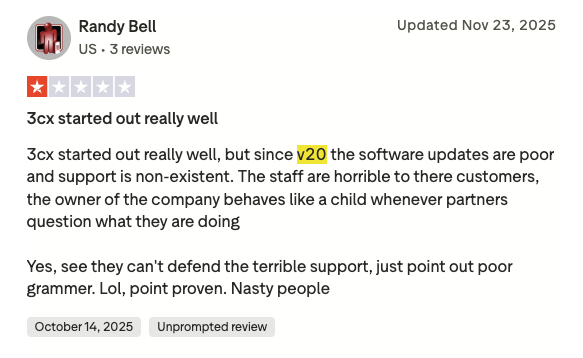
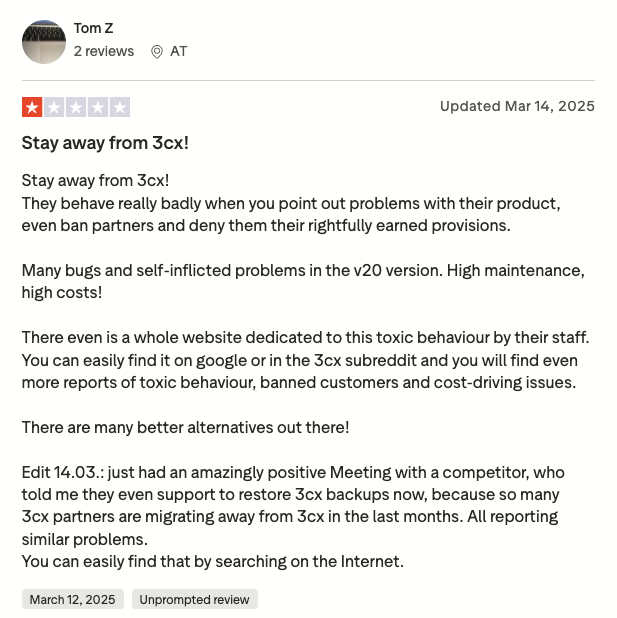
Based on verified G2 reviews (3CX scores 4.4/5), TrustPilot feedback (3CX scores only 2.6/5), deep discussions on Reddit forums, and our own market intel, 3CX users are rapidly outgrowing the platform due to several highly disruptive updates and deep structural failures.
5 Main Cons of 3CX That Make Growing Teams Leave
-
The Unfortunate Version 20 Update:3CX’s v20 rollout systematically removed critical features like multi-tenancy architecture and STUN support for remote IP phones. This forced IT partners into costly dedicated server migrations and broke perfectly good remote work setups overnight.
-
Strict Fair Usage Policy:3CX suddenly replaced its famous “unlimited extension” model with strict hard caps tied to your Simultaneous Call (SC) license. Low-usage, high-headcount organizations like schools and hotels are now forced to buy much larger, expensive licenses just to keep their desk phones registered.
-
Hard-To-Budget Total Cost of Ownership:The base 3CX software license looks highly affordable, but it ignores the mandatory costs of third-party SIP trunks, dedicated cloud hosting, and external storage configuration. Once you factor in these infrastructure fees, the true cost of 3CX rivals premium, fully managed cloud platforms.
-
The 2023 Supply Chain Attack:A highly sophisticated 3CX 2023 breach¹ injected malware directly into digitally signed 3CX desktop updates, pushing malicious payloads to thousands of users worldwide. For risk-averse enterprises, this severe internal security vulnerability significantly impacted their trust in the platform.
-
Unhelpful Vendor Support:Verified Managed Service Providers report a poor partner support, including suddenly terminated distributor agreements and immediate forum bans for simply questioning software bugs. This total breakdown of vendor-client trust causes entire IT portfolios to abandon 3CX and seek new alternatives.
What Is the Best Alternative to 3CX?
CloudTalk is the best cloud-native alternative to 3CX, specifically engineered for scaling sales and customer support teams. CloudTalk completely eliminates the complex PBX server maintenance and third-party SIP trunking required by 3CX, delivering a fully managed, enterprise-grade contact center starting at just $[cgv pricing_lite]/user/month.
While 3CX largely functions as a passive inbound routing engine, CloudTalk is built to increase your team’s daily output. As you scale to advanced plans, it connects perfectly with your daily tech stack, replacing manual call logging and disconnected APIs with powerful native add-ons like AI automation, built-in auto dialers, and real-time CRM syncing.
Why Teams Consider CloudTalk the Best 3CX Alternative
5 Main Pros of CloudTalk That Make It Great for Growing Teams
-
Fully Managed Cloud Infrastructure:Unlike 3CX, which forces you to independently source hosting and carriers, CloudTalk handles everything natively. Your team gets immediate access to crystal-clear voice routing without managing servers, firewalls, or Amazon Web Services configurations.
-
Predictable, Linear Pricing:CloudTalk bypasses 3CX’s complex and frustrating Simultaneous Call limits by offering highly transparent per-user pricing. You can easily forecast your communication budget and add single licenses exactly as your team grows.
-
Native Global Connectivity:Forget manually negotiating with regional telecom providers. CloudTalk provides reliable virtual numbers in [cgv national_phone_numbers]+ countries, allowing your team to establish a trusted local presence anywhere in the world very quickly.
-
Native AI Voice Automation:Instead of forcing you to string together disjointed, metered third-party tools, CloudTalk offers Conversation Intelligence and autonomous AI Voice Agents as native, flat-rate add-ons.
-
Deep CRM Bi-Directional Sync:3CX’s legacy architecture requires complex manual workarounds for basic data transfer. CloudTalk smoothly integrates with over 100 tools (available from the Essential plan on, with Salesforce exclusive to Expert), ensuring every call, text, and AI summary automatically logs into your database without your reps typing a single word.
Ready for a 3CX alternative without the IT headaches?
How We Evaluated The Best 3CX Alternatives and Competitors
To identify the absolute top competitors to 3CX for [cgv actual_year], we analyzed the market, verified technical documentation, and real user feedback from platforms like Reddit, G2, or Trustpilot. We prioritized solutions that directly solve the confusing pricing models, structural IT complexity, and poor CRM integration logic frustrating current users.
Our research focused on six areas essential for any growing business:
- Infrastructure & Hosting: We favored fully managed cloud platforms that completely eliminate the burden of self-hosting PBX servers, managing third-party carriers, and configuring local firewalls.
- CRM Deep-Sync: We prioritized platforms providing reliable, two-way workflows that automatically log interactions into major databases, replacing 3CX’s manual data bridging.
- AI Productivity: We looked for native, built-in conversational AI and automated workflow logic, specifically rejecting tools that rely on expensive, pay-per-minute third-party AI add-ons.
- Global Footprint: We selected providers capable of instantly provisioning international virtual numbers across vast global networks without relying on complex, regional carrier contracts.
- Platform Security: In light of the 2023 supply chain attack, we strictly evaluated vendors based on their published, enterprise-grade security certifications and internal safety protocols.
- Total Cost of Ownership (TCO): We broke down the illusion of “cheap” base plans, verifying platforms that bundle essential features transparently to prevent the unexpected billing spikes common with legacy upgrades.
The Top 10 Alternatives to 3CX for [cgv actual_year]
Before we look at detailed breakdowns of the 10 alternatives to 3CX software, here is a direct look at how our top picks stack up against the legacy platform’s core architecture and modern capabilities.
3CX Competitors Compared
| Feature | 3CX | CloudTalk | Yeastar P-Series | Dialpad | RingCentral |
|---|---|---|---|---|---|
| Starting Price Model | Simultaneous Call (SC) | Per-user, linear scaling | Dual (SC or Per Extension) | Per-user, AI inclusive | Per-user, high scale |
| Infrastructure | Self-hosted or 3rd Party | Fully Managed CCaaS | Hardware, Cloud, or VPS | Fully Managed UCaaS | Fully Managed UCaaS |
| Global Number Provisioning | Requires BYO SIP Trunks | Dashboard – 160+ countries | BYO SIP Trunks | Dashboard – 70+ countries | Dashboard – 110+ countries |
| Native AI Voice Agents |  (requires 3rd party APIs) (requires 3rd party APIs) |
 |
|
|
|
| Native CRM Deep-Sync | (manual API bridging required) |
(incl. Salesforce, HubSpot) |
|
|
|
| Outbound Power Dialers | |
|
|
|
|
| Free Trial | 30 Days | 14 Days | 30 Days | 14 Days | 14 Days |
The often-overlooked PBX pricing trap:
3CX’s cheap base license doesn’t include the cost of phone lines, cloud hosting, and IT maintenance. CloudTalk offers predictable pricing that bundles your hosting, international numbers, and software into one clear invoice.
1. CloudTalk: The #1 3CX Alternative for Scaling Sales & Support Teams (SMB to Mid-Market)
What Is CloudTalk?
CloudTalk is an AI-powered, cloud-based phone system built specifically to help sales and customer support teams grow without IT roadblocks. Instead of just replacing your basic office phones, CloudTalk actively helps your team get more done by offering built-in smart dialers, virtual AI agents, and automatic CRM syncing.
With over 30,000 professionals and [cgv customers_around_the_world]+ growing businesses using CloudTalk worldwide, it is the perfect platform for growing businesses ready to leave behind the heavy server maintenance and complex setups of older systems like 3CX.
Why Is CloudTalk a Strong 3CX Alternative?
-
Fully Managed Infrastructure: CloudTalk completely eliminates the need to buy third-party phone lines, configure complicated local firewalls, or pay for external cloud hosting. Everything you need to make and receive clear global calls is handled automatically right out of the box.
-
Transparent Linear Pricing: Instead of dealing with 3CX’s confusing Simultaneous Call (SC) limits and strict extension caps, CloudTalk offers a simple, predictable per-user model. You can forecast your budget accurately and add single seats precisely when you need them.
-
Instant Global Reach: You don’t have to manually negotiate with regional telecom carriers to get international numbers. CloudTalk provides high-quality virtual numbers in over 160 countries right from the dashboard, with minimal wait time for most countries.
-
Native AI Voice Automation: CloudTalk doesn’t force you to integrate disjointed third-party software for artificial intelligence. It features powerful native add-ons, including AI Voice Agents that can handle complex inbound requests 24/7, drastically reducing your average handle times.
-
Automatic CRM Syncing: Say goodbye to the clunky, manual workarounds required by 3CX. CloudTalk automatically logs every call, text message, and AI summary directly into tools like Salesforce and HubSpot, saving your reps hours of typing every week.
What Are the Pros & Cons of CloudTalk?
| Pros | Cons |
|---|---|
| Enterprise-grade reliability: Proprietary multi-carrier network automatically switches routes to prevent dropped calls. | No native video meetings: Requires a separate app like Zoom or Google Meet to handle video conferencing. |
| 100+ CRM integrations: True two-way data syncing for popular CRMs, eliminating manual call logging. | Base plan limits: The entry-level Lite plan is heavily restricted to the NA & LATAM regions. |
| Built-in Auto Dialers: Smart, Preview, Power, and Parallel dialing modes ensure your sales team maximizes outbound reach. | Occasional desktop bugs: Some users report occasional UI lag when running complex operations on the desktop app. |
| No server maintenance: A true cloud platform that completely removes the burden of managing self-hosted PBX servers. | |
| Flat-rate AI options: Add Conversation Intelligence for $[cgv pricing_ai]/mo, with no metered, per-minute billing. |
What Are CloudTalk’s Plans & Pricing?
CloudTalk pricing starts at $[cgv pricing_lite]/user/month (billed annually), with the following plans:
- Lite – $[cgv pricing_lite]/user/month
- Starter – $[cgv pricing_starter]/user/month
- Essential – $[cgv pricing_essential]/user/month
- Expert – $[cgv pricing_expert]/user/month
- Custom – Quote-based pricings
The avoidable costs of self-hosting:
With 3CX, you pay separately for the software, phone carriers, and cloud hosting. CloudTalk bundles everything into one transparent per-user fee, so you can scale without surprise bills.
What Are CloudTalk Customers Saying?
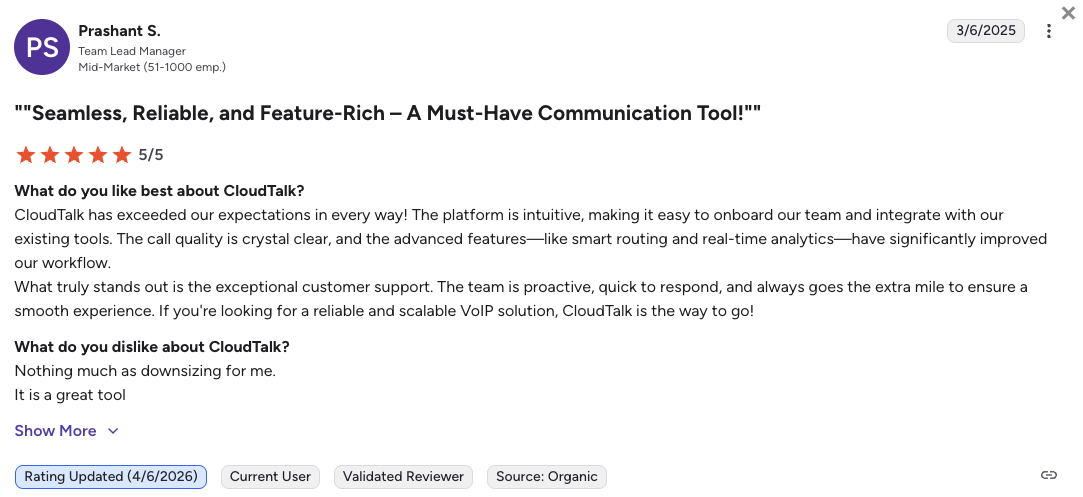
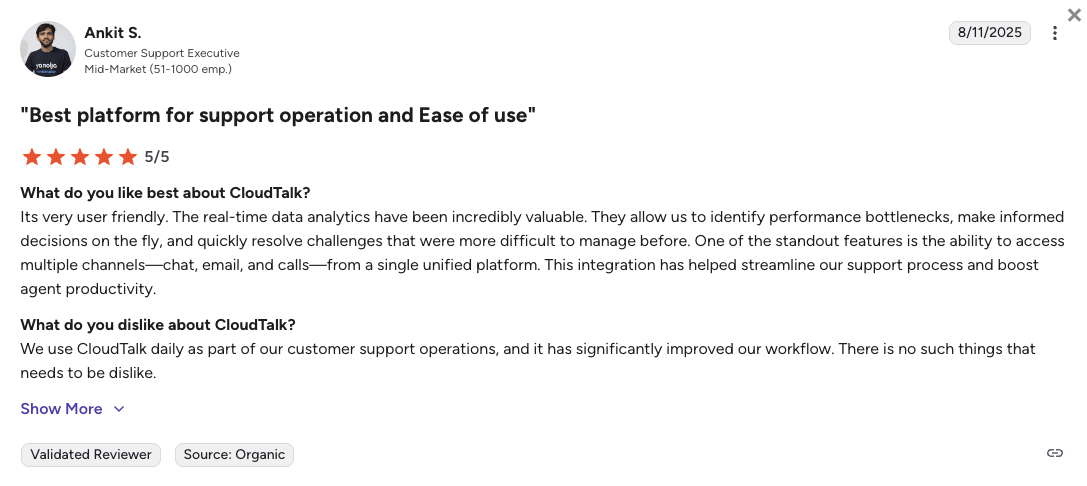
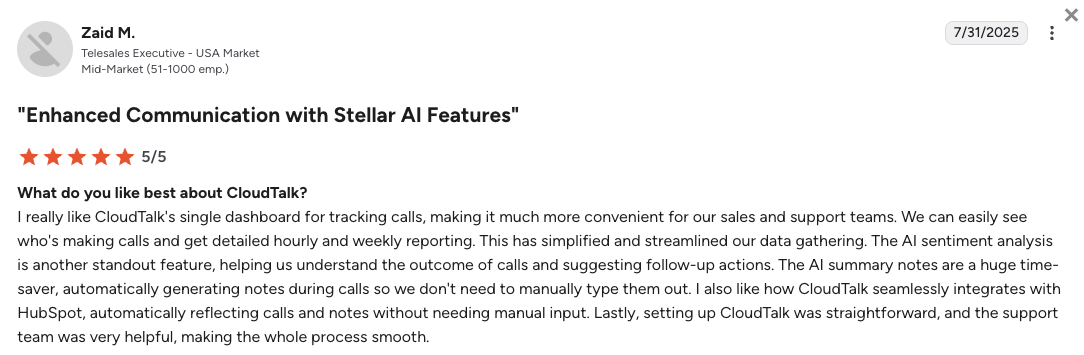
Customers migrating to CloudTalk from 3CX (or other calling platforms) praise it for the instant setup, crystal-clear global audio, and how much time the CRM integrations save their reps.
- Flawless CRM Sync: Teams love that every call and text logs perfectly into their CRM, giving managers accurate data without forcing reps to type manual notes.
- Painless Deployment: IT administrators appreciate that they can onboard new agents in hours, avoiding the complex server configurations and firewall tweaking required by legacy PBX systems.
- Network Sensitivity: Some users note that because CloudTalk’s software logic is so powerful, it requires a highly reliable local internet connection to avoid occasional audio latency.
How G2 Users Rate CloudTalk?
CloudTalk’s current G2 rating is 4.4/5, out of 1,800+ verified user reviews.
Stop managing servers. Start managing conversations.
2. Yeastar P-Series: Best for Direct PBX Replacement and MSPs
What Is Yeastar P-Series?
The Yeastar P-Series PBX System is a highly flexible communications platform designed as a direct, lateral upgrade for teams that want to keep total control over their infrastructure.
Yeastar is heavily favored by IT Departments and Managed Service Providers (MSPs) who want traditional routing capabilities without the restrictive policies of modern cloud-only vendors. You can deploy Yeastar on physical hardware, virtual private servers, or fully managed cloud environments.
Why Is Yeastar P-Series a Strong 3CX Alternative?
-
Frictionless Backup Ingestion: Yeastar includes a proprietary migration tool that lets you upload a raw 3CX V18 or V20 backup file directly into the system. This automatically restores your extensions and routing rules instantly.
-
True Partner Support: Yeastar fully respects the traditional reseller model. It doesn’t force sudden sales quotas, bypass local IT partners, or restrict technicians from support forums like 3CX recently has.
-
Flexible Dual Licensing: Yeastar totally neutralizes 3CX’s strict new Fair Usage Policy by offering you a choice between Simultaneous Call pricing or Per-Extension pricing. When comparing 3CX vs Yeastar, this lets you choose the cheapest model for your call volume.
What Are the Pros & Cons of Yeastar P-Series?
| Pros | Cons |
|---|---|
| Instant 3CX migration tool: Uploads your existing 3CX backup file to restore 90% of your current setup automatically. | Requires IT knowledge: Managing external carriers and custom hardware still requires a dedicated telecom administrator. |
| Dual pricing models: Lets you pick the cheapest licensing structure based on your specific headcount and call volume. | Lacks deep AI: It doesn’t feature the advanced, native conversational AI tools found in pure cloud platforms. |
| Superior desktop app: The proprietary Linkus UC client provides a great user experience, including native macOS support. | Slower CRM setups: Connecting complex databases often requires more manual mapping than modern cloud solutions. |
What Are Yeastar’s Plans & Pricing?
Yeastar operates on a highly flexible model depending on your deployment choice (Hardware, Software, or Cloud). If you need a 3CX alternative self-hosted on your own equipment, Yeastar is generally reported to be 30% to 50% lower than comparable 3CX licensing.
- Standard Plan – Basic routing and features (varies by deployment)
- Enterprise Plan – Adds advanced call center features and CRM integrations
- Ultimate Plan – Includes advanced video conferencing and web collaboration
Flexible Deployment:
If you choose Yeastar’s software or hardware route, you’ll still need to buy your own phone lines and manage server upkeep, just like with 3CX.
What Are Yeastar Customers Saying?
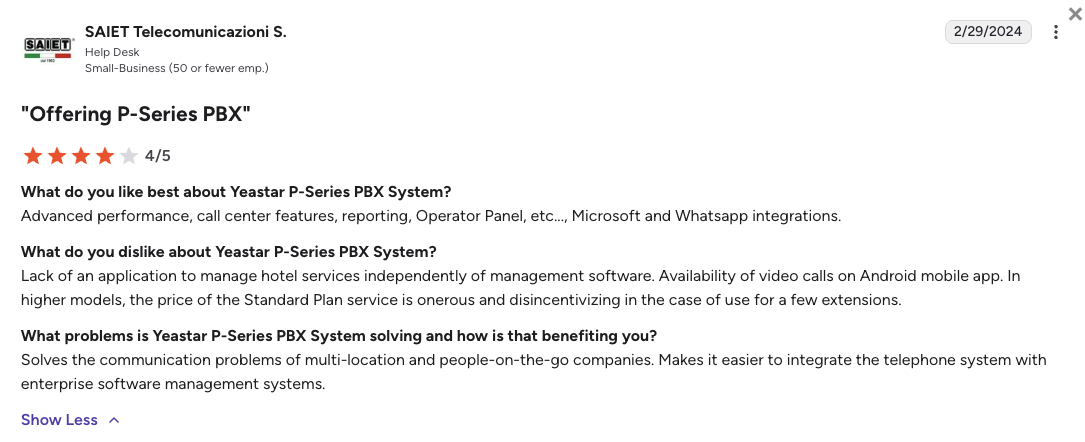
Former 3CX partners and IT administrators love Yeastar for its vendor-friendly culture and the sheer amount of granular control it offers over their telecom setup.
- True Partnership: MSPs constantly praise Yeastar for not forcing updates and providing incredibly fast, free live chat support.
- Smooth Migrations: IT directors are amazed by the backup ingestion tool, which saves them days of manual data entry when leaving 3CX.
- Learning Curve: While the interface is clean, non-technical business owners report that configuring advanced call queues requires a bit of telecom expertise.
How G2 Users Rate Yeastar P-Series?
Yeastar’s current G2 rating is 4.8/5, out of 80+ verified user reviews.
3. Nextiva: Best for Customer-Focused SMBs Needing Fully Managed UCaaS
What Is Nextiva?
Nextiva is a heavy-hitting UCaaS (Unified Communications as a Service) platform, built specifically for massive, distributed organizations like healthcare and financial institutions that absolutely require zero downtime during their migration.
Nextiva bundles voice, video, and messaging into a single, fully managed platform. If you want a safe, predictable phone system and responsive human support, Nextiva is a great alternative to 3CX.
Why Is Nextiva a Strong 3CX Alternative?
-
Fully Managed Reliability: Nextiva completely removes the “Do-It-Yourself” burden of 3CX. It handles the servers, the carriers, and the network stability, backing everything with a 99.999% uptime guarantee.
-
Real Human Support: Instead of paying $75 per ticket for 3CX support, Nextiva offers 24/7 dedicated, hands-on technical support to help you troubleshoot issues or set up complex routing rules.
-
Zero Infrastructure Costs: Nextiva includes your routing features and generous text message limits right out of the box, avoiding the unexpected third-party fees associated with self-hosted PBX software.
What Are the Pros & Cons of Nextiva?
| Pros | Cons |
|---|---|
| Decent customer support: Highly responsive human support teams that actually stay on the phone until issues are fixed. | Clunky admin dashboard: The backend settings are famously confusing and can be overwhelming for non-technical users. |
| Enterprise-grade uptime: Backed by a 99.999% SLA, virtually eliminating the risk of sudden mid-day outages. | Expensive international calling: Heavy global dialing is often relegated to higher premium tiers compared to competitors. |
| Unified platform: Seamlessly bundles your voice calls, video meetings, and internal team chat into one application. | Steep pricing jumps: Getting access to their full contact center capabilities requires a massive upgrade in subscription tiers. |
What Are Nextiva’s Plans & Pricing?
Nextiva pricing starts at $15/user/month (billed annually), with the following main plans:
- Core – $15/user/month
- Engage – $25/user/month
- Scale – $75/user/month
- Professional – Quote-based (Enterprise plans)
Watch the feature gates:
Nextiva’s base plan is great for simple calling, but essentials like call recording and CRM integrations require an upgrade to the Engage or Scale tiers.
What Are Nextiva Customers Saying?
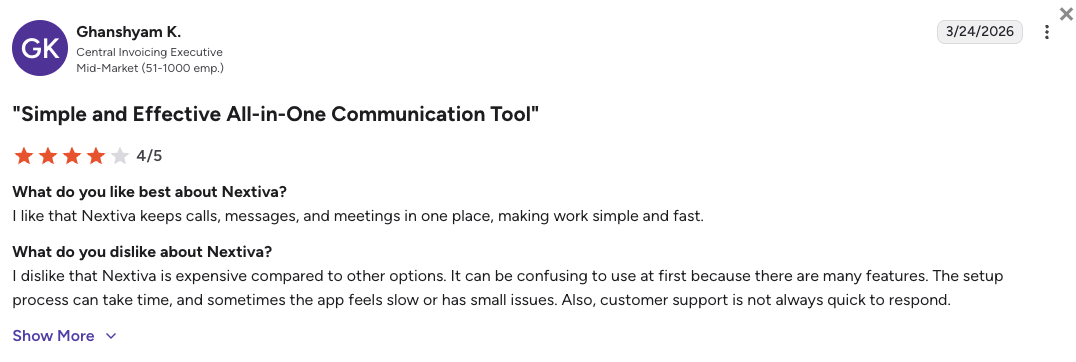
Nextiva users appreciate the platform’s unbreakable stability and the company’s intense focus on customer service, though some mention the software can feel a bit bloated.
- Unmatched Support Quality: Users constantly highlight how helpful and responsive Nextiva’s onboarding and technical support teams are.
- Clear Audio: Reviewers love the enterprise-grade call quality, noting that calls don’t randomly drop like they did on older systems.
- Admin Friction: Several operations managers point out that navigating the backend settings to make simple routing changes takes too many clicks.
How G2 Users Rate Nextiva?
Nextiva’s current G2 rating is 4.5/5, out of 3,400+ verified user reviews.
4. Dialpad: Best for Real-Time Conversational AI and Live Transcripts
What Is Dialpad?
Dialpad is a modern, AI-native UCaaS platform designed for tech-savvy, remote-first teams. Instead of just replacing your desk phone, Dialpad focuses heavily on pulling smart data from every conversation. It is perfect for organizations that want artificial intelligence actively helping their reps during live calls, rather than just reading summaries after the fact.
Why Is Dialpad a Strong 3CX Alternative?
-
Built-in Real-Time AI: 3CX gatekeeps advanced transcription behind complex custom setups. Dialpad includes its proprietary Voice Intelligence natively, giving agents live coaching pop-ups and instant transcriptions without extra per-minute fees.
-
Browser-Native Deployment: Dialpad bypasses the headache of 3CX’s broken STUN support for remote phones. It deploys perfectly via a sleek web browser, letting remote teams work from anywhere seamlessly.
-
Unified Workspace Consolidation: It combines your internal team chat, external calling, and video meetings into one single app, entirely replacing disjointed legacy tech stacks.
What Are the Pros & Cons of Dialpad?
| Pros | Cons |
|---|---|
| Real-time AI coaching: Instant pop-up cheat sheets help guide agents through difficult customer questions while they are on the phone. | Lacks heavy outbound tools: It doesn’t feature the aggressive power dialers needed by high-velocity sales floors. |
| Hardware-free deployment: Completely cloud-native and works perfectly from a web browser or mobile app with zero hardware needed. | CRM gates: Crucial business integrations like Salesforce are locked behind the more expensive Pro tier. |
| No mandatory minimums: Single users and small teams can sign up without being forced into artificial seat minimums. | Support restrictions: 24/7 technical support is only available if you upgrade to the higher-priced subscription levels. |
What Are Dialpad’s Plans & Pricing?
Dialpad pricing starts at $15/user/month (billed annually), with the following plans:
- Standard – $15/user/month
- Pro – $25/user/month
- Essentials – $39/user/month
- Advanced – $95/agent/month (ideal for contact centers)
Integration costs to consider:
Dialpad’s $15 starting price is very attractive, but if your team requires Salesforce integration to function, you are forced to jump to the $25/month Pro plan and commit to an annual invoice.
What Are Dialpad Customers Saying?
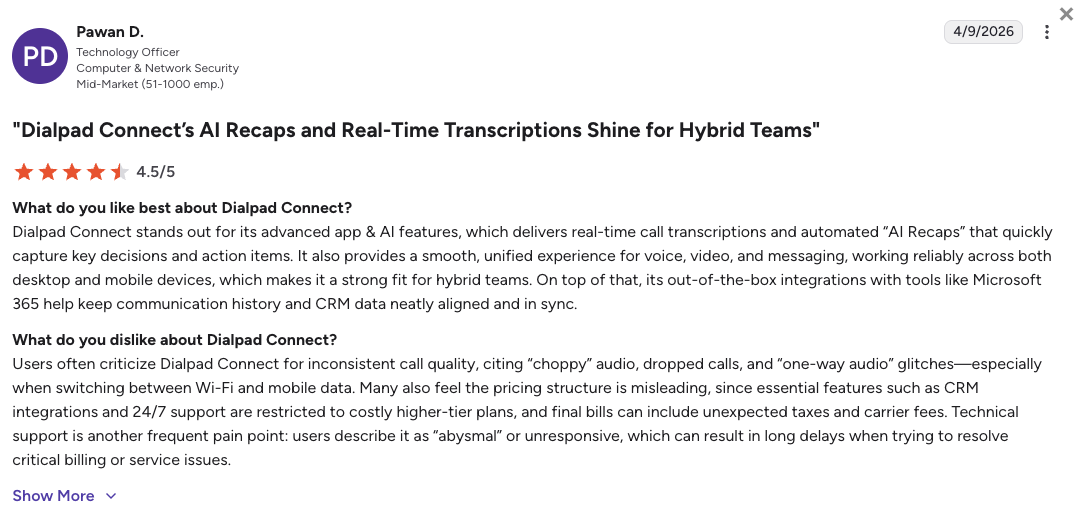
Customers love Dialpad for its amazing AI features and remote-work flexibility, but note it might not be aggressive enough for heavy outbound sales teams.
- Transformative AI: Users rave about the automated recaps and real-time transcripts that effortlessly capture meeting decisions.
- Perfect for Remote Work: Teams love how easily they can flip active calls between their desktop computers and mobile phones while walking around.
- Not for Power Dialing: Sales managers note that Dialpad is over-engineered for simple calling and lacks the rapid auto-dialers dedicated sales tools offer.
How G2 Users Rate Dialpad?
Dialpad’s current G2 rating is 4.4/5, out of 5,500+ verified user reviews.
5. RingCentral (RingEX): Best for Massive Global Enterprises Needing UCaaS
What Is RingCentral?
RingCentral (specifically their RingEX platform) is the undisputed leader of the enterprise cloud communications market. The platform is built for massive, complex organizations (think 1,000+ employees) that demand absolute regulatory compliance, exhaustive integration libraries, and excellent global reliability to replace their legacy PBX networks.
Why Is RingCentral a Strong 3CX Alternative?
-
Unmatched Integration Library: When comparing RingCentral vs 3CX for enterprise setups, RingCentral boasts over 500 verified business application integrations, fitting perfectly into any massive corporate tech stack.
-
Rigorous Compliance: RingEX offers top-tier security controls and data privacy certifications (like HIPAA and SOC 2), completely solving the security fears lingering from 3CX’s 2023 supply chain attack.
-
Fully Managed Global Infrastructure: RingCentral provides local public network support in over 45 countries with a 99.999% uptime guarantee, making you forget about juggling regional carriers.
What Are the Pros & Cons of RingCentral?
| Pros | Cons |
|---|---|
| Massive integration catalog: Verified connections to over 500 different CRMs, helpdesks, and enterprise tools. | Overwhelming admin panel: The backend is notoriously dense and complex, and requires a dedicated IT administrator to manage. |
| Enterprise-grade reliability: A patented, global network that easily handles multi-national corporate routing without dropping calls. | Strict text limits: The base tier restricts users to a very frustrating 25 SMS messages per month. |
| Top-tier security: Features rigorous compliance frameworks necessary for the healthcare, legal, and financial sectors. | Expensive AI add-ons: Accessing their new conversational AI tools often requires costly premium upgrades. |
What Are RingCentral’s Plans & Pricing?
RingCentral pricing starts at $20/user/month (billed annually), scaling quickly as advanced comms modules are added:
- Core – $20/user/month (Billed annually)
- Advanced – $25/user/month (Billed annually)
- Ultra – $35/user/month (Billed annually)
- RingCX Standard – $65/user/month
- RingCX Professional – $95/user/month
The upgrade path to consider:
While RingCentral’s $20 Core plan gets you in the door, it acts almost like a trial for texting by enforcing a strict 25 SMS message limit per user. Furthermore, if your team needs essential tools like automatic call recording or vital Salesforce integrations, you are forced to bypass the base tier entirely and immediately upgrade to the $25 Advanced plan.
What Are RingCentral Customers Saying?
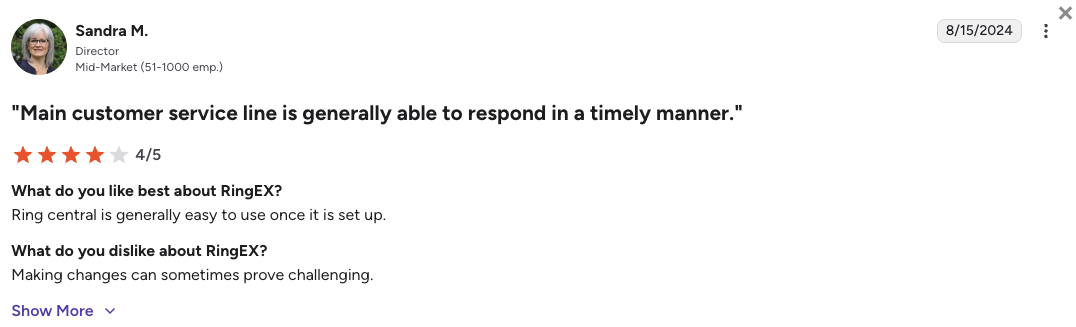
RingCentral users highly respect the platform’s uptime and scale, but often complain about the confusing interface and decentralized support.
- Incredible Stability: IT directors love that the platform simply does not go down, scaling perfectly across multiple international offices.
- A True All-in-One: Users appreciate having one massive tool for external calls, video conferencing, internal chat, and even digital faxing.
- Poor Customer Support: Admins frequently report that getting technical help involves getting bounced between various offshore support departments, causing frustrating delays.
How G2 Users Rate RingCentral?
RingCentral’s current G2 rating for its RingEX suite is 4.2/5, out of 1,350+ verified user reviews.
6. Aircall: Best for CRM-Centric Teams Prioritizing a Simple Interface
What Is Aircall?
Aircall is a highly polished, integration-heavy cloud phone system that targets e-commerce startups and fast-growing modern brands. Aircall is famous for completely ditching complex IT menus in favor of a clean, simple app that connects instantly to major databases. If your team lives entirely inside HubSpot or Zendesk, Aircall is built to sit perfectly on top of those platforms.
Why Is Aircall a Strong 3CX Alternative?
-
Frictionless Database Sync: Aircall replaces 3CX’s complicated, custom-coded setups with simple 1-click connections. It links perfectly with major customer databases like HubSpot in seconds, putting an end to missing call logs.
-
Lightning-Fast Deployment: You can completely bypass the slow, server-heavy setup of a PBX. Aircall lets you buy numbers and set up routing rules in under an hour without touching any code.
-
Modern, Simple Interface: It completely abandons the confusing, outdated legacy menus of 3CX, providing a sleek app that requires practically zero training for new agents to use.
What Are the Pros & Cons of Aircall?
| Pros | Cons |
|---|---|
| Instant CRM integrations: Flawless, native connections that automatically log call data directly into tools like HubSpot. | Strict 3-seat minimum: You are forced to buy at least three licenses, making the actual starting price $90 per month. |
| Highly intuitive app: The design is incredibly clean, allowing new hires to start taking calls on day one with zero confusion. | Expensive AI upgrades: Agent-assist AI and automatic summaries cost an extra $9 to $49 per user monthly. |
| Fast onboarding: Non-technical managers can easily build IVR menus and buy local numbers in just a few clicks. | Feature gating: Critical sales tools like Power Dialers are locked entirely behind their $50/month Professional tier. |
What Are Aircall’s Plans & Pricing?
Aircall pricing starts at $30/user/month (billed annually, 3-user minimum), with the following plans:
- Essentials – $30/user/month
- Professional – $50/user/month
- Custom – Quote-based pricing
Mind the mandatory minimums:
Aircall strictly enforces a three-seat minimum on all plans. This means that lean teams or solo operators face a very steep $90 monthly floor just to get in the door.
What Are Aircall Customers Saying?
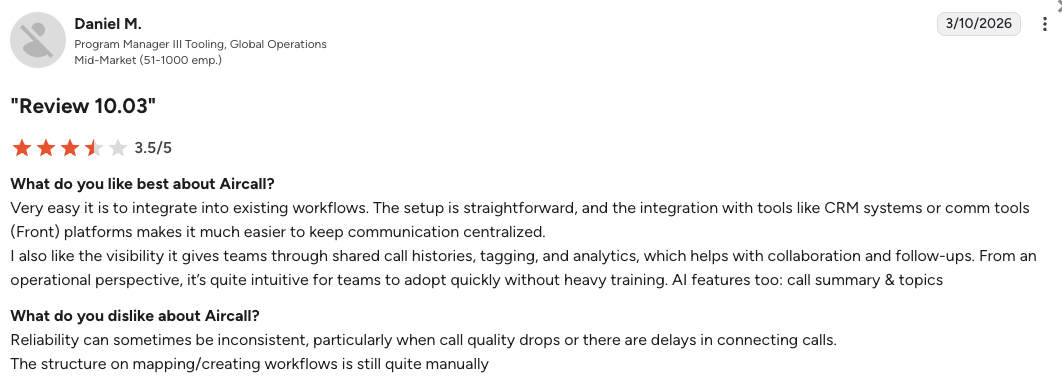
Users love how fast they can get Aircall up and running, but often voice frustration over the compounding costs of add-ons and seat limits.
- Massive Time Saver: Support agents rave about how the native CRM pop-ups save them hours of manual data entry every single week.
- Beautiful UX: Managers appreciate the clean design, noting that it looks and feels like modern software compared to older telecom tools.
- Unexpected Bills: Some users report frustration over the strict billing model, noting that adding basic analytics or AI tools drastically inflates their invoices.
How G2 Users Rate Aircall?
Aircall’s current G2 rating is 4.4/5, out of 1,500+ verified user reviews.
7. Microsoft Teams Phone: Best for Organizations Consolidating the Microsoft 365 Stack
What Is Microsoft Teams Phone?
Microsoft Teams Phone is the ultimate solution for mid-market and enterprise businesses that are already deeply entrenched in the Microsoft 365 ecosystem.
Instead of using a separate desktop app for calling, MS Teams Phone completely absorbs your PBX capabilities directly into the Teams interface you already use for chat and video. The platform is the most logical step for businesses on MS Teams looking to totally consolidate their software stack.
Why Is Microsoft Teams Phone a Strong 3CX Alternative?
-
Total Ecosystem Consolidation: MS Teams Phone completely removes the need for a separate 3CX application, allowing your team to handle internal files, video meetings, and external client calls from a single pane of glass.
-
Flexible Carrier Options: Through Direct Routing, you can actually keep your existing telecom providers and contracts while upgrading your front-end interface, making the transition away from 3CX much smoother.
-
Enterprise-Grade Security: The platform operates under Microsoft’s massive security umbrella and Purview compliance tracking, providing a safe harbor for organizations concerned by 3CX’s 2023 supply chain vulnerabilities.
What Are the Pros & Cons of Microsoft Teams Phone?
| Pros | Cons |
|---|---|
| Seamless Microsoft sync: Perfectly integrates with Outlook, SharePoint, and your existing Microsoft contacts. | Requires enterprise licensing: You usually need an existing Microsoft E3 or E5 enterprise license to easily add the phone capabilities. |
| Bring Your Own Carrier: Allows you to keep your current telecom contracts while using the modern Teams interface. | Weak contact center features: Lacks the advanced, skill-based routing and auto-dialers needed by dedicated sales floors. |
| Microsoft Copilot AI: Offers powerful, AI-generated call summaries and action items if you subscribe to Copilot. | Complex setup process: Connecting your existing phone carrier to the Teams interface requires a high level of technical IT certification. |
What Are Microsoft Teams Phone’s Plans & Pricing?
While Microsoft Teams Phone pricing officially starts at $10/user/month, it operates primarily as a license add-on to your existing Microsoft 365 subscription (billed annually).
- Teams Phone Standard – $10/user/month
- Teams Phone with pay-as-you-go calling – $13/user/month (US region)
- Teams Phone with Calling Plan – $17/user/month (bundles domestic minutes natively)
The Contact Center limitation:
Teams Phone is great for basic office communication, but it lacks the advanced features needed for high-volume sales floors or complex support queues. If you need dedicated contact center routing, you will likely need to plug a third-party app into Teams.
What Are Microsoft Teams Phone Customers Saying?
MS Teams Phone customers enjoy having everything in one app, but IT admins often note that setting up complex calling features can be an administrative headache.
- Ultimate Convenience: Everyday users love not having to switch between three different apps just to chat, call, and share files.
- Reliable Performance: Because it runs on Microsoft’s backbone, the audio quality and uptime are exceptionally stable.
- Hard to Route: Managers point out that setting up advanced call queues or hunt groups is surprisingly complicated compared to modern cloud providers.
How G2 Users Rate Microsoft Teams Phone?
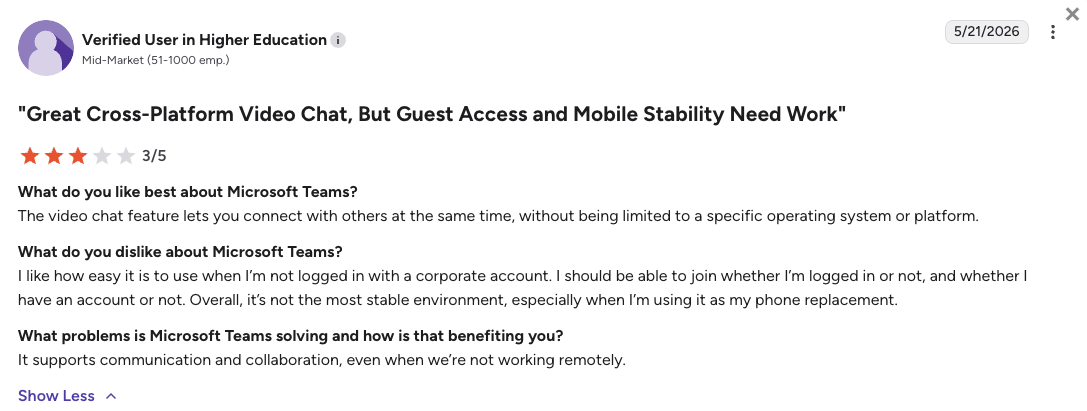
Microsoft Teams’s Phone product doesn’t have its own G2 rating page. The general Microsoft Teams rating on G2 is 4.4/5, based on more than 19,000 reviews.
8. Ringover: Best for Mid-Market Teams Needing Omnichannel Social Workflows
What Is Ringover?
Ringover is a sleek, highly intuitive cloud phone system that excels at optimizing outbound sales and multichannel customer support. Originating in Europe but expanding globally, Ringover is the perfect platform for businesses that need to seamlessly blend traditional voice calls with modern social messaging. If your team relies heavily on WhatsApp alongside phone calls, Ringover is a fantastic choice.
Why Is Ringover a Strong 3CX Alternative?
-
True Omnichannel Inbox: 3CX struggles heavily with social messaging. Ringover seamlessly pulls voice calls, WhatsApp threads, Instagram DMs, and Google reviews into a single, unified screen for your agents.
-
Predictable International Rates: Ringover offers unlimited calling to over 110 destinations for a flat monthly fee, completely removing the stress of 3CX’s unpredictable carrier minute charges.
-
Five-Minute Onboarding: The platform is famous for its clean interface, allowing non-technical managers to build phone menus and deploy numbers instantly without waiting on IT support.
What Are the Pros & Cons of Ringover?
| Pros | Cons |
|---|---|
| True omnichannel inbox: Manage voice calls, WhatsApp, and social media messages from a single screen. | Expensive sales tools: The Cadence Prospecting add-on costs a steep $59/user/month. |
| Fast onboarding: The clean design and simple setup mean new hires can learn the system instantly. | Metered AI billing: The AI Voice Agent charges per minute, which can cause unpredictable monthly bills. |
| Excellent support: Users love their highly responsive support team, a huge step up from 3CX. | Paywalled integrations: Connecting to Salesforce or HubSpot forces an upgrade to the $49/month Power plan. |
What Are Ringover’s Plans & Pricing?
Ringover pricing starts at $21/user/month (billed annually), with the following plans:
- Smart – $21/user/month
- Business – $44/user/month
- Advanced – $54/user/month
Note the AI tax:
Ringover’s smart tools are incredibly useful, but they come at a premium. Adding the Cadence prospecting tool or AI features to the base plans significantly raises your overall cost per user.
What Are Ringover Customers Saying?
Ringover users consistently praise the speed of deployment and the predictable international billing, but occasionally face hurdles when extracting raw data.
- Fast Agent Adoption: Managers appreciate how quickly new hires learn the system without needing heavy IT manuals.
- Great Coaching Tools: Sales leaders love the integrated live listening and whispering features to train new recruits right on the floor.
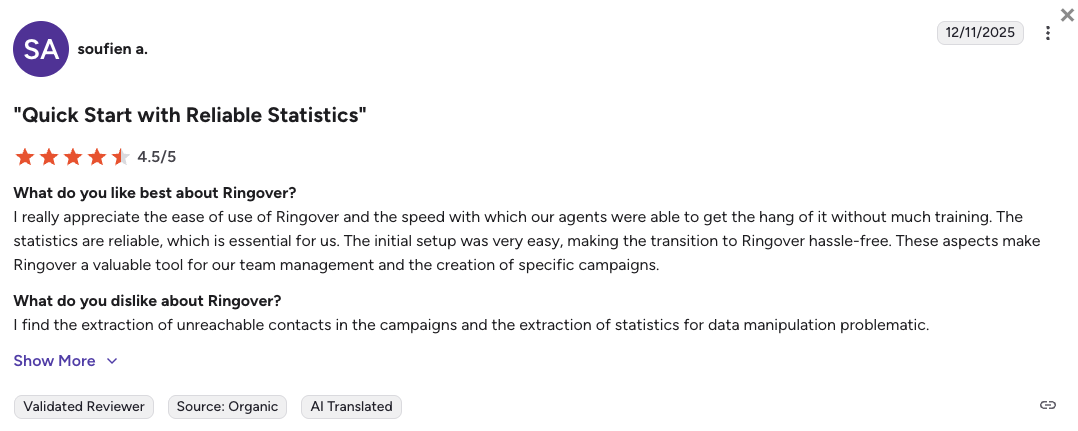
- Data Extraction Issues: Some users find exporting raw contact lists and analytics to external spreadsheets to be slightly problematic.
How G2 Users Rate Ringover?
Ringover’s current G2 rating is 4.6/5, out of 450+ verified user reviews.
9. JustCall: Best for Outbound Sales Running Automated SMS Sequences
What Is JustCall?
JustCall is a specialized revenue communications platform built explicitly for aggressive outbound sales floors and marketing teams. Instead of trying to be a basic office PBX, JustCall focuses purely on speed, pairing high-velocity auto-dialers with deep SMS automation. JustCall is the ideal upgrade for teams that feel constrained by 3CX’s passive inbound nature.
Why Is JustCall a Strong 3CX Alternative?
-
Automated SMS Workflows: 3CX notably lacks native, advanced SMS sequencing. JustCall allows your reps to automatically trigger personalized text messages directly from pipeline stage changes in HubSpot or Salesforce.
-
Built-in Auto Dialers: JustCall completely eliminates manual dialing by providing built-in predictive and power dialers, ensuring your sales reps spend their time talking to live leads instead of listening to ringtones.
-
Generous SMS Bundles: JustCall drastically cuts your texting bill by bundling up to 1,000 SMS segments directly into its subscription tiers, avoiding unpredictable pay-per-message fees.
What Are the Pros & Cons of JustCall?
| Pros | Cons |
|---|---|
| High-speed predictive dialers: Automates outreach for large sales floors, drastically increasing daily connection rates. | Strict 2-seat minimum: A mandatory minimum user requirement makes the advertised base price misleading for solo users. |
| CRM-triggered SMS: Automatically sends text messages to prospects based on specific actions taken in your CRM. | Metered AI transcription limits: The base plan strictly caps AI transcriptions at 60 minutes per month, punishing high-volume callers. |
| Texting allowances included: Generous SMS bundles prevent surprise mid-month invoice spikes for marketing teams. | Expensive integrations: Access to essential enterprise tools like Salesforce requires an upgrade to the costly Pro plan. |
What Are JustCall’s Plans & Pricing?
JustCall pricing starts at $29/user/month (billed annually, 2-user minimum), with the following plans:
- Team – $29/user/month
- Pro – $49/user/month
- Pro Plus – $89/user/month
- Business – Custom quote-based pricing
The easy-to-overlook AI limits:
JustCall’s SMS tools are great, but their AI pricing is highly frustrating. They cap transcription at just 60 minutes per user on the base plan, charging heavy overage fees once your reps exceed that tiny limit.
What Are JustCall Customers Saying?
JustCall customers appreciate the sales-focused dialers, but frequently mention pricing hurdles when they need to scale up their usage.
- Massive Dialing Speed: Sales managers love how the automated dialers keep their reps on the phone talking to live prospects all day.
- Great CRM Triggers: Users appreciate that texts and calls fire automatically based on CRM rules, saving time on manual follow-ups.
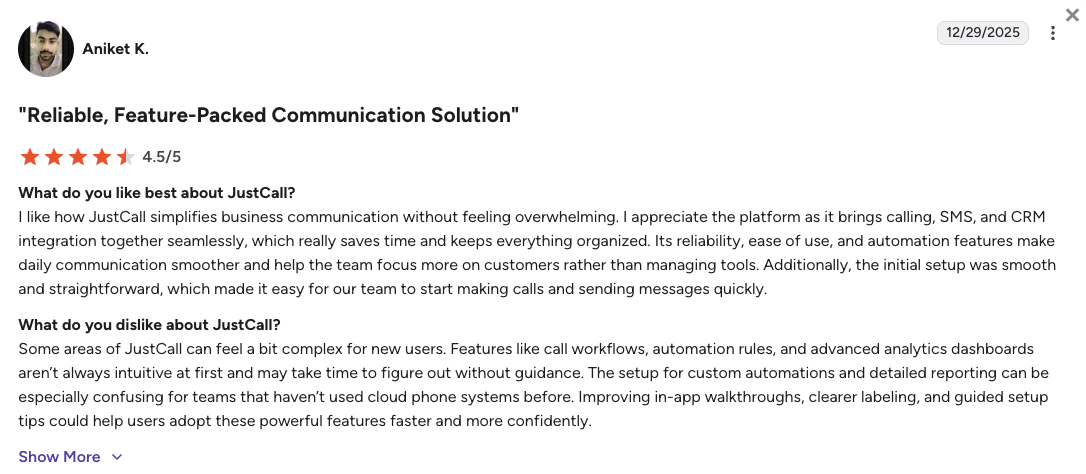
- Scalability Hurdles: Users report frustration with being stuck on certain tiers because unlocking more AI minutes or basic API access requires large price jumps.
How G2 Users Rate JustCall?
JustCall’s current G2 rating is 4.3/5, out of 2,300+ verified user reviews.
10. Zoom Phone: Best for Internal Collaboration and Video-First Communications
What Is Zoom Phone?
Zoom Phone leans on the massive popularity of Zoom’s video conferencing tools to provide a simple, highly reliable digital phone system. The platform is built specifically for businesses that already use Zoom for internal meetings and want to easily add external calling capabilities without buying separate software. Zoom Phone is one of the most cost-effective direct PBX replacements on the market.
Why Is Zoom Phone a Strong 3CX Alternative?
-
Familiar Interface: Moving away from the confusing v20 update on 3CX is easy with Zoom Phone. Your team already knows how to use the Zoom app, meaning practically zero retraining is required.
-
Affordable Base Plans: From a purely financial standpoint, Zoom Phone is highly disruptive. It offers unlimited domestic calling plans at a price point that easily competes with 3CX’s cheap initial software license.
-
Zero Server Maintenance: It completely neutralizes the basic routing functionalities of legacy hardware, giving you auto-attendants and call queues entirely in the cloud.
What Are the Pros & Cons of Zoom Phone?
| Pros | Cons |
|---|---|
| Incredibly cost-effective: Offers some of the most affordable unlimited domestic calling plans on the market. | Not for contact centers: Completely lacks the advanced power dialers and deep skill-based routing needed by heavy sales floors. |
| Highly reliable network: Backed by Zoom’s massive global video and voice infrastructure for flawless call quality. | Constant upsells: The interface frequently pushes users to adopt other, sometimes unnecessary products in the Zoom ecosystem. |
| Unified video and voice: Instantly elevate a standard phone call into a full high-definition video meeting with one click. | Opaque enterprise pricing: Deep enterprise integrations and advanced features always require custom quotes. |
What Are Zoom Phone’s Plans & Pricing?
Zoom Phone pricing starts at $10.50/user/month (Metered, billed annually), with the following main plans:
- US & Canada Metered – $10.50/user/month
- US & Canada Unlimited – $16/user/month
- Workplace Pro Plus – $20.50/user/month (Bundles premium video and phone)
Understanding the use case:
Zoom Phone is undeniably the most logical, frictionless choice if you just need basic office calling. However, it remains entirely inadequate if you are trying to run a metrics-driven call center.
What Are Zoom Phone Customers Saying?
IT Managers migrating from legacy systems report that Zoom Phone is exceptionally reliable, though they warn it lacks deep outbound features.
- Unbelievably Easy Setup: Administrators note the absolute relief of migrating to Zoom, stating it just works right out of the box.
- Great Audio Quality: Users consistently rate the voice clarity very highly, leveraging the same tech that powers their video meetings.
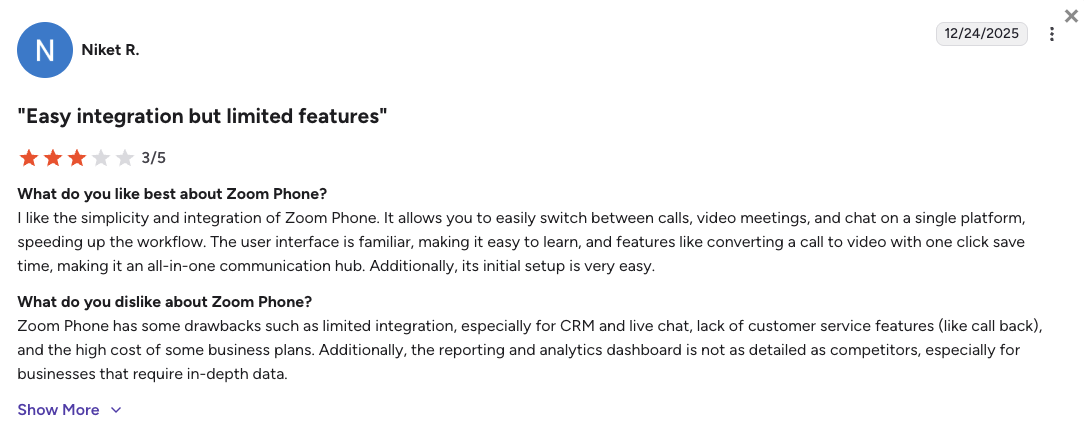
- Basic Routing: Operations leaders mention that the call queues are great for simple departments, but fail when trying to set up complex, tiered support routing.
How G2 Users Rate Zoom Phone?
Zoom Phone’s current G2 rating is 4.6/5, out of 2,600+ verified user reviews.
What Users Are Really Saying About 3CX Alternatives and Competitors
Review sites are helpful, but public forums show what it’s really like to use the software every day. Teams are exploring alternatives to 3CX because of strict support rules, unexpected updates, and the ongoing hassle of managing servers. While traditional IT setups look at lateral PBX moves, growing sales and support teams consistently upgrade to more modern, fully managed cloud platforms.
What Redditors Are Asking and Saying about 3CX Alternatives
On forums like r/sysadmin and r/3CX, administrators frequently swap advice on how to handle the transition away from 3CX:
-
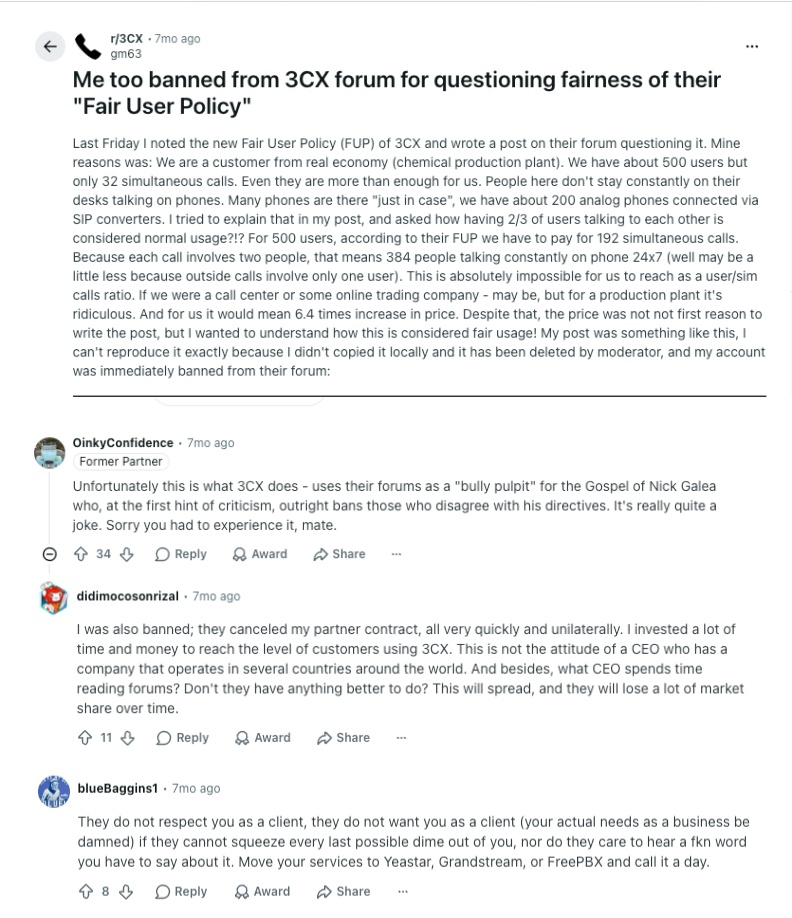
Sudden forum bans and the new FUP: Users complain that the new Fair Usage Policy causes massive price hikes for high-headcount environments by enforcing strict extension limits. In one highly active thread, a user reports being instantly banned from the forum and receiving direct, shocking emails from the CEO simply for questioning the pricing. While IT folks in these threads suggest moving to Yeastar or FreePBX, businesses that want guaranteed, friendly help use this as a cue to switch to a fully supported platform like CloudTalk.
-
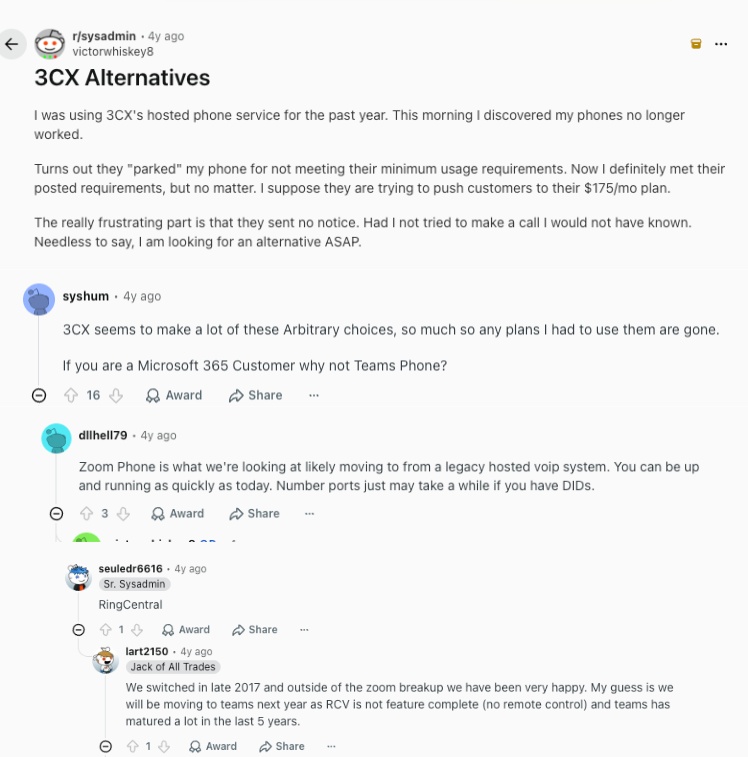
Escaping arbitrary vendor choices: In broader IT communities like r/sysadmin, admins are abandoning 3CX due to its history of forcing arbitrary platform changes. Users share recommendations ranging from Zoom Phone to RingCentral, or self-hosting Asterisk. However, for teams looking to eliminate the headache of managing their own SIP trunks and complicated server configurations altogether, fully managed platforms like CloudTalk become the obvious upgrade.
-
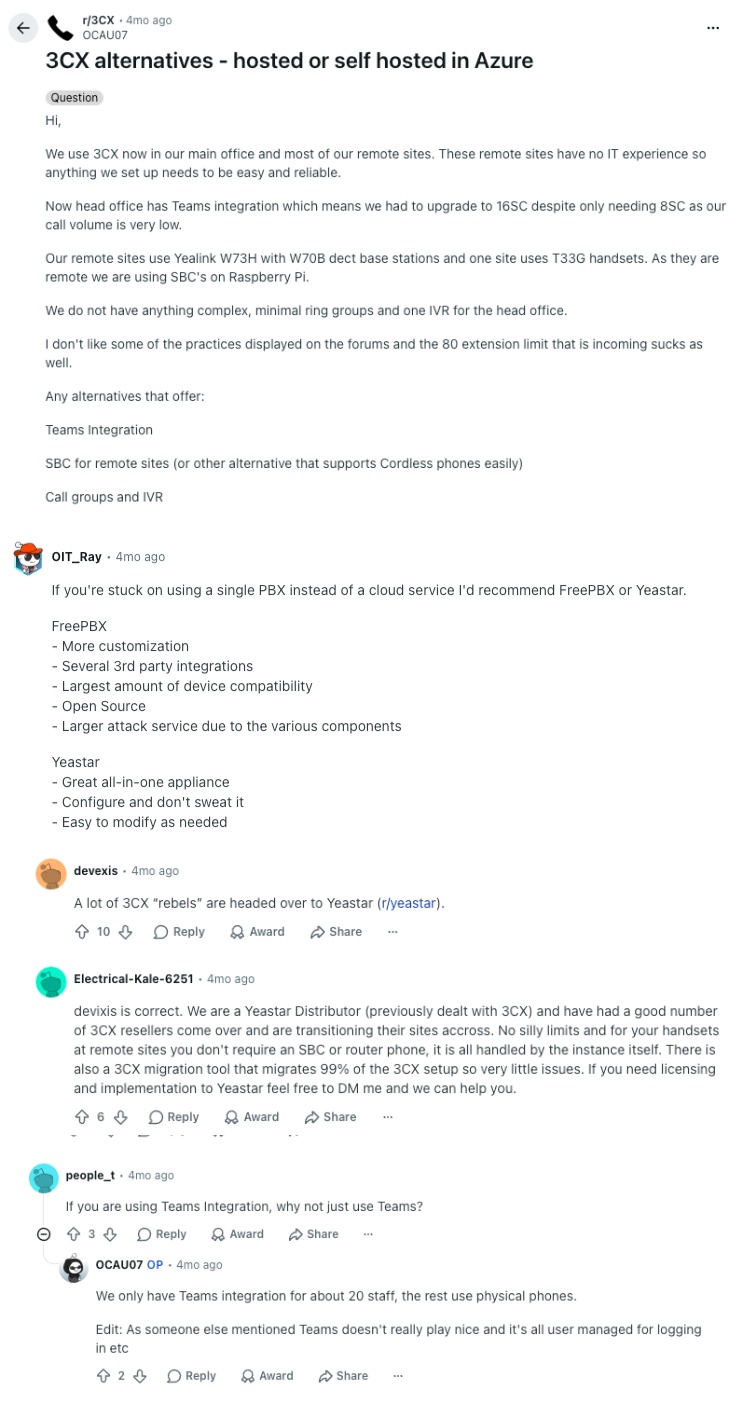
The hassle of Azure self-hosting and SBCs: When debating whether to host a new PBX in Azure, technical teams highlight the pain points of legacy setups, such as dealing with Session Border Controllers (SBCs) for remote phones or the login nightmares associated with MS Teams integration. While many 3CX “rebels” discuss migrating to Yeastar to retain PBX control, businesses that want a completely hands-off, cloud-native phone system choose CloudTalk to handle the routing and hosting automatically.
How Verified G2 Reviewers Compare 3CX to Its Alternatives
Review sites show what software buyers look for when comparing options. G2 data shows that users rank 3CX lower than cloud competitors when it comes to onboarding, administration, and daily support.
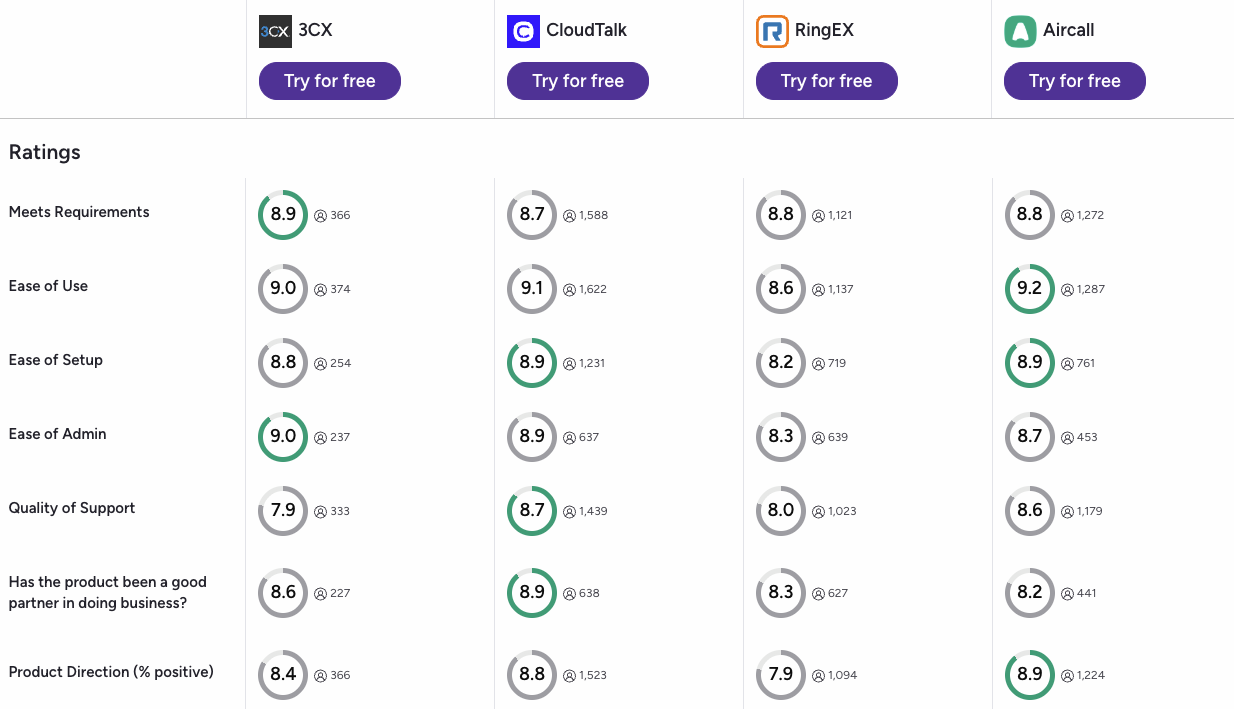
Looking at the aggregate score metrics from verified software buyers on G2, the data highlights clear performance differences across the major competitors:
-
The Quality of Support Gap: 3CX is frequently cited for its limited direct support options, scoring a 7.2 out of 10 in this category. In contrast, modern teams rate the support for cloud platforms much higher, with CloudTalk leading at 8.7 out of 10, followed closely by Aircall at 8.6 out of 10 and RingEX at 8.3 out of 10.
-
Ease of Setup and Administration: Setting up a legacy PBX system often requires dedicated IT expertise. Reviewers rate 3CX at a 7.7 out of 10 for Ease of Setup and an 8.1 out of 10 for Ease of Admin. CloudTalk outscores 3CX in both categories with an 8.6 out of 10 for setup and an 8.8 out of 10 for admin, because it offers an intuitive dashboard that lets managers handle settings without technical friction.
-
Meeting Product Requirements: When it comes to how well the platforms actually fit day-to-day business needs, 3CX scores an 8.4 out of 10. Reviewers place 3CX cloud alternatives ahead for overall feature fit and usability, CloudTalk being 1st with 8.7 out of 10, Aircall an 8.6 out of 10, and RingEX an 8.5 out of 10.
CloudTalk vs. 3CX: Final Head-to-Head Comparison
Choosing between CloudTalk and 3CX comes down to your IT workload. 3CX requires you to source your own phone lines and cloud servers. CloudTalk is a fully managed, ready-to-use platform that handles the network for you.
Check out this direct, side-by-side comparison of how the two platforms stack up for growing teams.
3CX vs CloudTalk: The Final Comparison
| Category | CloudTalk | 3CX | Winner |
|---|---|---|---|
| Starting Price (annual billing) | $[cgv pricing_lite]/user/mo | Based on simultaneous calls (varies heavily) | CloudTalk |
| Minimum Users | 1 user | Depends on your simultaneous call license size | Tie |
| Infrastructure Management | Fully managed cloud (we handle the servers) | Self-hosted or third-party cloud (you manage it) | CloudTalk |
| Reliability & Uptime | 99.999% guaranteed network uptime | Depends entirely on your specific hosting provider | CloudTalk |
| Global Phone Numbers | Virtual numbers available in 160+ countries | Requires you to manually source and connect carriers | CloudTalk |
| AI Voice Agents | Native, autonomous virtual agents available as add-ons | Requires custom setups with third-party software | CloudTalk |
| Conversation Analytics | Simple, flat-rate monthly add-on | Charged unpredictably by the minute | CloudTalk |
| CRM Integrations | Automatic two-way sync (Salesforce, HubSpot, etc.) | Basic, manual data bridging required | CloudTalk |
| Smart Auto Dialers | Built-in Preview, Smart, Power, and Parallel modes | Relies entirely on your reps dialing manually | CloudTalk |
| Customer Support | 24/7 fast, direct human support (incl. phone on Expert) | Paid per-ticket or via community forums | CloudTalk |
| Native Video Conferencing | Requires a quick integration with Zoom or Google Meet | Built-in web video conferencing included | 3CX |
| On-Premise Installation | Strictly cloud-hosted (no local hardware needed) | Can be installed directly onto your physical servers | 3CX |
| G2 Rating | [cgv rating_g2] (1,800+ reviews) | 4.4/5 (400+ reviews) | CloudTalk |
| Free Trial | 14 days (No credit card required) | 30 days | 3CX |
One platform vs. multiple vendors:
For a growing team, time spent fixing IT issues is time taken away from your customers. With a self-hosted 3CX setup, a dropped call means you have to figure out if the problem is your cloud server, your phone carrier, or the software itself.
CloudTalk eliminates this guesswork. We manage the entire network for you, giving your team a single, reliable platform so you can focus on growing your business instead of playing IT support.
How to Choose the Right 3CX Alternative for Your Business?
When choosing the right 3CX alternative, think about your specific operational roadblocks rather than just looking at a feature list. Based on community questions and search trends, here is how to match your business needs to the right platform:
1. What Is the Best 3CX Alternative for Predictable Billing?
If you are tired of paying separate invoices for 3CX software, SIP trunks, and Azure servers, you need a fully managed cloud call center platform.
- Top Picks: CloudTalk and Nextiva are the best choices for cost predictability because they bundle your hosting, phone numbers, and software into one clear, per-user subscription.
2. Which 3CX Alternative Has the Best CRM Sync?
If your sales reps are losing hours every week manually typing notes because 3CX’s basic integrations keep dropping data, you need a system with true two-way syncing.
- Top Picks: CloudTalk is fantastic here, using native sync technology to ensure every call, text, and AI summary logs perfectly into major CRMs like HubSpot and Salesforce. Aircall is another great option, especially for support teams prioritizing a sleek, integration-heavy ecosystem.
3. What Is the Best 3CX Alternative for Omnichannel Support?
3CX struggles to blend traditional phone calls with modern social media messaging smoothly.
- Top Picks: Ringover wins this category by pulling voice calls, WhatsApp threads, and social media direct messages into a single, highly visual inbox for your agents.
4. Which 3CX Alternative Lets Me Keep Full PBX Control?
If you run an IT department or MSP and absolutely refuse to give up control over your hardware, but you are tired of 3CX’s hostile support culture, you need a direct PBX replacement.
- Top Picks: The Yeastar P-Series is the optimal lateral move, offering an automated backup tool that ingests your 3CX files and respects the traditional IT reseller model.
5. What Is the Best 3CX Alternative for Enterprise Compliance?
If the 2023 3CX supply chain attack broke your trust and you need a platform with government-grade security for a massive global workforce, you need an enterprise powerhouse.
- Top Picks: RingCentral (RingEX) provides the rigorous compliance tracking, SOC 2 certifications, and massive scalability required by global corporations exceeding 1,000 employees.
6. Overall, Which 3CX Alternative Is Best for Scaling SMB Teams?
If your growing business is blocked by 3CX’s manual dialing, complicated setup, and lack of AI automation, you need a modern contact center.
- Top Picks: CloudTalk stands out as the ultimate upgrade. It gives your sales and support teams the perfect mix of automated CRM workflows, built-in sales dialers (including Power and Parallel modes), and transparent pricing without the heavy costs of old enterprise software
Ready to Make the Switch from 3CX?
As verified user reviews across Reddit, Trustpilot, and G2 show, scaling teams usually leave 3CX because of three main roadblocks. They face highly disruptive forced updates, a severe lack of native CRM integration, and a massive cost of ownership related to server maintenance.
Here is what switching from 3CX to CloudTalk gets you immediately:
- Rock-Solid Cloud Infrastructure: Move from 3CX’s complex self-hosting requirements to CloudTalk’s fully managed global network, securing a 99.999% uptime guarantee without touching a single server.
- Predictable Billing: Stop paying three different companies for your phone system. CloudTalk bundles your software, international numbers, and routing into one transparent monthly invoice.
- Zero IT Bottlenecks: Replace 3CX’s frustrating manual configurations and hostile forum support with lightning-fast onboarding and a responsive 24/7 human support team.
- Automated CRM Workflows: Ensure every call, text, and AI summary logs perfectly into your customer database without your reps doing any manual typing.
Leave legacy systems behind
Sources:
- Fortinet: 3CX Desktop App Compromised
Frequently Asked Questions
about 3CX Alternatives
Find quick answers to the most common questions businesses have about 3CX and its modern cloud competitors.