10 Best LiveAgent Integrations to Supercharge Customer Support in [cgv actual_year]
TL;DR:
Here’s a list of the best LiveAgent integrations:
-
01
CloudTalk — Native calling, conversational AI, AI Voice Agents, and call transcripts
-
02
Salesforce — Share real-time deal info and contact data across both platforms
-
03
HubSpot — Align lifecycle data with tickets, trigger follow-up automations
-
04
Zapier — Build no-code workflows between LiveAgent and 5,000+ apps
-
05
Pipedrive — Push ticket data to deals and sync lead context across platforms
-
06
Front — Turn Front messages into tickets with all conversation history
-
07
Zoho CRM — Auto-update CRM contacts based on ticket activity
-
08
Freshdesk — Route escalations and sync tickets across helpdesk tools
-
09
ActiveCampaign — Launch campaigns based on support outcomes or tags
-
10
Stripe — View billing info and refund status inside customer profiles
Support slows down when tools work in parallel instead of in sync.
LiveAgent is built for responsive, omnichannel support, but without the right integrations, your team is stuck chasing info across tabs, logging tickets by hand, and responding without context.
That’s the chaos LiveAgent integrations are built to clean up.
By connecting LiveAgent with your CRM, billing tools, ecommerce platform, and voice system, you turn a reactive helpdesk into a proactive support engine—where every interaction is faster, smarter, and fully informed.
And it pays off fast: McKinsey reports that employees spend 1.8 hours a day just searching for information 1. Integrations slash that time and give your team hours back to focus on what matters—your customers.
So instead of listing every app under the sun, we curated 10 LiveAgent integrations that solve real problems. For each one, we’ll show you where it fits, what it fixes, and how it helps your team scale.
No more tab-switching. Just seamless workflows.

What Is a LiveAgent Integration?
A LiveAgent integration connects your helpdesk with other critical tools—like CRMs, phone systems, ecommerce platforms, and billing apps—so your data stays synchronized and your workflows stay fast.
Instead of jumping between systems or manually entering data, LiveAgent integrations help you automate repetitive tasks and give agents the full picture during every customer interaction.
Here’s what they do:
- Automate workflows: trigger emails, assign tasks, or update records when someone takes action
- Sync data: make sure contact info, deal status, and activity history stay up to date everywhere
- Trigger actions: set off alerts, create follow-ups, or move pipeline stages based on what happens in other tools
One high-impact example is CloudTalk’s integration with LiveAgent. It allows your team to:
- Log calls automatically into LiveAgent
- Match phone numbers to customer profiles in real time
- Trigger workflows or alerts based on missed calls or sentiment
Most LiveAgent integrations are powered by prebuilt apps, Zapier connectors, or the open LiveAgent API—so they’re fast to launch and easy to scale.
Want LiveAgent to talk to your dialer, VoIP, and helpdesk?
10 Best LiveAgent Integrations for [cgv actual_year]
Your LiveAgent setup is only as strong as the tools you connect it with.
But with hundreds of apps and plugins to choose from, where do you start?
We’ve picked 10 high-impact LiveAgent integrations for [cgv actual_year]—based on real use cases like customer support, CRM syncing, voice calling, and marketing automation. For each tool, we’ll show you what it does, how it connects to LiveAgent, and what it helps you improve.
Best LiveAgent Integrations:
| Software | Category | Key Benefit |
|---|---|---|
| CloudTalk | VoIP/AI | Native calling, conversational AI, AI Voice Agents and call transcripts |
| Salesforce | CRM | Share real-time deal info and contact data across both platforms |
| HubSpot | CRM + Marketing | Align lifecycle data with tickets, trigger follow-up automations |
| Zapier | Automation | Build no-code workflows between LiveAgent and 5,000+ apps |
| Pipedrive | CRM | Push ticket data to deals and sync lead context across platforms |
| Front | Shared Inbox | Turn Front messages into tickets with all conversation history |
| Zoho CRM | CRM | Auto-update CRM contacts based on ticket activity |
| Freshdesk | Helpdesk | Route escalations and sync tickets across helpdesk tools |
| ActiveCampaign | Marketing Automation | Launch campaigns based on support outcomes or tags |
| Stripe | Payments | View billing info and refund status inside customer profiles |
1. CloudTalk — Best for AI-Powered Calling & CRM Sync
What Is CloudTalk?
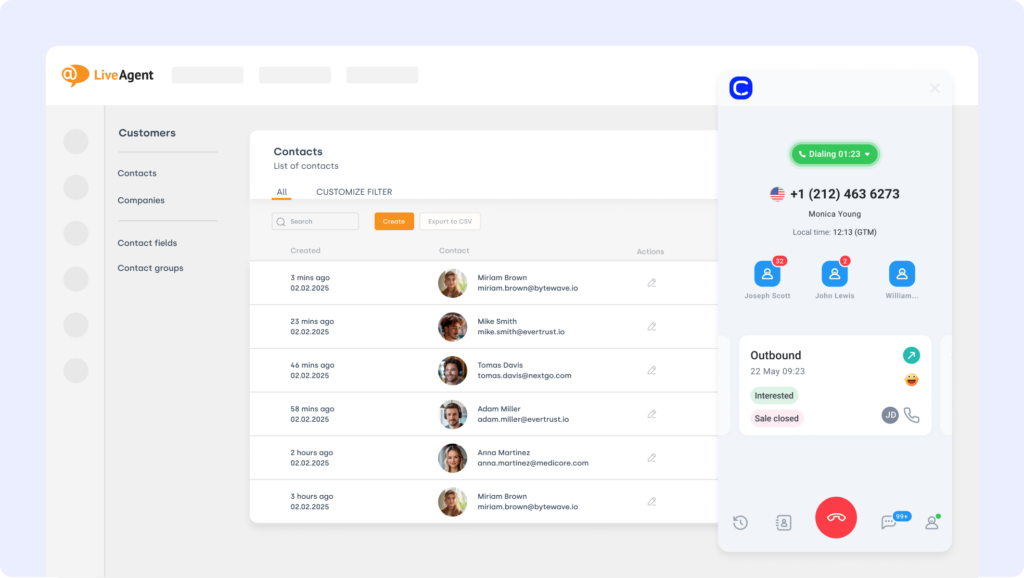
CloudTalk is a modern VoIP phone system built for high-volume support teams. The LiveAgent CloudTalk integration brings voice, sentiment analysis, and call recordings directly into your ticketing environment—no tab-switching required.
What Is CloudTalk For?
Make and receive CloudTalk calls inside LiveAgent while auto-logging call data, syncing transcripts, and matching customer records in real time—so your agents can focus on the customer, not the copy-paste.
What Are CloudTalk’s Benefits?
- Streamline support workflows with automated call logging
- Give agents instant caller context and conversation history
- Eliminate tab fatigue with native voice inside LiveAgent
What Are CloudTalk’s Key Features?
- Real-time call monitoring
- AI-Powered Conversation Intelligence
- Call recording and playback
- Sentiment Analysis
What Is CloudTalk’s Pricing?
CloudTalk offers flexible plans tailored to business needs:
- Lite: $[cgv pricing_lite]/user/month (Americas)
- Starter: $[cgv pricing_starter]/user/month
- Essential: $[cgv pricing_essential]/user/month
- Expert: $[cgv pricing_expert]/user/month
- Custom: Pricing available upon request
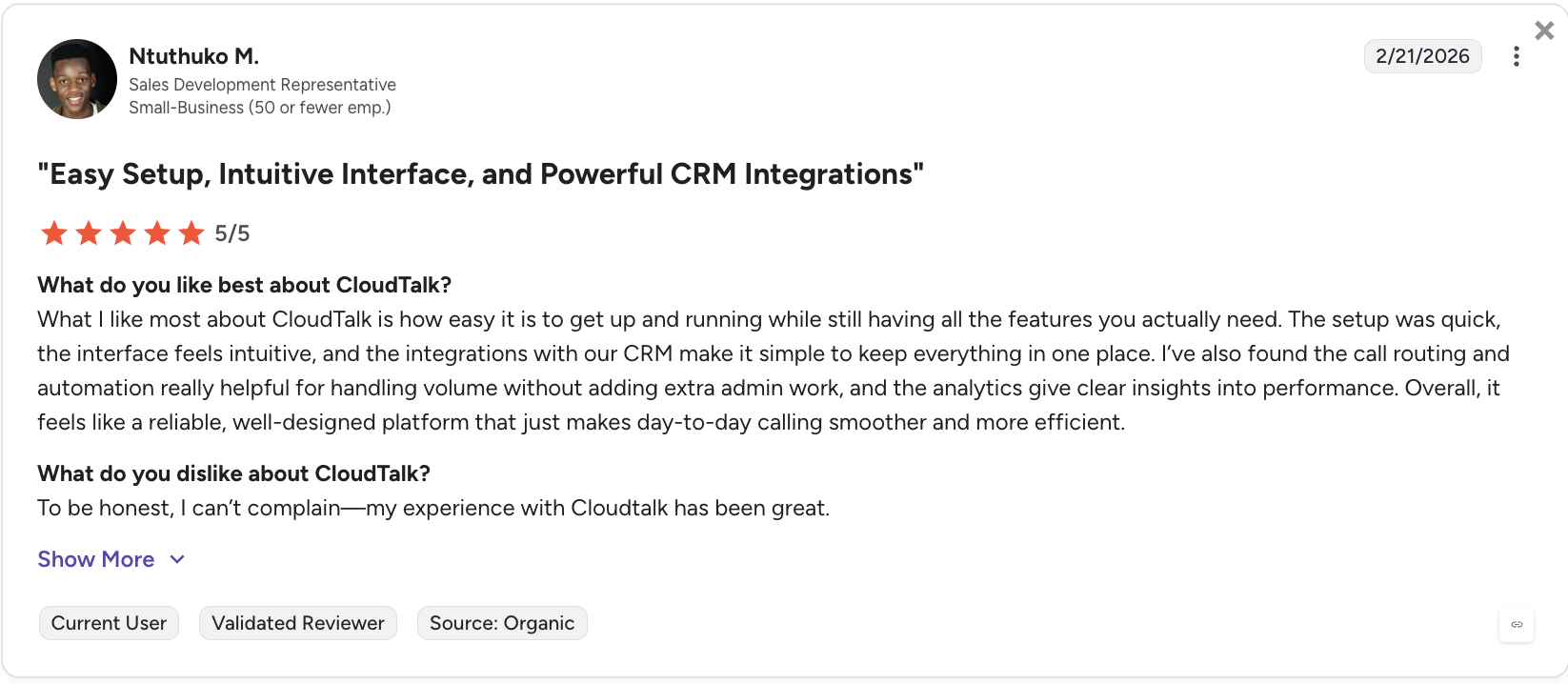
What Do Users Say About CloudTalk?
2. Salesforce — Best for Enterprise CRM & Sales Alignment
What Is Salesforce?
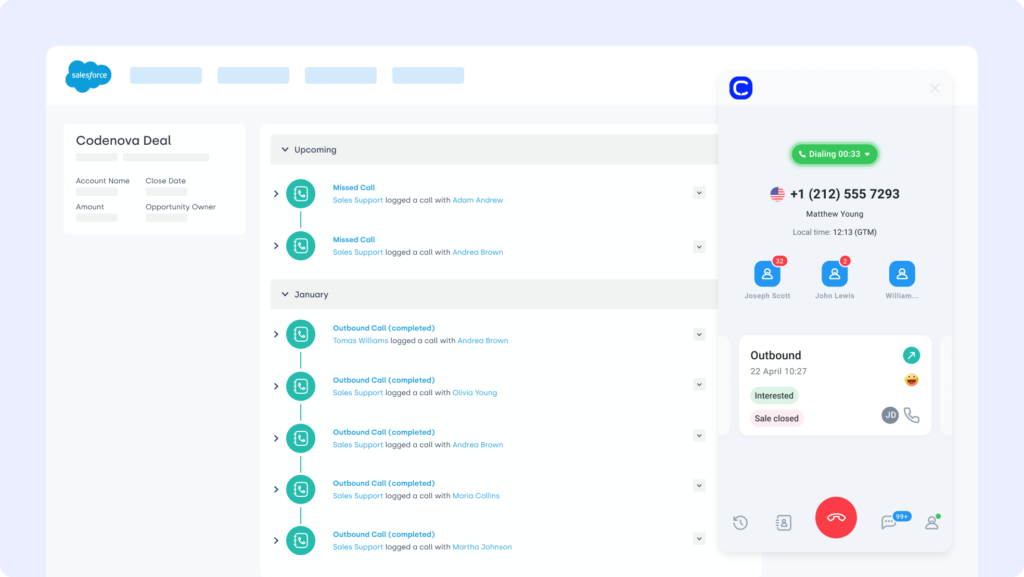
Salesforce is a leading CRM platform used to manage accounts, deals, and service activity. The LiveAgent Salesforce integration syncs CRM records with support interactions—giving agents a complete customer picture without jumping platforms.
What Is Salesforce For?
Sync contacts, cases, and ticket data between LiveAgent and Salesforce so both sales and support teams stay aligned on customer history and status.
What Are Salesforce’s Benefits?
- Share critical customer info across support and sales
- Eliminate manual data duplication between tools
- Improve resolution time with unified context
What Are Salesforce’s Key Features?
- Two-way syncing of contacts, tickets, and cases
- Push ticket updates from LiveAgent into Salesforce
- View Salesforce activity within LiveAgent tickets
What Is Salesforce’s Pricing?
Salesforce offers 4 pricing tiers:
- Sales Cloud Essentials: $25/user/month
- Sales Cloud Professional: $75/user/month
- Sales Cloud Enterprise: $150/user/month
- Sales Cloud Unlimited: $300/user/month
3. HubSpot — Best for Connecting Support & Marketing Workflows
What Is HubSpot?
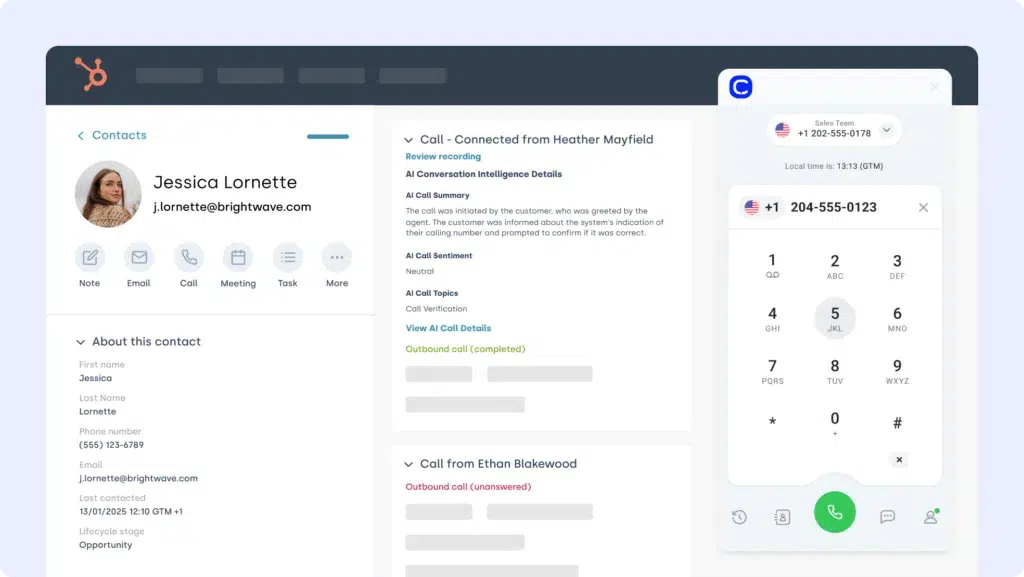
HubSpot is a powerful CRM and marketing automation suite. The LiveAgent HubSpot integration helps support and sales stay aligned by syncing contacts, timelines, and lifecycle stages between both platforms.
What Is HubSpot For?
Trigger HubSpot workflows based on LiveAgent ticket updates, sync contact data, and surface CRM activity in your agent workspace.
What Are HubSpot’s Benefits?
- Unify CRM and support data for smoother customer handoffs
- Launch marketing automations from ticket tags or outcomes
- Keep customer profiles accurate and up to date across tools
What Are HubSpot’s Key Features?
- Bi-directional sync of contact and timeline data
- Trigger HubSpot sequences from support events
- Log ticket activity into HubSpot CRM views
What Is HubSpot’s Pricing?
HubSpot offers a free CRM plan, with paid tiers depending on your team’s size and needs. See HubSpot pricing for details.
4. Zapier — Best for No-Code Workflow Automation
What Is Zapier?
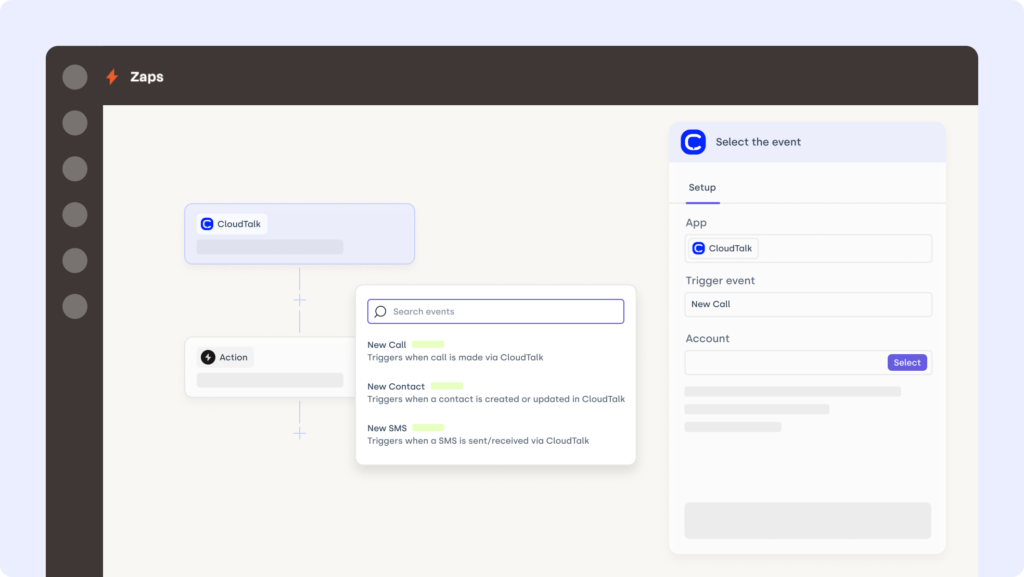
Zapier is a no-code automation tool that connects 5,000+ apps. The LiveAgent Zapier integration helps automate ticket routing, alerts, contact syncs, and status updates—without touching a single line of code.
What Is Zapier For?
Trigger actions like sending Slack alerts for new tickets, logging issues in Google Sheets, or updating CRMs from LiveAgent activity.
What Are Zapier’s Benefits?
- Build custom workflows that trigger from ticket events
- Save time on manual data entry and follow-ups
- Connect LiveAgent to almost any tool instantly
What Are Zapier’s Key Features?
- Use LiveAgent as trigger or action in Zapier workflows
- Connect support activity with marketing, sales, and ops tools
- Filter triggers based on tags, channels, or ticket status
What Is Zapier’s Pricing?
Zapier offers various pricing tiers:
- Free: $0/month
- Starter: $19.99/month (billed annually)
5. Pipedrive — Best for Linking Support Tickets to Sales Deals
What Is Pipedrive?
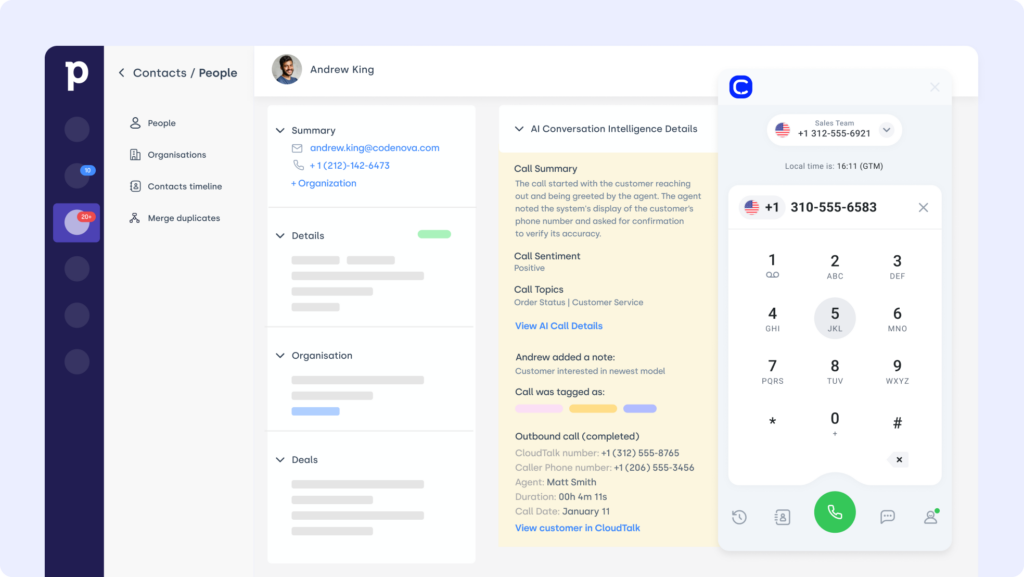
Pipedrive is a sales-focused CRM with a visual pipeline and automation tools. The LiveAgent Pipedrive integration connects support conversations to deal progress—ensuring sales and service teams stay in sync.
What Is Pipedrive For?
Log LiveAgent tickets to Pipedrive deals automatically and trigger CRM updates based on ticket resolution or customer feedback.
What Are Pipedrive’s Benefits?
- Keep support and sales aligned with shared data
- Automate deal progression based on ticket outcomes
- View customer issues alongside deal timelines
What Are Pipedrive’s Key Features?
- Sync ticket notes and updates to Pipedrive contacts
- Trigger Pipedrive automations from LiveAgent events
- Surface support data in sales dashboards
What Is Pipedrive’s Pricing?
Pipedrive offers flexible plans based on team size and needs:
- Essential: $14/user/month
- Advanced: $29/user/month
- Professional: $59/user/month
- Power: $69/user/month
- Enterprise: $99/user/month
Find out more about Pipedrive here.
6. Front — Best for Centralizing Team Inboxes & Ticket Context
What Is Front?
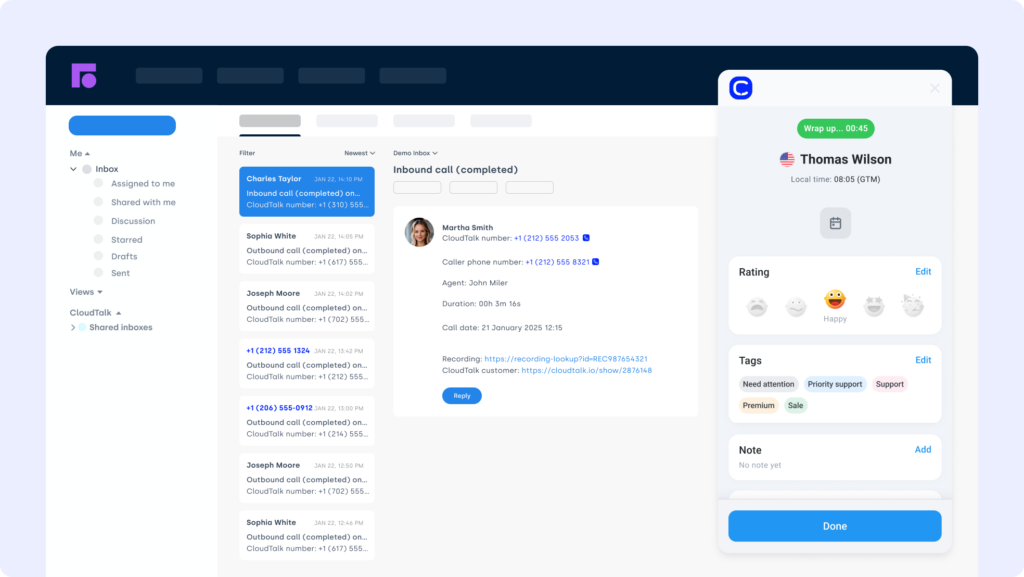
Front is a shared inbox platform for collaborative customer communication. The LiveAgent Front integration brings messages, notes, and tags from Front into your LiveAgent tickets for more efficient follow-ups.
What Is Front For?
Automatically convert Front threads into LiveAgent tickets, ensuring support agents have full context when jumping into conversations.
What Are Front’s Benefits?
- Centralize all customer messages inside LiveAgent
- Speed up resolution by reducing context gaps
- Improve team collaboration with synced notes and mentions
What Are Front’s Key Features?
- Connect Front email, chat, and SMS to tickets
- Auto-sync tags, replies, and internal comments
- Trigger LiveAgent workflows from Front activity
What Is Front’s Pricing?
- Starter: $25/seat/month
- Professional: $65/seat/month
- Enterprise: $105/seat/month
7. Zoho CRM — Best for Affordable CRM & Support Data Sync
What Is Zoho CRM?
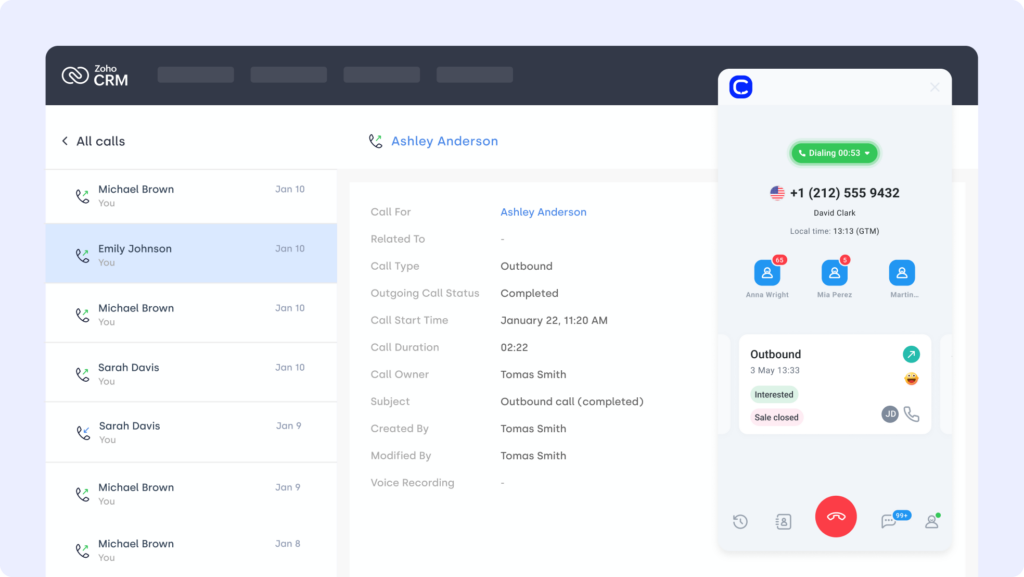
Zoho CRM is a customizable customer relationship platform used to manage sales, marketing, and support data. The LiveAgent Zoho CRM integration syncs contact records and ticket updates—keeping every team on the same page.
What Is Zoho CRM For?
Connect LiveAgent ticket activity to Zoho CRM contacts to automate follow-ups, update deal status, or trigger lead scoring workflows.
What Are Zoho CRM’s Benefits?
- Sync CRM and support activity for 360° visibility
- Automate Zoho workflows from LiveAgent ticket events
- Keep contact records accurate and centralized
What Are Zoho CRM’s Key Features?
- Two-way sync of contacts and ticket history
- Trigger Zoho actions based on support tags or priority
- View LiveAgent ticket data within Zoho timelines
What Is Zoho CRM’s Pricing?
Zoho CRM offers tiered plans for teams of all sizes:
- Standard: $14/user/month
- Professional: $23/user/month
- Enterprise: $40/user/month
- Ultimate: $52/user/month
Learn more about Zoho CRM here.
8. Freshdesk — Best for Cross-Team Escalations & SLA Tracking
What Is Freshdesk?
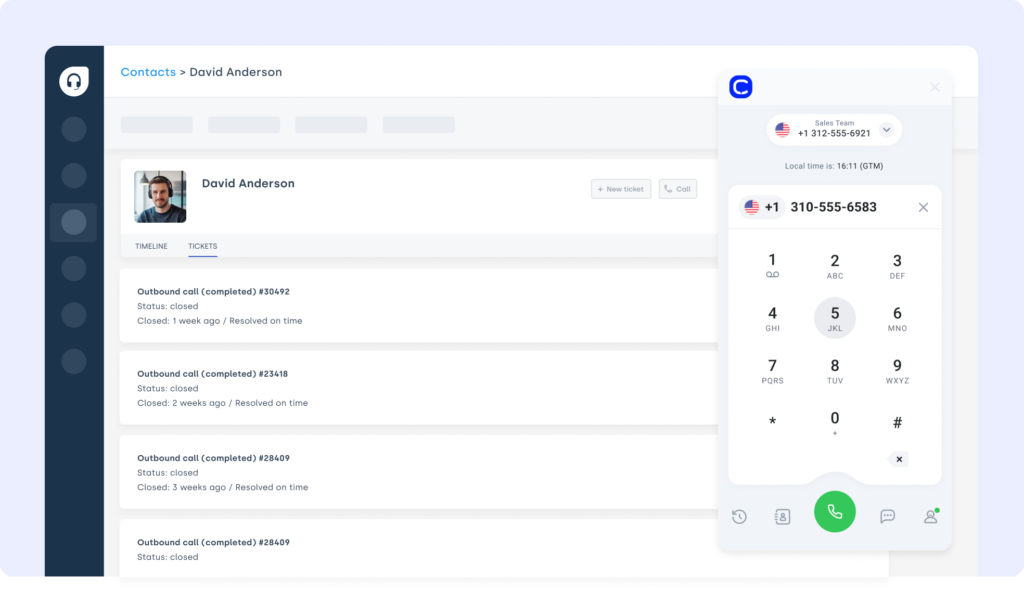
Freshdesk is another popular support platform, often used in tandem for escalations or cross-functional support. The LiveAgent Freshdesk integration syncs ticket status and notes between both tools to ensure smooth resolution tracking.
What Is Freshdesk For?
Connect Freshdesk and LiveAgent to share SLA alerts, escalate tickets, or hand off complex issues while maintaining shared customer context.
What Are Freshdesk’s Benefits?
- Collaborate across teams without switching platforms
- Ensure tickets don’t fall through the cracks
- Track status and resolution time from either side
What Are Freshdesk’s Key Features?
- Sync tickets, tags, and agent comments
- Auto-assign escalations across systems
- Share SLA status and updates in real time
What Is Freshdesk’s Pricing?
Freshdesk offers multiple plans for growing support teams:
- Growth: $15/agent/month
- Pro: $49/agent/month
- Enterprise: $79/agent/month
Learn more about Freshdesk here.
Recommended Reads
9. ActiveCampaign — Best for Behavior-Triggered Marketing Campaigns
What Is ActiveCampaign?
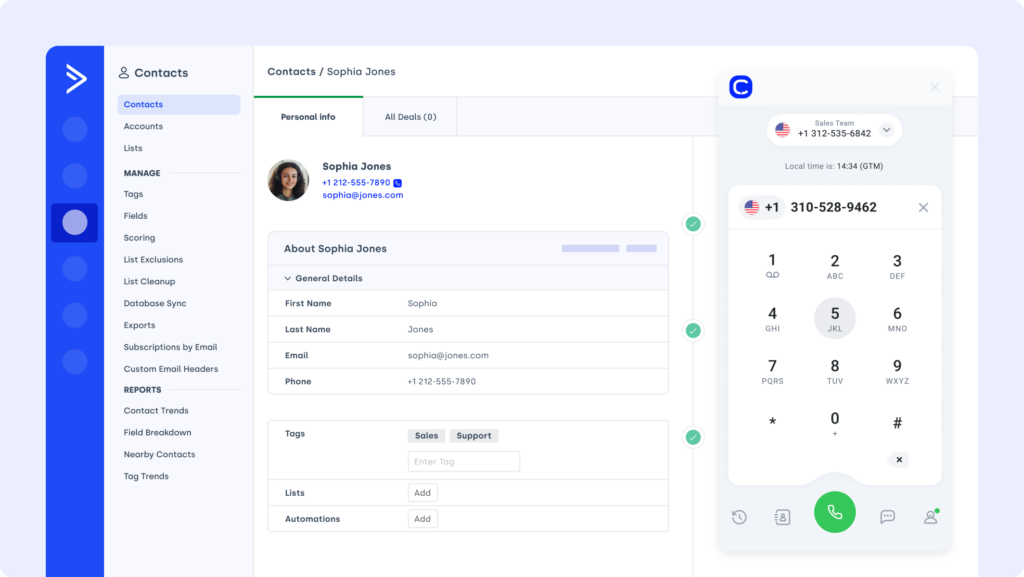
ActiveCampaign is a marketing automation platform that personalizes outreach based on behavior and engagement. The LiveAgent ActiveCampaign integration lets your support data power smarter, better-timed marketing campaigns.
What Is ActiveCampaign For?
Trigger email sequences or contact tagging in ActiveCampaign based on LiveAgent ticket events—like satisfaction ratings or resolution status.
What Are ActiveCampaign’s Benefits?
- Personalize campaigns using real support insights
- Automate marketing follow-ups tied to customer experience
- Keep contact data synced across both platforms
What Are ActiveCampaign’s Key Features?
- Sync tags and custom fields between systems
- Trigger ActiveCampaign automations from ticket activity
- Track campaign results linked to LiveAgent events
What Is ActiveCampaign’s Pricing?
- Starter: $15/month (up to 1,000 contacts)
- Plus: $49/month
- Professional: $79/month
- Enterprise: $145/month
10. Stripe — Best for Resolving Billing Issues Inside LiveAgent
What Is Stripe?
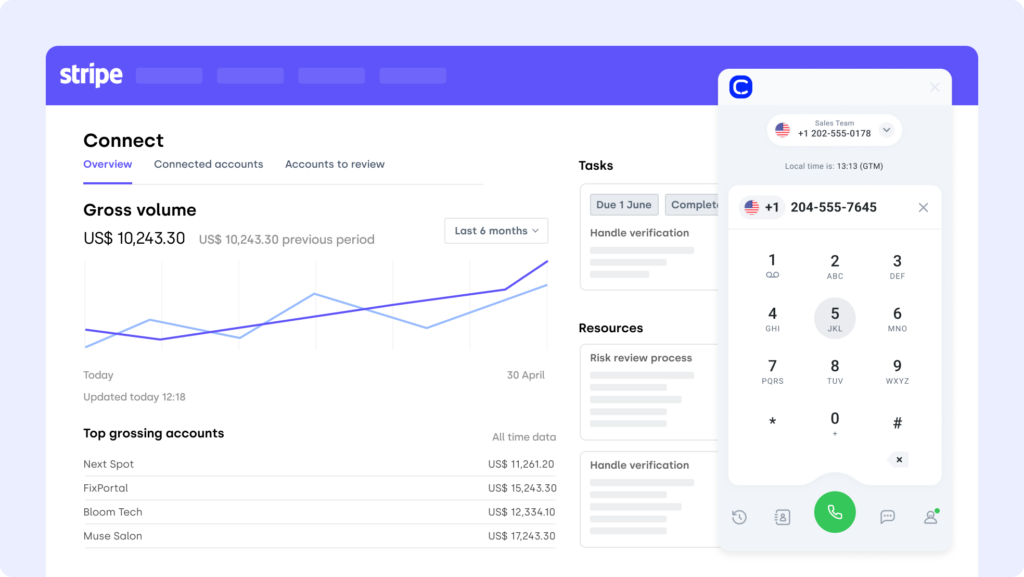
Stripe is a leading billing platform for digital payments. The LiveAgent Stripe integration brings payment and refund history into your support environment—so agents can resolve billing issues without switching tabs.
What Is Stripe For?
Surface Stripe payment data in LiveAgent tickets to answer billing questions, manage refunds, and reduce back-and-forth with finance teams.
What Are Stripe’s Benefits?
- Resolve payment issues quickly with full context
- Improve customer trust with accurate billing visibility
- Reduce escalations to finance or sales
What Are Stripe’s Key Features?
- Display payment, invoice, and refund data in tickets
- Trigger workflows based on billing status
- Sync dispute and payment events automatically
What Is Stripe’s Pricing?
Stripe charges 2.9% + 30¢ per successful card charge. Custom pricing is available for large volumes and enterprise use.
Benefits of LiveAgent CRM Integration
When LiveAgent works in isolation, it’s just a helpdesk. But when it’s integrated with your CRM, dialer, billing platform, and marketing stack—it becomes the nerve center of your entire customer experience.
Here’s what LiveAgent integrations make possible:
- Resolve tickets faster with richer context
No more toggling between apps or chasing down data. Agents get instant access to past orders, call logs, payment history, and lifecycle stages—all from inside the ticket view. - Turn manual tasks into hands-free workflows
From auto-assigning leads to syncing contact data and triggering alerts—LiveAgent integrations let your team focus on customers, not admin work. - Bridge the gap between support, sales, and marketing
Integrations with tools like HubSpot and Salesforce ensure customer insights flow freely across teams—resulting in faster handoffs, better timing, and more personalized service. - Give your agents one home base
Instead of a dozen tabs and scattered notes, integrations centralize everything inside LiveAgent—email threads, Stripe transactions, Pipedrive updates, and more. - Scale smarter with cleaner, connected data
With synced records across every tool, you reduce duplicate entries, human error, and friction—making your CRM a true source of truth.
Workflows aren’t broken—they’re just disconnected. Reconnect them!
How to Choose the Right LiveAgent Integration for Your Business
Tailored advice for real-world LiveAgent users.
-
01
Identify What’s Slowing You DownDon’t start with features—start with friction. Are agents wasting time chasing info in other tools? Are tickets stalled because CRM data isn’t in sync? The right LiveAgent integration removes blockers, not just adds bells and whistles.
-
02
Choose Integrations That Actually LaunchIf it takes a developer and two weeks to set up, it’s not saving you time. It’s adding complexity. Prioritize no-code tools or built-in apps—like CloudTalk’s LiveAgent integration—that connect in minutes, not months.
-
03
Plan for Growth, Not Just Today’s VolumeWill this integration still perform when your team scales? Look for tools like CloudTalk’s VoIP for LiveAgent that support remote agents, high ticket volumes, and evolving workflows—without breaking under pressure.
-
04
Don’t Compromise on Data SecurityEvery connection introduces risk. Choose integrations that support data encryption, permissions, and compliance—like CloudTalk’s CTI solution with built-in GDPR and call logging protections.
-
05
Confirm Real Human SupportIf the integration fails, can you reach someone? Look for vendors that back their tech with real humans—like CloudTalk’s support team, who respond fast and fix issues without ticket loops or chatbot dead-ends.
How to Connect LiveAgent with the Rest of Your Tech Stack
Integrating LiveAgent with other platforms can be simple—or a nightmare—depending on the tools you choose.
Fortunately, LiveAgent offers multiple ways to connect with your broader ecosystem:
- Native integrations: LiveAgent supports built-in connections with major platforms like HubSpot, Salesforce, and Shopify for real-time data sync and streamlined workflows.
- Third-party tools: Automation platforms like Zapier and Make let you build no-code connections between LiveAgent and 5,000+ apps—great for niche use cases.
- API & webhooks: For advanced use cases, LiveAgent provides a robust API and webhook system to push/pull data between custom tools or legacy systems.
- CTI & VoIP integrations: Need telephony features? CloudTalk’s LiveAgent integration embeds call controls, sentiment analysis, and conversation history directly into your agent interface.
Each method offers different levels of customization, so pick the approach that matches your technical resources and operational needs.
Make LiveAgent the Smartest Tool in Your Stack
LiveAgent is a powerful support platform—but it becomes unstoppable when connected to the tools your team already uses.
Whether you need better CRM visibility, faster follow-ups, or fewer manual tasks, the right LiveAgent integrations turn your helpdesk into a true command center.
You don’t need more tools.
You need tools that work together.
So stop stitching workflows together by hand. Start automating, syncing, and scaling with integrations that actually move the needle.
Try CloudTalk’s LiveAgent integration and see how seamless support can really be.
Setup shouldn’t be a separate project. We can help you.
Sources: